
What is Fotographer AI
Fotographer AI is an AI image generation tool that quickly generates professional product images. Through AI technology, it helps users save on photography costs, quickly generate professional-grade product images, and also provides advertising model images. It supports text and template customization, simplifying the creative process. It also provides instant generation services for marketing materials such as blogs and press releases. The trial period is free, with enterprise-level service options, including image generation and account management.
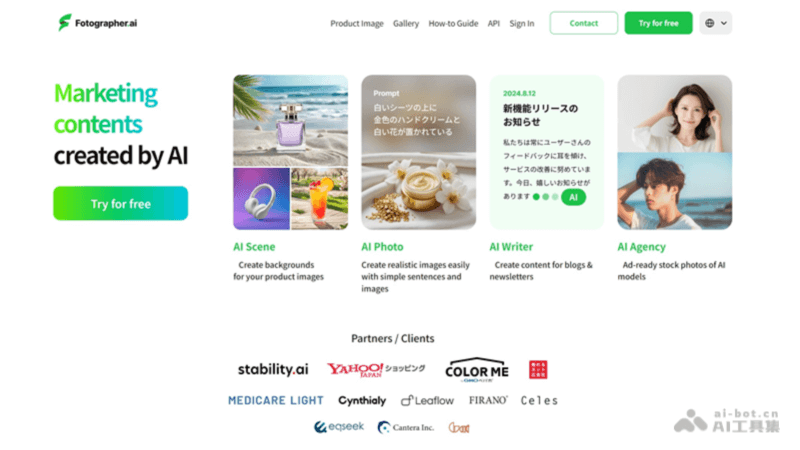
Features of Fotographer AI
- AI Image Generation: Using artificial intelligence technology, users can quickly generate product images through simple text descriptions and templates.
- Diverse Model Images: Provides a variety of AI-generated model images, suitable for different advertising and marketing campaigns.
- Professional Content Creation: Even without a professional photographer, you can produce images with a professional look.
- Text Content Generation: AI can also help generate marketing materials such as blogs, press releases, and newsletters.
- Instant Lighting Editing: Allows users to adjust the brightness, tone, and atmosphere of images through simple controls to suit different visual needs.
How to Use Fotographer AI
- Register and Log In: Visit the Fotographer.ai website (fotographer.ai), create an account, and log in.
- Choose a Service: Choose a personal or enterprise service according to your needs, and learn about the offerings and prices of different services.
- Choose a Template or Upload a Custom Template: Choose a preset template or upload your own template as needed.
- Enter a Description: Use text to describe the image content you want to generate, including product features, scenes, style, etc.
- Adjust Parameters: Adjust image parameters as needed, such as lighting, color, angle, etc.
- Generate the Image: After submitting the description and parameters, the AI will generate an image based on the input.
- Edit and Fine-Tune: The generated image may require further editing and fine-tuning to meet specific needs.
- Download and Use: After editing is complete, download the image and use it in marketing materials, advertisements, social media, etc.
Application Scenarios of Fotographer AI
- E-commerce: Generate product images for online stores to improve the appeal of product displays.
- Advertising Production: Quickly create advertising images, including social media ads, banners, and posters.
- Social Media: Create social media posts and stories to enhance social media marketing effectiveness.
- Press Releases and Blogs: Generate accompanying images and visual elements for articles to increase content appeal.
- Virtual Models: Use AI models to display clothing, accessories, etc., reducing actual shooting costs.