
What is Fish Audio
Fish Audio is a generative AItext-to-speech(TTS) andvoice cloningplatform. Fish Audio supports users in converting text into natural and fluent speech, offering multiple languages and voice styles. Fish Audio provides voice cloning functionality; users upload audio samples of a target person, and based on AI technology, the person's voice is cloned for use in generating personalized voice content. Fish Audio provides API interfaces, making it convenient for developers to integrate into their own applications. Fish Audio is suitable for individual creators, developers, and users who need high-quality voice synthesis and voice cloning.
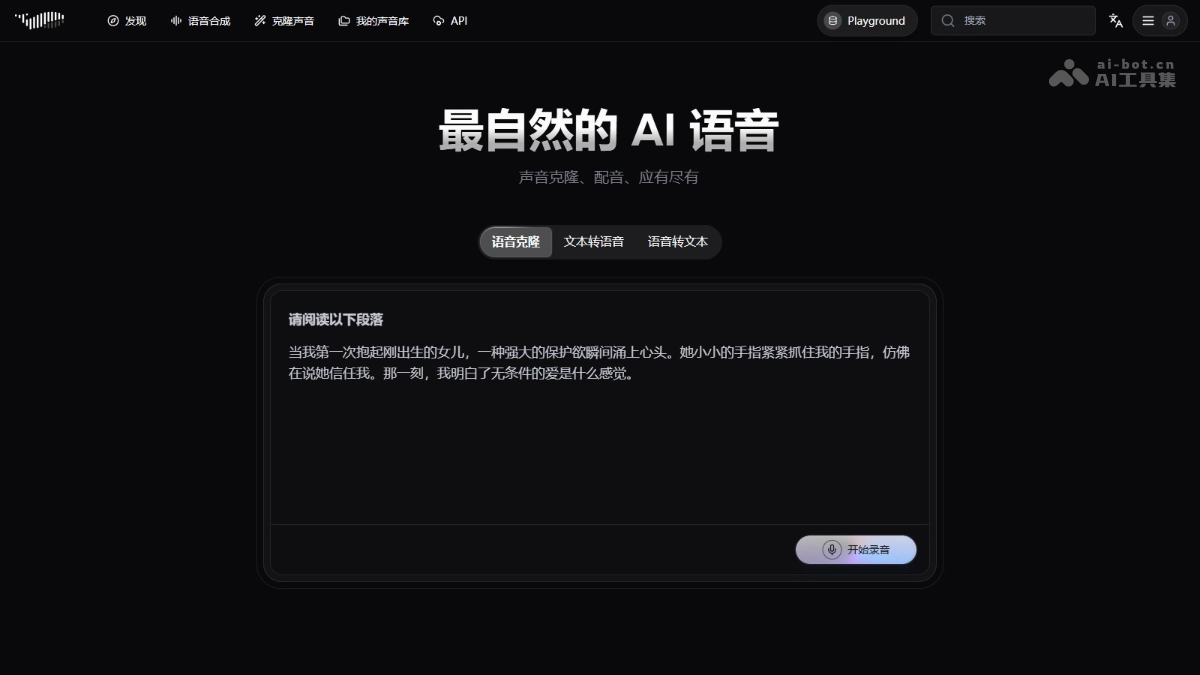
Fish Audio's main features
- Text-to-Speech (TTS): Converts user-input text into natural and fluent speech, supports multiple languages and voice styles, and meets voice synthesis needs in different scenarios.
- Voice cloning: Users upload audio samples of a target person, and based on AI technology, the person's voice is cloned.
- Voice library management: Users create and manage their own voice libraries, making it convenient to call generated voice models at any time for voice synthesis or further editing.
- API interface: Provides API interfaces, making it convenient for developers to integrate Fish Audio's features into their own applications and achieve broader application scenarios.
- Multilingual support: Supports voice synthesis in multiple languages, meeting the needs of different users.
How to use Fish Audio
- Register and log in: Visit Fish Audio official website, and complete registration and login as prompted.
- Text-to-Speech (TTS):
- Enter text: Enter the content you want to convert to speech in the text box.
- Select voice: Select a suitable voice from the provided voice list.
- Generate speech: Click the "Generate" button, and the system converts the text into speech.
- Download speech: The generated speech file can be downloaded locally.
- Voice cloning:
- Upload person image: Upload a photo of the cover person.
- Upload original audio: Upload the original audio file of the target person; a duration of 1-2 minutes is recommended.
- Create voice model: Click "Create", and the system begins training the voice model.
- Enter script: After training is complete, enter the script you want the person's voice to say.
- Generate cloned speech: Click "Generate sample", and the system generates the cloned speech.
- Download cloned speech: The generated cloned speech can be downloaded locally for use in video dubbing, etc.
Fish Audio's application scenarios
- Video production: Add natural dubbing to AI videos, self-media videos, etc., to enhance appeal.
- Audiobooks: Convert text content into audiobooks and audio articles, making it convenient for users to listen.
- Voice assistants: Generate natural speech for intelligent customer service, smart homes, etc., enhancing the interactive experience.
- Education and Training: Generate course explanation speech, assist language learning, and improve teaching effectiveness.
- Entertainment and Creativity: Provide personalized speech for virtual streamers, creative projects, etc., adding fun.