
What Is Fellou CE
Fellou CE is an innovative AI browser and the world's first spatial Agentic browser. Through its unique Z-axis spatial interface, it creates an independent space for each task, reducing task interference and improving multitasking efficiency. The browser's core function is its agentic engine, which can understand users' complex intentions and autonomously execute multi-step tasks, such as automatically organizing materials and generating reports. Fellou CE features deep search and visual reports, freely providing users with automated research and personalized reports across multiple sources. Fellou CE is based on a local-first model, ensuring user data security and worry-free privacy. Fellou CE is a browser, and even more so an intelligent assistant for users, helping them free themselves from tedious operations and focus on creation and decision-making.
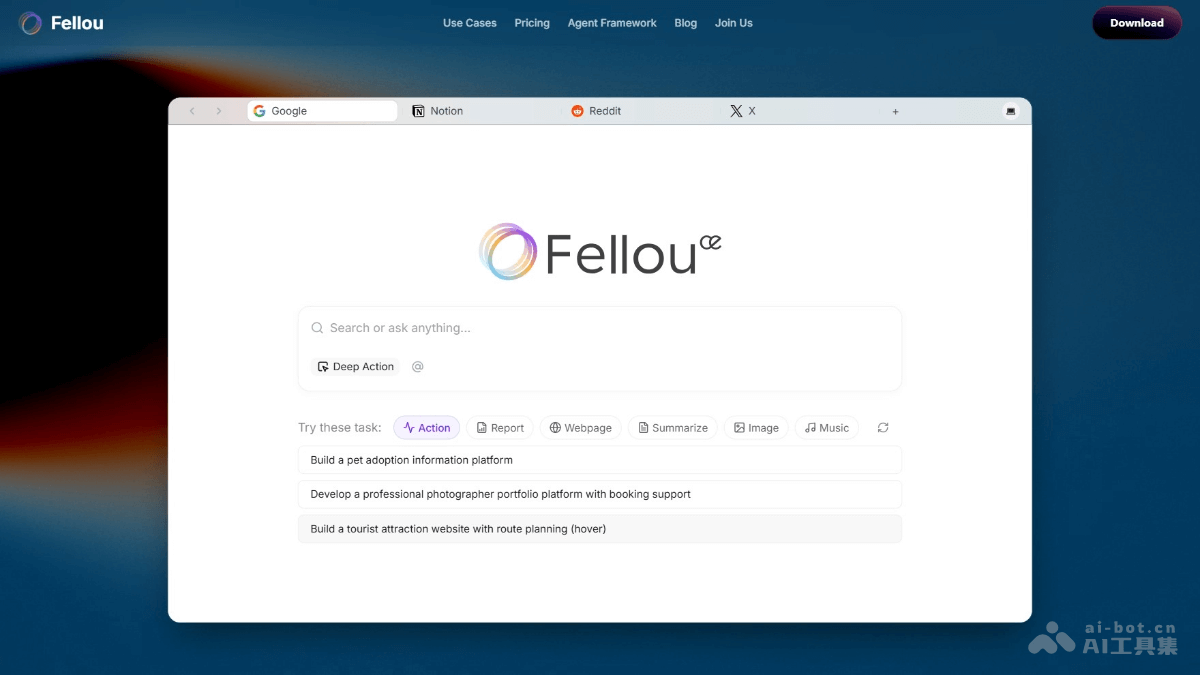
Fellou CE's Main Features
- Spatial Interface : Introduces the Z-axis, creating an independent space for each task, reducing interference between tasks and improving multitasking efficiency.
- Dynamic Multitasking : Automatically processes tasks in the background without affecting foreground operations, achieving true parallel processing.
- Shadow Workspace : Tracks and manages operations in the background, making it easy for users to retrieve forgotten information and providing real-time intervention capabilities.
- Fellou Home : A three-dimensional desk-style interface that intuitively organizes bookmarks, history, files, and task lists, and can reduce users' cognitive load.
- Agentic Engine : Supports understanding users' complex intentions and autonomously executing multi-step tasks, such as automatically organizing materials and generating reports.
- Deep Search & Visual Report : Freely provides users with automated research and personalized reports across multiple sources, with traceable information sources.
- Parallel Multi - Agent Operations : Multiple AI agents can handle different tasks simultaneously, improving work efficiency.
- Seamless Integration : Breaks down barriers between applications, data, and memory, enabling seamless interaction between local files and web pages.
- Control and Convenience : Visualizes the entire automation process, allowing users to edit, approve, or modify steps in real time.
- Trust & Transparency : Based on a local-first, privacy-first model, ensuring user data security and transparently displaying the Sparks required for task execution.
How to Use Fellou CE
- Download and Install: Visit the Fellou CE official website https://fellou.ai/。根据操作系统(如Mac或Windows)下载相应的版本并安装。
- Register and Log In: Complete account registration and log in.
- Enter Instructions: Enter instructions or goals in Fellou CE's input box, such as "Help me organize last week's research materials" or "Generate a market analysis report."
- View the Execution Process: Fellou CE breaks instructions into multiple steps and automatically executes them in the background. Users can view the execution status of each step in real time through the interface and intervene or modify as needed.
- Deep Search and Reports: Use the Deep Search feature, enter keywords or questions, and Fellou CE automatically searches for information from multiple sources and generates visual reports.
- Manage Tasks: Fellou CE automatically decomposes complex tasks into multiple subtasks and processes them in parallel across different spaces. Users set the execution time for tasks, and Fellou CE automatically executes the tasks at the specified time.
- Data and File Management: Directly manage local files through Fellou CE, such as searching, moving, and organizing files.
- Cross-Application Integration: Use Fellou CE to seamlessly transfer data between different applications, for example, downloading attachments from email and importing them directly into a document editor.
Application Scenarios of Fellou CE
- Work Efficiency Improvement: Fellou CE can automatically execute multi-step tasks, such as "help me organize last week's research materials," automatically retrieving historical records and local documents to generate a collection of materials and improve work efficiency.
- Travel Planning Assistant: Enter "a three-day, two-night Tokyo itinerary," and Fellou CE automatically breaks it down into subtasks such as booking flights, arranging hotels, generating a guide, and managing the budget, making it easy to complete the travel plan.
- Study Material Organization: Students use Fellou CE to collect study materials, such as "find introductory materials on quantum mechanics," to support learning.
- Creative Inspiration and Realization: Enter "design a wooden cabin facing the sea," and Fellou CE can generate renderings and convert them into 3D models, enabling ideas to be quickly realized.
- Healthy Lifestyle Management: Users can set health goals, such as "create a one-week fitness plan," and Fellou CE generates personalized fitness plans and dietary suggestions based on physical condition and goals.