
What Is Faceplay Show Face
FacePlay Show Face is an application integrating a variety of AI effect features, allowing users to perform video face swaps, make photos dance, use AI filters, create AI portraits, AI lip-sync, and make ID photos, etc. The app has over 3,000 popular templates, letting users get started easily and quickly generate face-swap videos, helping users easily create fun short video content and quickly become influencers in the short video field. FacePlay Show Face is simple and easy to use, letting users quickly generate funny and entertaining lip-sync videos, make photos come alive and dance, or try different styling styles and experience the fun of classic film and television role-playing.
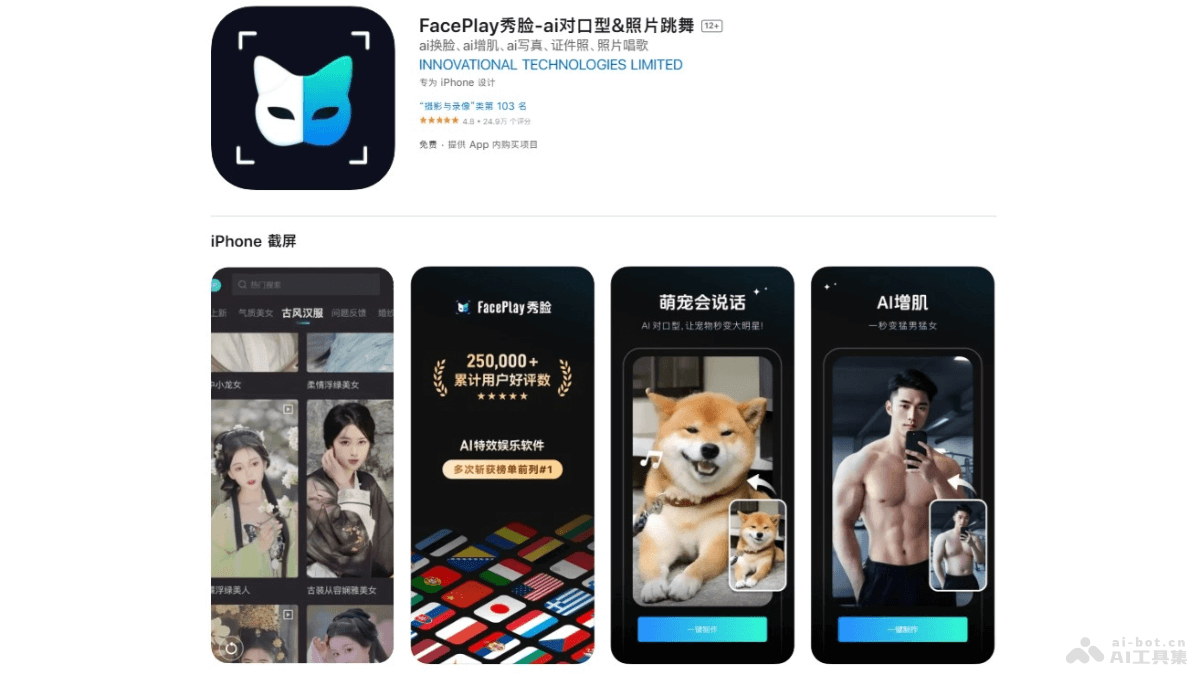
Main Features of Faceplay Show Face
- AI Lip-Sync: Users upload photos and make the people in the photos speak, sing, or perform, generating lip-sync videos.
- AI Muscle Gain: Based on AI technology, users can achieve muscle gain effects in one tap, gaining muscle definition without working out.
- Photo Dancing: After users upload photos, they make the people, pets, or cartoon characters in the photos come alive and dance.
- AI Filters: Provides a variety of fun AI filter effects, such as clay effects, figurine dolls, Disney style, etc.
- AI Portraits: Provides an AI portrait feature. Users choose from a variety of styles, such as flower-adorned maiden, American-style ID photos, etc., to easily take portrait-quality shots.
How to Use Faceplay Show Face
- Download and Install: Visit theofficial websiteof FacePlay Show Face to download and install.
- Browse Features: The app interface displays different feature modules, such as AI lip-sync, photo dancing, AI filters, etc.
- Choose a Feature: According to the operation you want to perform, choose the corresponding feature module.
- Upload Photos or Videos: According to the requirements of the selected feature, upload photos or videos. For example, if you want to try the AI lip-sync feature, you need to upload a clear face photo.
- Choose a Template: For some features, such as AI lip-sync, choose different templates or effects.
- Edit and Adjust: Adjust photos or videos as needed to ensure the face is correctly aligned, or adjust the filter effects.
- Generate Content: After completing the edits, click generate or save, and the app processes the content with AI technology.
- Preview and Share: After generation is complete, preview the result, and if satisfied, save it to your device or share it directly to social media.
Faceplay Show Face Product Pricing
- Weekly Membership:¥28.00
- Continuous Monthly Subscription Membership:¥38.00
- Continuous Annual Subscription Membership:¥398.00
- Weekly SVIP Membership:¥36.00
Faceplay Show Face Use Cases
- Social Media Content Creation: Users use FacePlay Show Face to create fun videos and images and post them to social platforms such as Weibo, Douyin, and Kuaishou to increase fan interaction and attention.
- Entertainment and Fun: Based on the AI lip-sync feature, users imitate songs, movie lines, etc., create funny videos, and share the fun with friends.
- Holidays and Special Occasions: On holidays or special anniversaries, users create personalized greeting videos or photos, such as Santa Claus lip-syncing greetings, New Year greeting videos, etc.
- Personal Image Experimentation: With the AI face-swapping feature, users can try different looks and styles, such as ancient costumes, ethnic clothing, futuristic warriors, etc., to satisfy their exploration and experimentation with personal image.
- Artistic Creation: Artists and designers use FacePlay Xiulian's AI filters and special effects to create unique works of art.