
What is Emote
Emote is a chat-style note-taking app with AI interactive recording, helping users easily record and track the little details of life, including notes, plans, accounting, and time management. The app is based on real-time voice transcription and AI recognition technology to quickly create note content, provides a private pen pal feature, and offers users emotional support and guidance. Emote has an AI memory feature that can remember note content to generate better responses. Emote supports cloud sync, note lock, and data statistics, supports user-customized notebooks and tags, and has AI features that automatically analyze note sentiment and extract keywords.
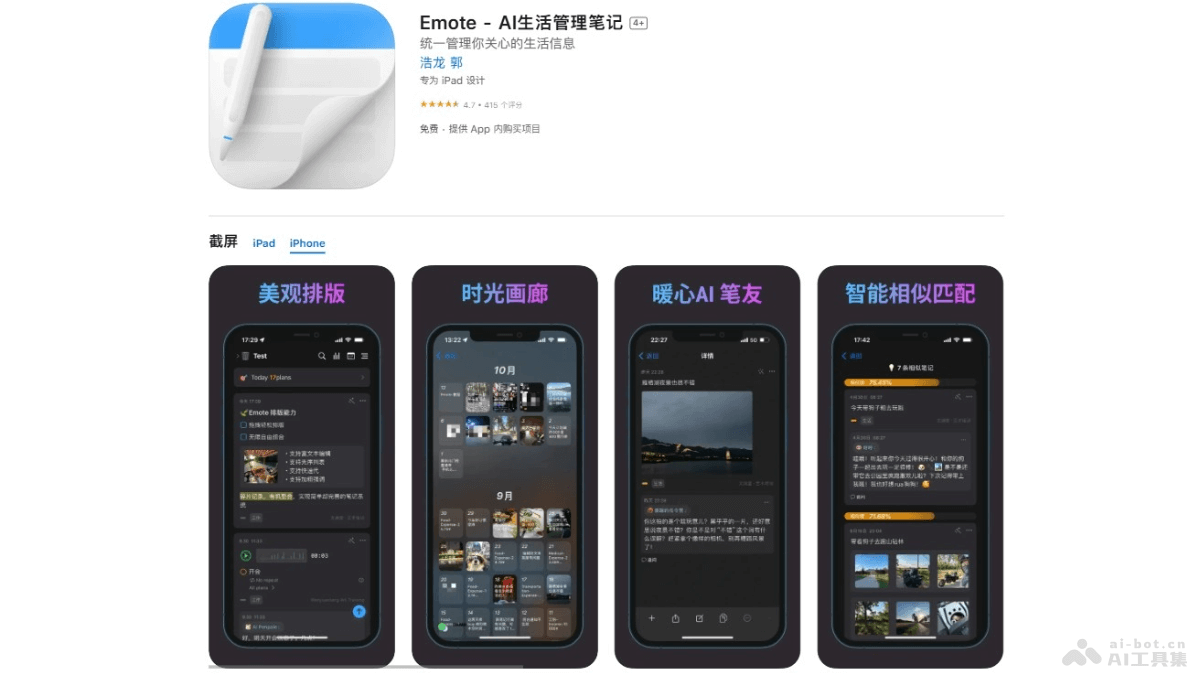
Emote's Main Features
- Real-Time Voice Transcription: Quickly record notes with your voice, and Emote transcribes the voice into text in real time.
- AI Recognition: The app can recognize instructions and content in speech, helping users create plans, accounting entries, timers, and more.
- Private Pen Pal: Emote provides a virtual pen pal that offers emotional comfort, encouragement, and guidance when users need it.
- AI Memory: Based on search enhancement functionality, Emote can remember the user's note content and generate responses based on the remembered information.
How to Use Emote
- Download and Install: Visitthe Apple App Store, download and install.
- First Launch:
- Register and log in to your account.
- Complete the initial setup according to the guide, such as selecting features you are interested in and setting privacy preferences.
- Create Notes:
- Tap the "+" button on the app interface or the corresponding create note option.
- Create notes by typing, handwriting, or voice input.
- When using voice input, directly say what you want to record, and Emote can convert the voice into text.
- Use AI Features:
- Use Emote's AI features, such as having the AI analyze note sentiment or extract keywords.
- Interact with a private pen pal to get emotional support or life guidance.
- Manage Notes:
- Add tags and categories to notes for easy searching and organization.
- Use the notebook feature to group and manage different types of notes.
- Set Reminders and Plans:
- Use Emote's plan feature to set reminders and to-do items.
- Set time reminders for notes to ensure tasks are completed on time.
- Accounting Feature:
- Use Emote's accounting feature to record daily expenses.
- Track spending habits and use the statistics feature to analyze expenses.
- Time Management:
- Use the timer feature to record the time spent on specific activities.
- Use the time management feature to optimize your schedule.
Emote's Product Pricing
Emote's basic note-taking features are free to use, while advanced features require payment to unlock.
- Monthly Membership Plan:¥12.00
- Annual Membership Plan:¥88.00
- Lifetime Access (Limited):¥98.00
Emote's Application Scenarios
- Personal Diary: Record daily moods and life details, and use the AI pen pal feature to get emotional support.
- Time Management: Plan your schedule, set reminders and to-do items, and use the timing feature to track the time required for tasks.
- Financial Management: Recording and tracking the income and expenses of an individual or household, and analyzing spending habits.
- Study Notes: Recording study content, organizing class notes, and using AI to assist in extracting key information and review points.
- Work Collaboration: Sharing notes and plans with team members, and collaborating on work.