
What is Emergent
Emergent is a powerful AI programming toolthat can generate full-stack production-grade applications from a single sentence, covering frontend, backend, database, authentication, payment integration, etc., and directly output iOS and Android app packages. The newly launched Emergent Pro mode integrates Claude Sonnet 4.0, featuring stronger agent capabilities, the ability to handle errors and dynamically adjust plans, a built-in Linux virtual machine with internet access, greatly improving development efficiency and flexibility.
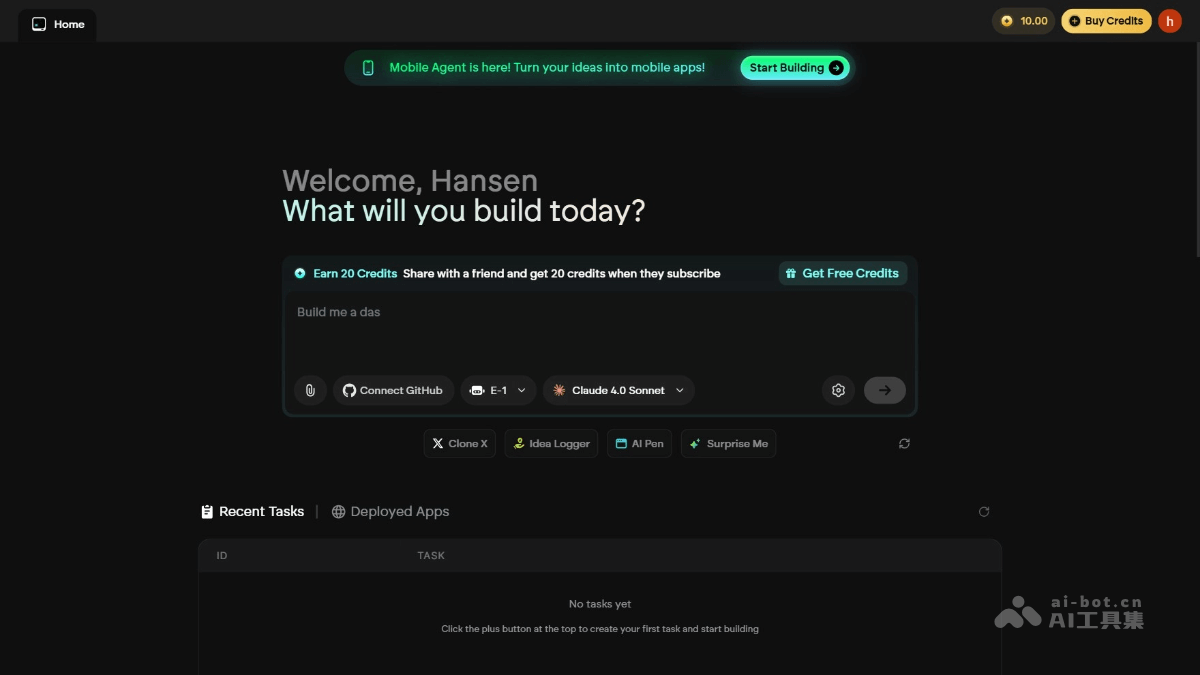
Main features of Emergent
- Full-stack application generation: Through natural language description, generate a full-stack application covering frontend, backend, database, authentication, and payment integration with one click.
- Multi-platform support: Supports the generation of Web, iOS, and Android applications, directly outputting APK and IPA files.
- Intelligent development assistant: Natural language interaction, supports dynamic adjustment of development plans, automatic error handling, and intelligent architecture design.
- Advanced features: Built-in Linux virtual machine, supports internet access, and enables one-click cloud-native deployment.
- Pro mode enhancement: Integrates stronger AI intelligence, supports a 1 million tokens context window, and handles large-scale code and documents.
How to use Emergent
- Visit the official website: Visit Emergent's official website:https://app.emergent.sh/,完成账号注册和登录。
- Select project type: After logging in, select the type of project to create, such as Web application, iOS application, Android application, etc.
- Describe requirements: On the project creation page, clearly describe your application requirements in natural language. For example: "Create a blog application with user registration and login, article publishing, and comment features."
- Configure options: Select additional configuration options as needed, such as tech stack, database type, design style, etc.
- Application generation: After clicking the "Create" button, Emergent will generate the application according to the requirements.
- View progress in real time: During the application generation process, you can view the progress in real time.
- Application testing and modification: After the application generation is complete, Emergent provides a preview link or download address for the application.
- Modify the application: If you need to modify the application, directly perform operations in Emergent's editing interface.
- Application deployment: Choose the appropriate deployment method according to your needs.
Emergent's application scenarios
- Rapid prototyping: Product managers or designers can quickly turn ideas into interactive prototypes, facilitating user testing and feedback collection.
- Small business application development: Small businesses can quickly generate internal management tools or CRM systems, allowing those without a professional development team to meet their needs.
- Education and learning platforms: Educational institutions or individual developers can quickly create online learning platforms, including features such as course management and user registration.
- Mobile application development: Entrepreneurs or developers can quickly generate iOS and Android applications without investing a large amount of time and resources.
- Game development: Independent game developers or small studios can quickly generate game prototypes for market testing and rapid iteration.