
What is Dynal.AI
Dynal.AI is an intelligent tool focused on LinkedIn content creation, helping users efficiently generate and manage high-quality LinkedIn posts. Through AI technology, it quickly transforms materials such as transcripts, website links, videos, and PDF files into LinkedIn-appropriate post content, captures key points, and adjusts tone to achieve efficient content reuse. Dynal.AI offers the "Visualize My Post" feature, which can turn text content into impactful images or multi-image posts to enhance visual effects.
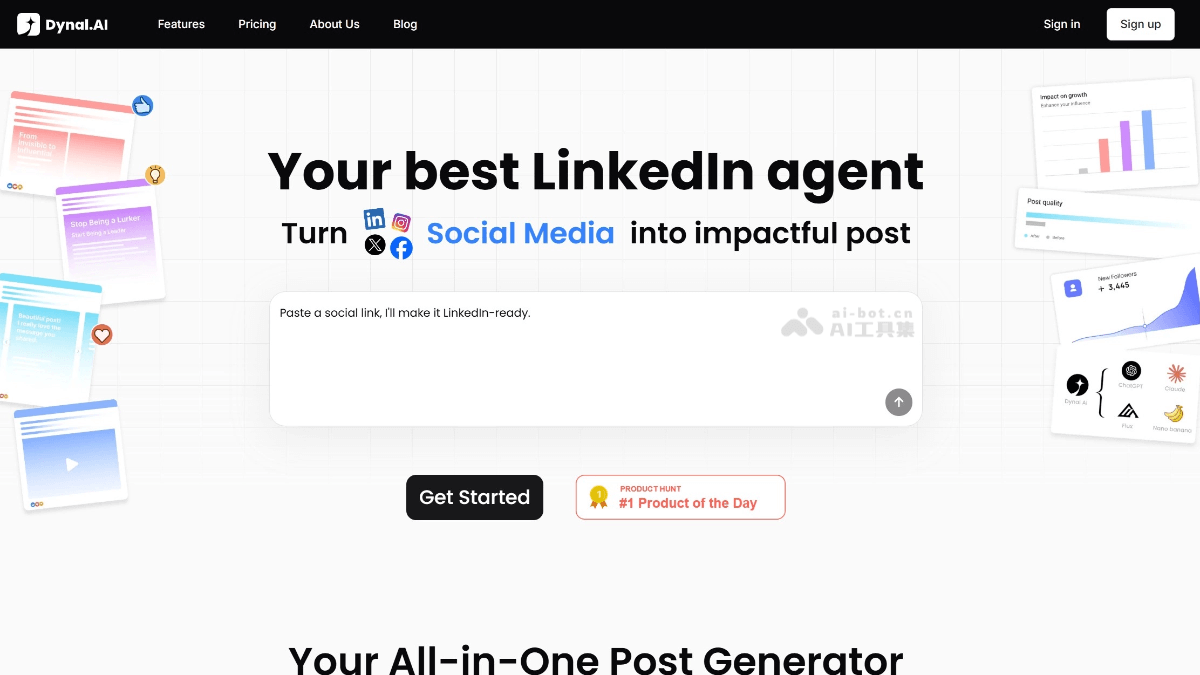
Dynal.AI's Main Features
-
Rapid Content Generation: After inputting materials such as transcripts, website links, videos, and PDFs, it automatically captures key points and transforms them into LinkedIn-appropriate posts, enabling efficient content reuse.
-
Visual Creation: Through the "Visualize My Post" feature, text content is transformed into images or multi-image posts, enhancing visual impact and making it suitable for professional brand exposure.
-
Inspiration and Angle Suggestions: By combining current trending topics and personal preferences, it proactively provides content angles and outlines, helping users quickly find creative direction.
-
Multi-Account and Team Collaboration: Supports connecting multiple LinkedIn accounts, assigning permissions, and centrally managing content plans, making it suitable for content agencies and teams.
-
Personalization and Optimization: Learns the user's writing style and optimizes the clarity and tone of posts, making the content more natural and professional.
-
Trending Post References: The homepage displays the currently hottest LinkedIn posts, and users can reuse their structure or content with one click to quickly draw on popular trends.
How to Use Dynal.AI
-
Register an Account: Visit Dynal.AI's official website https://dynal.ai/,点击注册按钮,填写相关信息完成注册。
-
Choose a Plan: Choose a free plan or paid package according to your needs. Paid packages provide more features and higher usage limits.
-
Connect an Account: In account settings, connect your own LinkedIn account so you can directly publish generated content.
-
Input Materials: Input materials such as transcripts, links, videos, and PDFs into the creation interface, and Dynal.AI will capture key points and generate a draft.
-
Edit and Optimize: Edit and optimize the generated post content, adjusting tone and structure to better match your personal style.
-
Visual Creation: Use the "Visualize My Post" feature to transform text content into images or multi-image posts and enhance visual effects.
-
Publish Content: After confirming the content is correct, click the publish button to publish the post directly to LinkedIn.
-
Manage Multiple Accounts: If you need to manage multiple LinkedIn accounts, you can manage them centrally on the platform, assign permissions, and schedule publishing times.
-
Get Inspiration: When lacking creative ideas, use the trending topics and content angles provided by Dynal.AI to quickly find creative direction.
-
View Analytics: Through the platform's data analysis features, understand post performance and further optimize your content strategy.
Dynal.AI's Application Scenarios
-
Personal Brand Building: Helps individual creators and professionals continuously produce high-quality content on LinkedIn and enhance personal brand influence.
-
Content Creation Support: Provides content creators with inspiration and material transformation features to quickly generate posts suitable for LinkedIn.
-
Multi-Account Management: Suitable for users who need to manage multiple LinkedIn accounts, such as social media operators or content agencies, to publish and manage content in a unified way.
-
Team Collaboration: Provides a collaboration platform for teams, making it convenient for members to jointly edit, review, and publish LinkedIn posts, improving work efficiency.
-
Visual Content Needs: Through the "Visualize My Post" feature, text content is transformed into visual posts, enhancing the appeal and memorability of the content.
-
Industry Trend Tracking: Combines popular topics and trends to provide users with content angles, helping them publish posts that better align with current hot topics.