
What Is Dream Lab
Dream Lab is a text-to-image generator launched by Canva, based on the Phoenix model from Leonardo.ai, an AI startup acquired by Canva. It supports users in generating high-quality images in various styles based on simple text descriptions, including 3D renders and illustrations. The tool can understand users' text input and generate images with photographic style and multiple themes based on their descriptions. It provides a feature to reference existing images, helping users control the generated results more precisely. The launch of Dream Lab marks an important step for Canva in the field of AI-assisted design, providing designers and non-professionals with a powerful creative tool that lets them easily create engaging visual content.
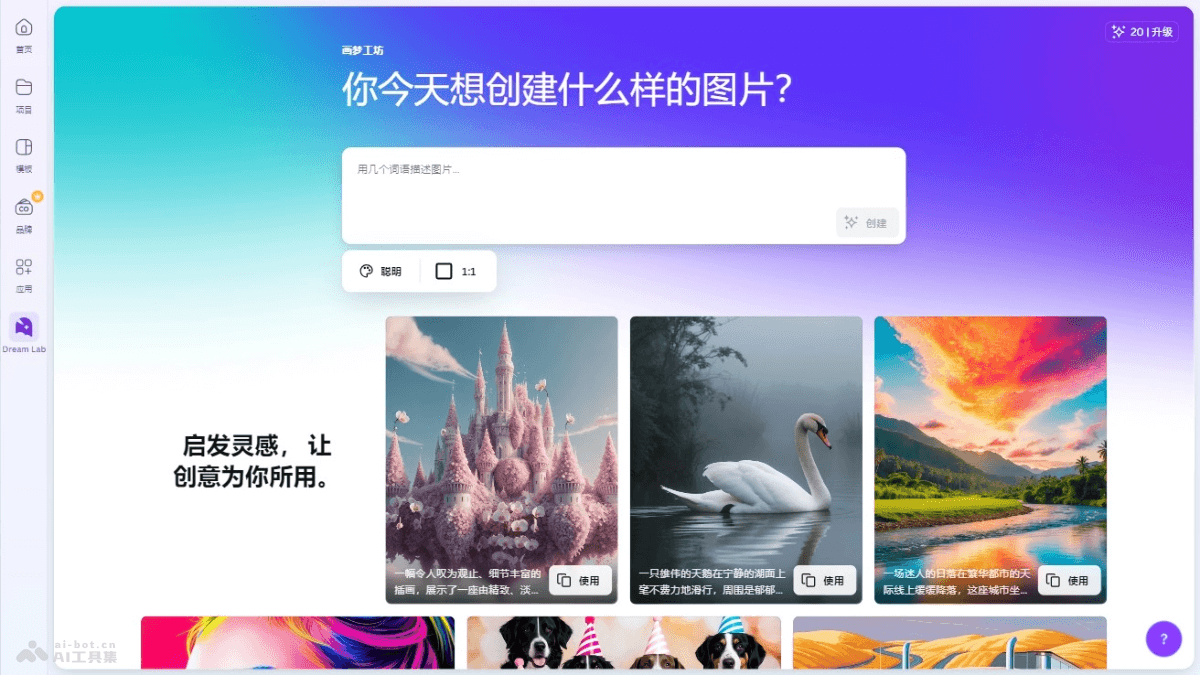
Main Features of Dream Lab
- Text-to-image generation: Users enter a short text description, and Dream Lab generates the corresponding image based on the description.
- Multiple style options: Dream Lab offers a variety of preset styles, such as cinematic, creative, illustration, and 3D render, and users can choose the appropriate style as needed.
- Reference image feature: Users can upload existing images as references to better control the style and content of the generated images.
- Multiple size options: Users can choose different image sizes as needed to suit different design requirements.
- Image editing and use: Generated images can be copied, downloaded, or used directly in Canva to create new designs.
Dream Lab Product Website
- Product Website:canva.com/dream-lab
Application Scenarios of Dream Lab
- Social media content creation: Users can quickly generate attractive images for social media posts, increasing the appeal and engagement of the content.
- Advertising and marketing materials: Marketers can generate unique advertising images and marketing materials to attract potential customers.
- Brand and logo design: Designers can explore and quickly iterate on brand visual elements, such as logos and icons.
- Presentations and reports: When creating presentations or reports, it helps users generate charts and graphics, making data and information more vivid and easier to understand.
- Educational and training materials: Educators can generate instructional images and diagrams, making learning materials more intuitive and engaging.