
What Is Waw Camera
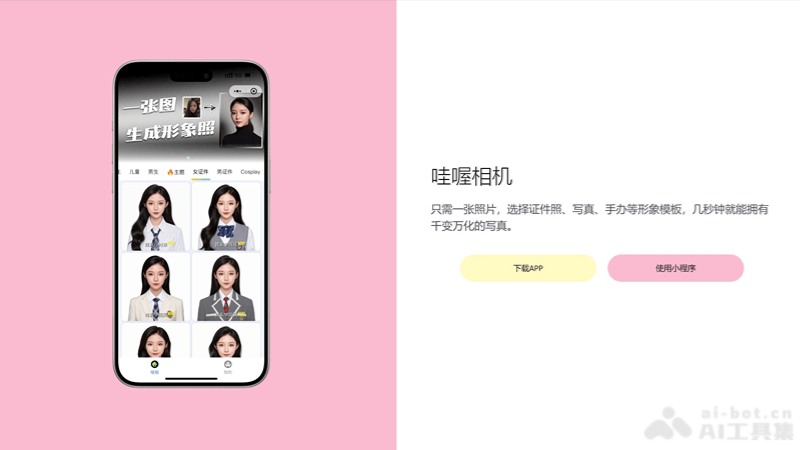
Waw Camera is launched by Hangzhou Qiate IntelligentAI portrait tool, generate portraits with a single photo. With unique filters and special effects, users can easily take photos with personality and artistic flair. Whether it's retro style, dreamy effects, or trendy elements, Waw Camera can meet the different needs of users. It provides simple and easy-to-use editing tools, allowing users to further adjust and beautify photos. Waw Camera not only makes taking photos more fun, but also makes users more confident when sharing life's moments.
Main Features of Waw Camera
- AI portrait generation: Uses AI technology to automatically recognize facial features and background, and generate personalized portrait photos.
- ID photo creation: Provides a variety of ID photo templates. Users can select the corresponding size and background as needed to quickly generate ID photos that meet the requirements.
- Smart retouching: Applies AI algorithms to intelligently retouch photos, including but not limited to skin smoothing, brightness adjustment, contrast optimization, etc.
- Automatic beautification: Automatically recognizes faces and applies beautification effects, such as skin smoothing, whitening, blemish removal, etc.
- Background replacement: Allows users to change the background of photos, providing multiple background options or supporting custom backgrounds.
How to Use Waw Camera
- Product official website:drawai.aipedias.com, download and install, or use the WeChat mini program.
- Choose a feature: After logging in, you can see different feature options on the main interface, such as AI portraits, ID photos, background replacement, etc. Select the feature you need.
- Upload a photo: After selecting a feature, upload the photo you want to edit or generate according to the prompts. You can choose from your phone's album or use the camera to take a new photo.
- Choose a template or filter: After uploading a photo, Waw Camera provides a variety of templates or filters for you to choose from, adapting to different styles and needs.
- Edit and adjust: Use Waw Camera's editing tools to adjust the photo, such as beautification, background replacement, adding special effects, etc.
- Generate the photo: After editing is complete, click the generate or save button, and Waw Camera will automatically process and generate the final photo.
- Save and share: The generated photo can be saved to your device, or you can choose to share it directly to social media or other platforms.
Application Scenarios of Waw Camera
- Personal portraits: Users can use Waw Camera to generate personal portraits in various styles, for social media sharing or personal collection.
- ID photo creation: Waw Camera supports multiple ID photo formats, such as passport, visa, exam, etc. Users can quickly generate ID photos that meet the requirements.
- Professional image photos: Suitable for professionals to create professional image photos, for resumes, business cards, or professional social platforms.
- Art photos: Provides art photo templates in different styles. Users can choose according to their preferences to create photos with an artistic feel.
- Social media: Users can use Waw Camera to edit and generate interesting images for social media updates.