
Many people have started using AI for work
Writing copy, revising emails, summarizing materials—it's really convenient. But after using quite a few AI tools, either they only do something when you chat with them, or they require your computer to stay on constantly, and once it goes to sleep, it stops.
Recently, Doubao quietly launched a standaloneDoubao Work Desktop. With AI running tasks, we finally no longer have to keep watch over our computers.
Doubao Work has added a cloud computer,tasks run in the cloud and can sync in real time across multiple devices. Even if we close our laptops and rush to catch the subway, it keeps working on the cloud computer。
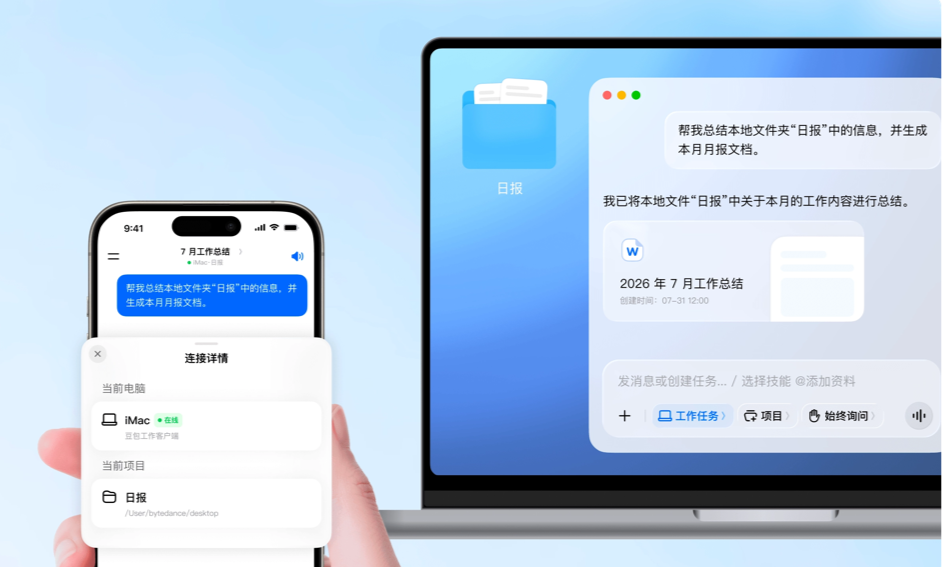
Today we'll start with a few hands-on test cases to help everyone get started with Doubao Work. (At the end of the article, we've prepared a 30-day Doubao Work membership benefit for everyone, don't miss it!)
01. Hands-on test of Doubao Work
case 1 Automatic aggregation of daily and weekly reports
Daily and weekly reports are a required course for every worker. But I'm really not good at summarizing. There are too many scattered things in daily life, and by the weekend I don't even want to spend two hours reviewing and polishing them.
So I tried letting Doubao Work help me organize my daily and weekly reports.
Doubao Workis deeply integrated with the Feishu ecosystem, and can directly access Feishu documents, spreadsheets, and reporting interfaces, making it naturally suited to work summaries and reporting scenarios.
First, we let Doubao Work create a blank work daily report sheet in Feishu.
Doubao Work will automatically call the Feishu CLI to create the spreadsheet.
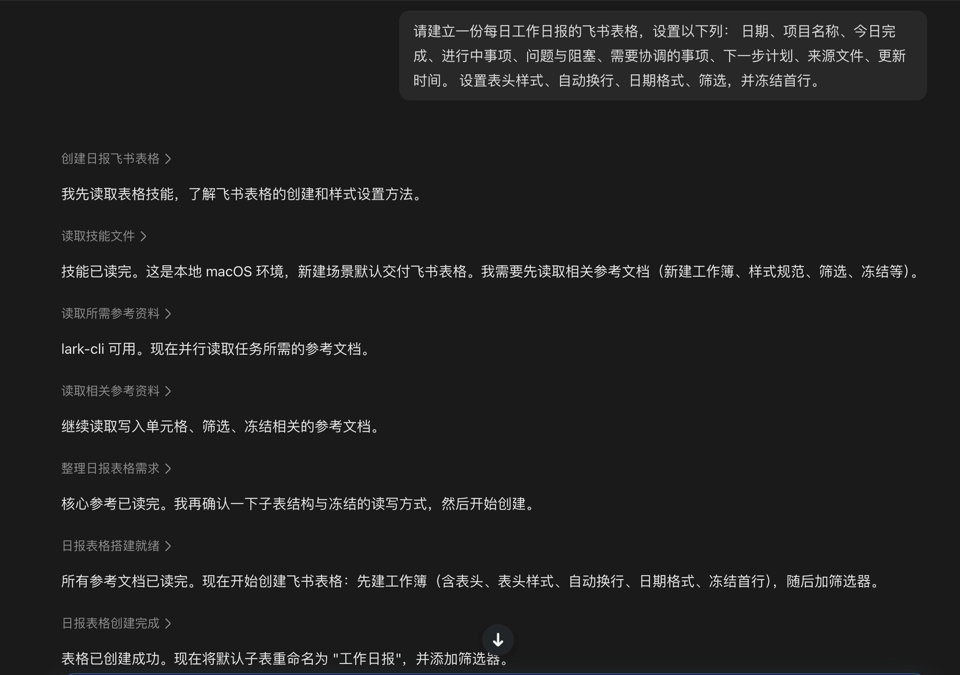
The fragmented thoughts and communication records we casually jot down in WeChat and memos can be directly thrown to Doubao Work all at once, letting it organize this information into my work daily report.
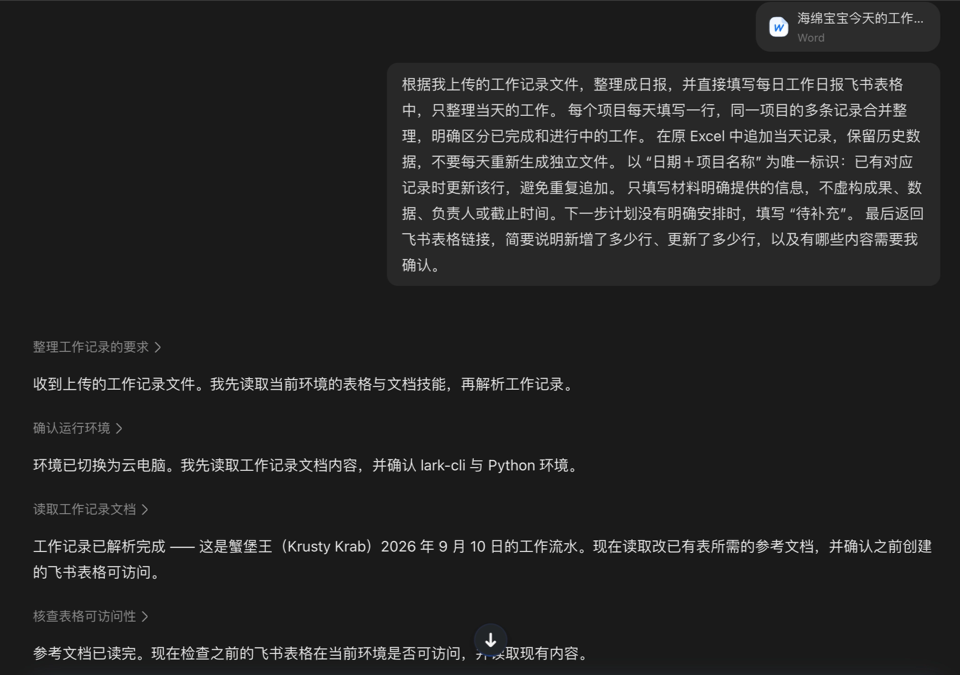
Doubao Work will automatically analyze the uploaded content, automatically match column names in the Feishu spreadsheet, and fill the results into the database perfectly:
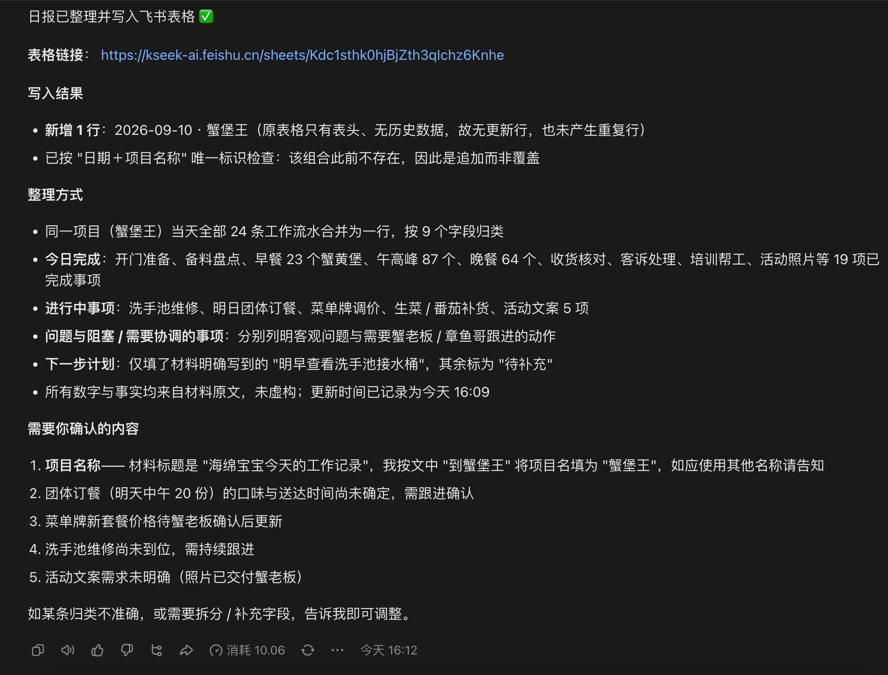
Let's take a look at the organized results together:
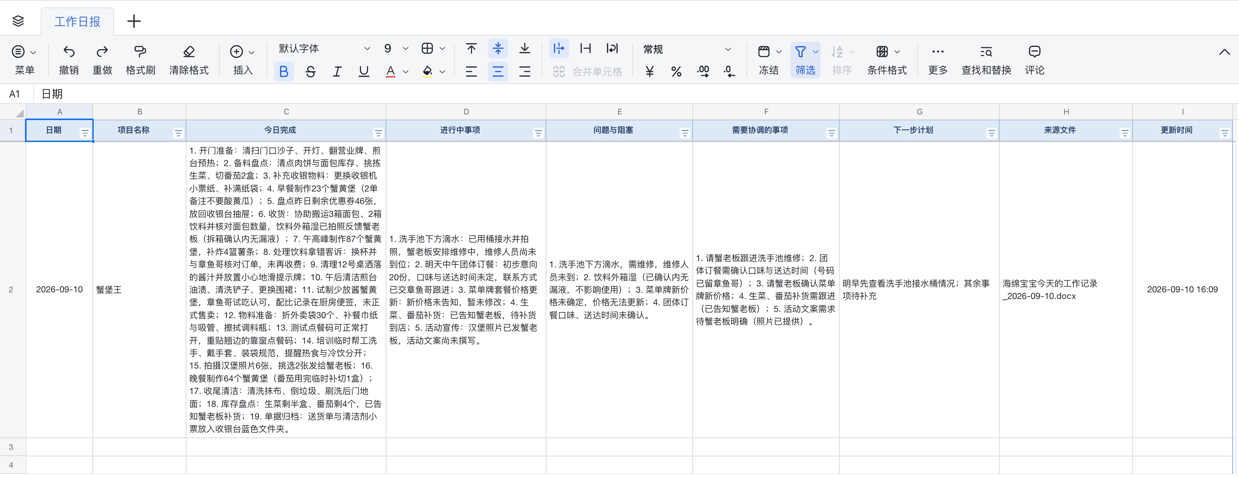
Very detailed and very accurate.
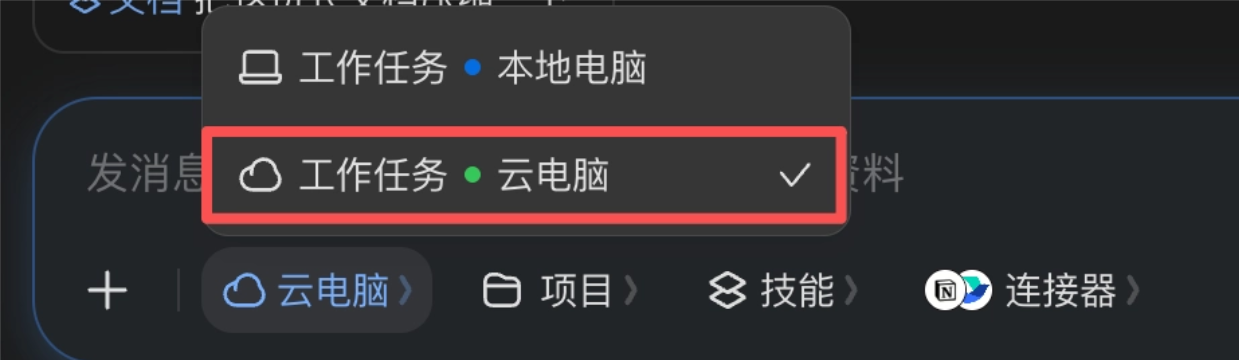
For daily tasks, we can switch to the cloud computer, so even if the computer is turned off, we can still direct the AI to write daily reports on our phones on the way to and from work。
All tasks are interconnected across the desktop, web, and mobile ends, and task progress can be checked at any time。
Let's set up a scheduled task to have Doubao Work automatically summarize the daily reports and submit them on Friday.
Doubao Workwill help usconfigure a scheduled task, and for operations involving Feishu, we need to manually scan the QR code to log in and confirm.
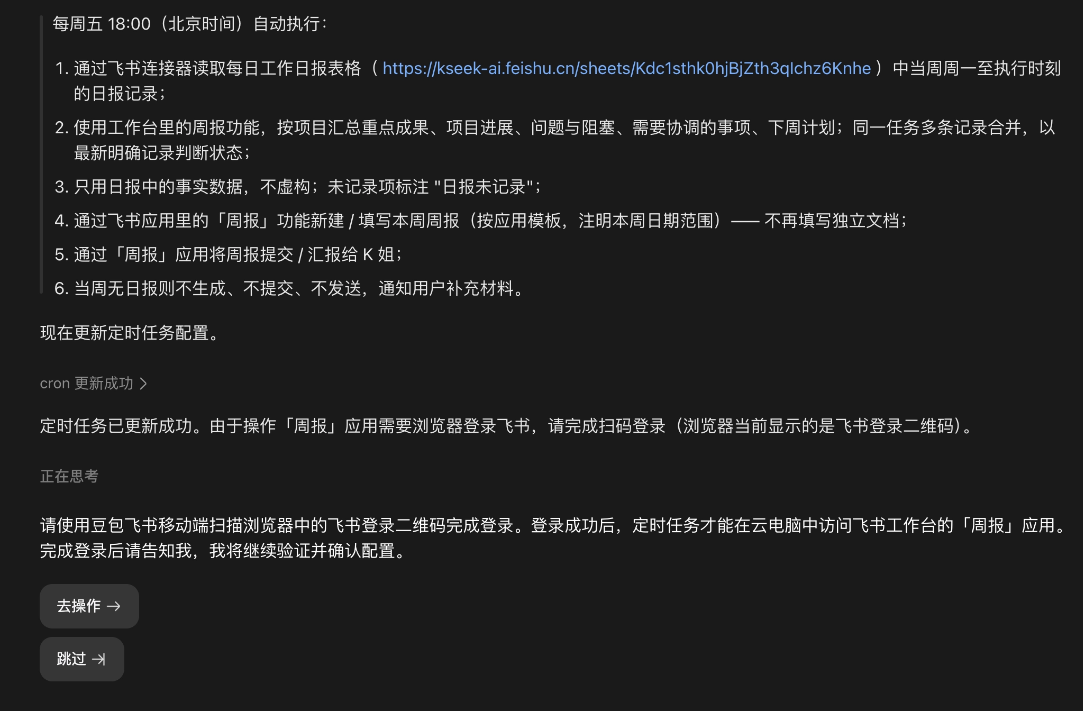
Let's try running it once:
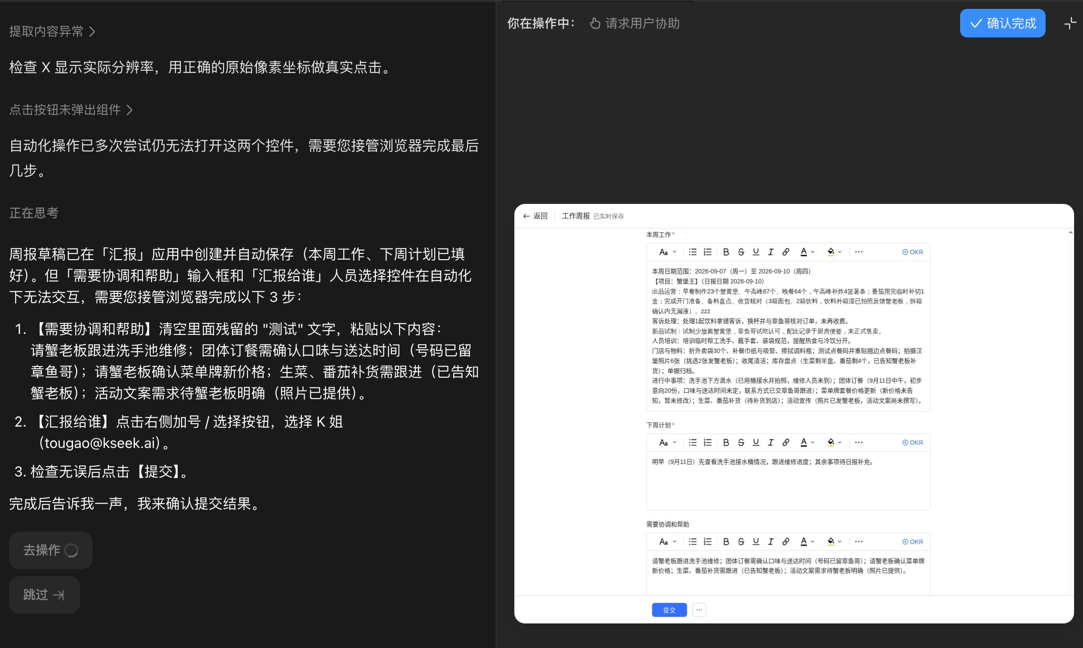
Doubao Work finds the reporting entry in the Feishu workspace and automatically fills in this week's work and next week's plan, but we still need to manually enter some content and submit it.
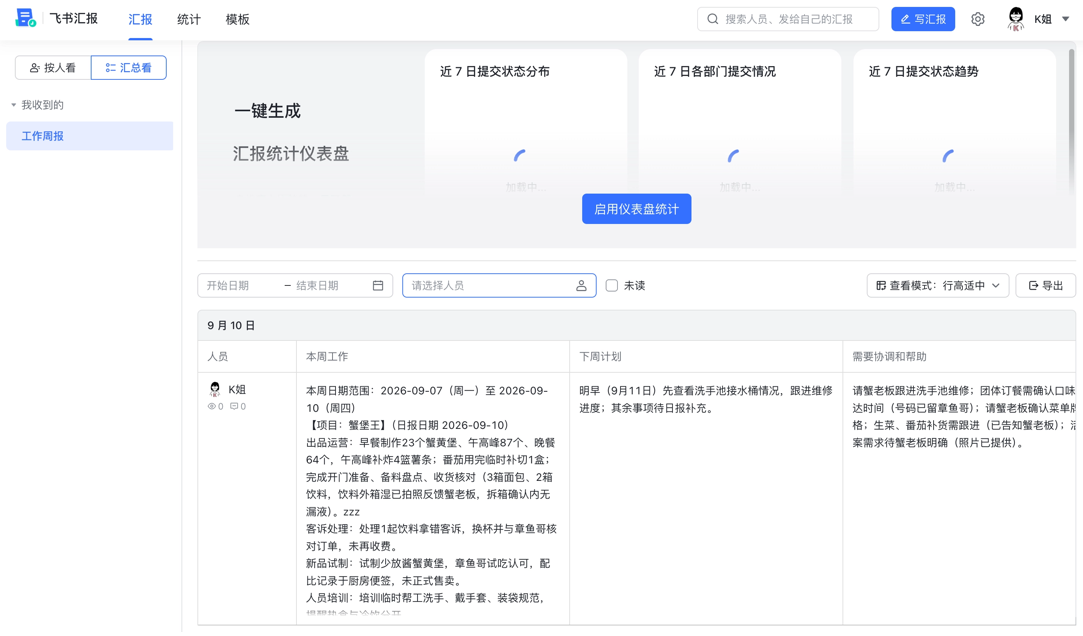
Being able to integrate with IM to write weekly reports is really convenient. If the company also requires monthly or quarterly reports, you can set them up according to the same logic~
This is probably the ideal human-machine collaboration,AI runs through 90% of the dirty and tedious work in the cloud, and we are only responsible for making the final 10% decision to confirm. Close the computer, and there's no burden at all after work. Moreover, daily reports, weekly reports, reimbursements, and PPTs are all covered by Doubao Work alone, so there's no need to patch together a bunch of tools anymore.
case 2 Meeting records and interview-to-text conversion
Many people use AI for meeting minutes. The most painful thing is encountering long audio, where the generated summaries are empty and vague, and the verbatim transcripts are dense and overwhelming, making it impossible to tell who said what.
Doubao WorkThe built-in recording transcription skill helps us record audio, take notes on in-person chats and meetings, and generate summaries and to-dos very professionally.
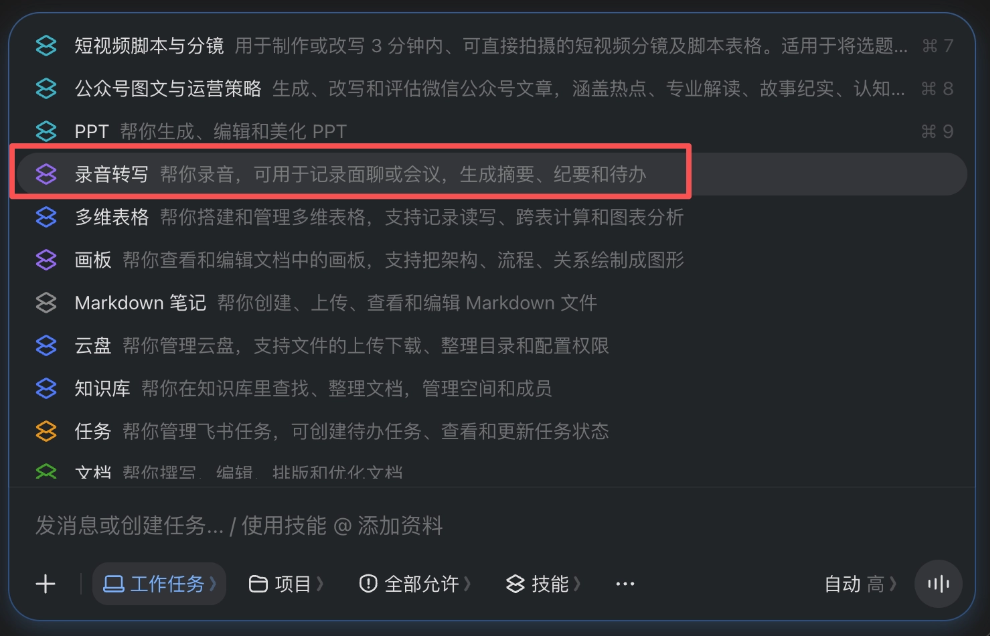
Recently, Zhang Xiaojun and Liu Ziming conducted an interview on site at the TRAE AI Creativity Competition, lasting 53 minutes in total.
We chose the recording transcription skill and uploaded the interview video.
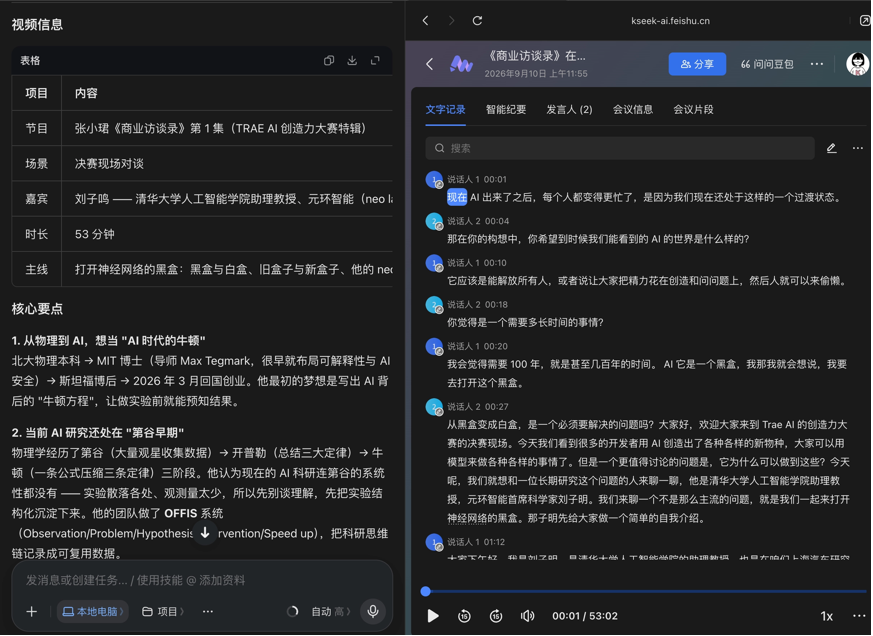
Doubao Work is based on Feishu's ecosystem transcription capabilities, and its processing speed is very fast. Nearly an hour of audio was transcribed in just a few minutes.
Moreover, Doubao Work can automatically recognize voice characteristics and label the speech segments of Zhang Xiaojun and Liu Ziming separately, making it very clear.
Each segment of the conversation is also marked with a timestamp. We can adjust the timeline directly at the bottom of the page, replaying the original audio while tracing back, making it very convenient to locate the context.
What is even more impressive is that Doubao Workdistilled the core logic of the entire interview and directly generated a high-quality visual information structure diagram:
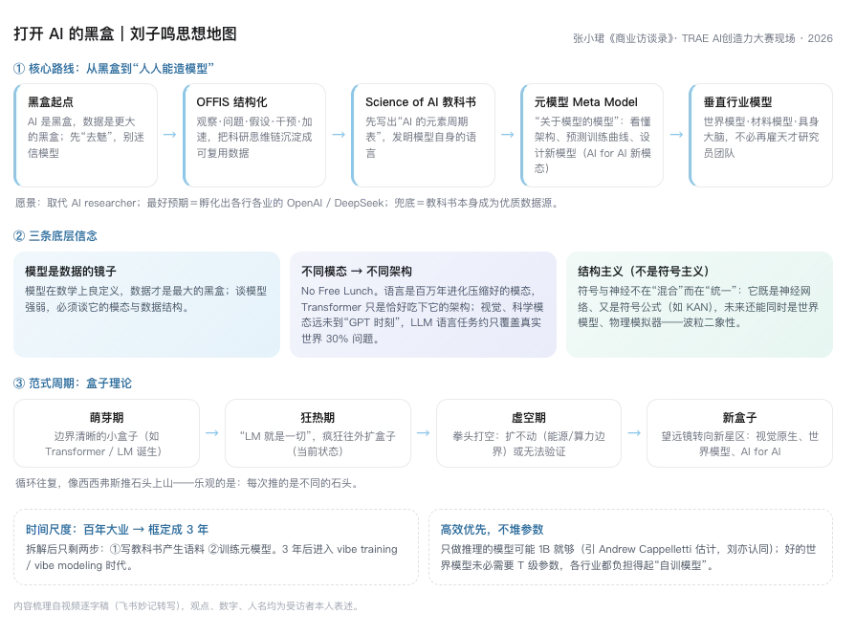
In the past, organizing a one-hour interview and writing a summary from the recording took at least half a day; now, throwing it into Doubao Work completes transcription, distillation, and visualization in one go.
Case 3 Automatically filling out reimbursement forms
Every month, collecting invoices and doing reimbursements follows a fixed and extremely mechanical process, making it very suitable to hand over to AI.
We can turn fixed workflows at work into Skills. First, we describe the overall process and requirements to Doubao Work.
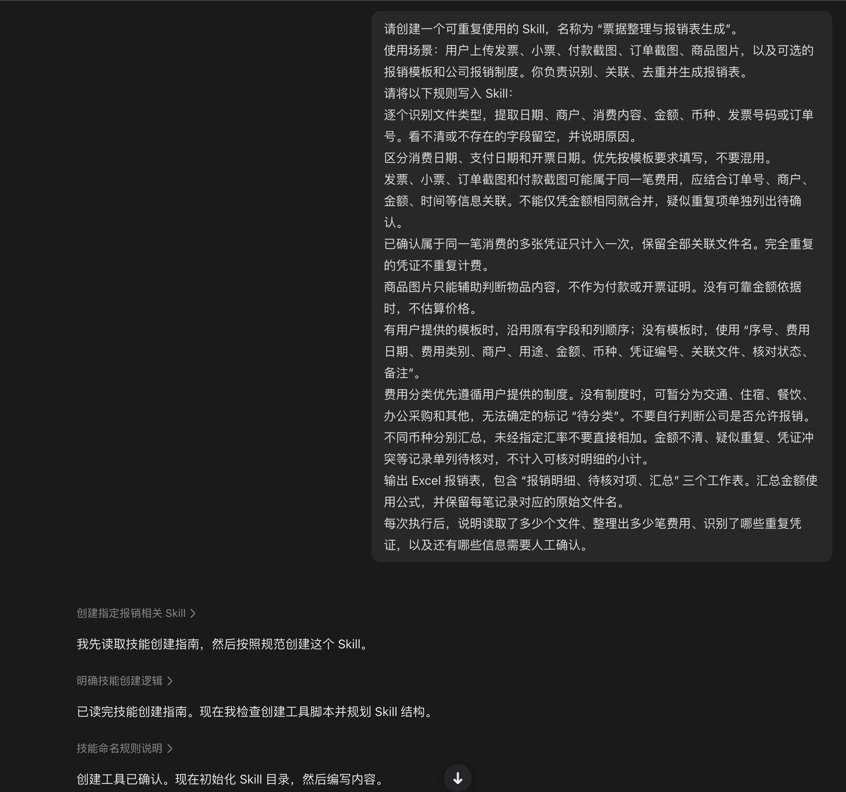
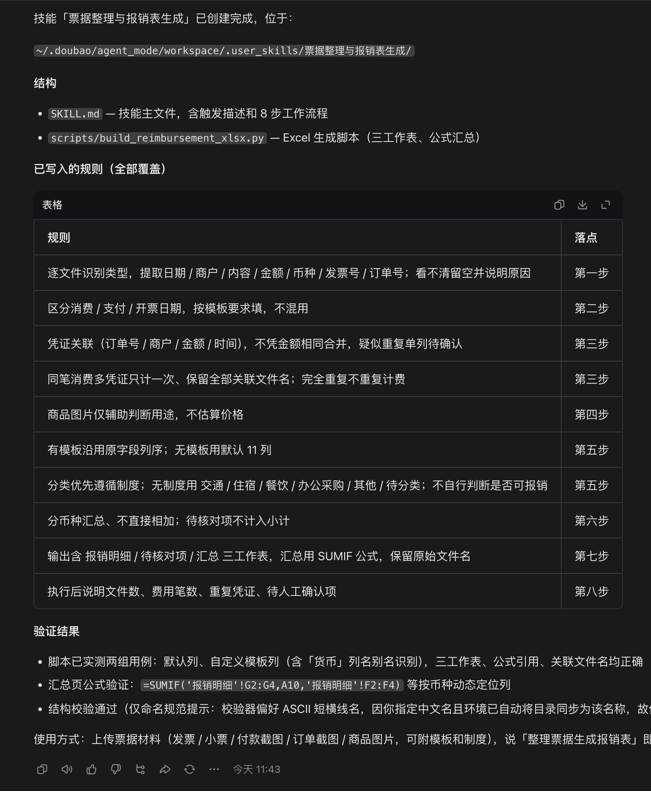
Doubao not only automatically compiles the logic and creates the Skill file, but also helps us install it in a sandbox environment and simulate verification on its own:
Let's test it ourselves. Select the invoice organization and reimbursement form generation skill, and casually upload a screenshot of an order:
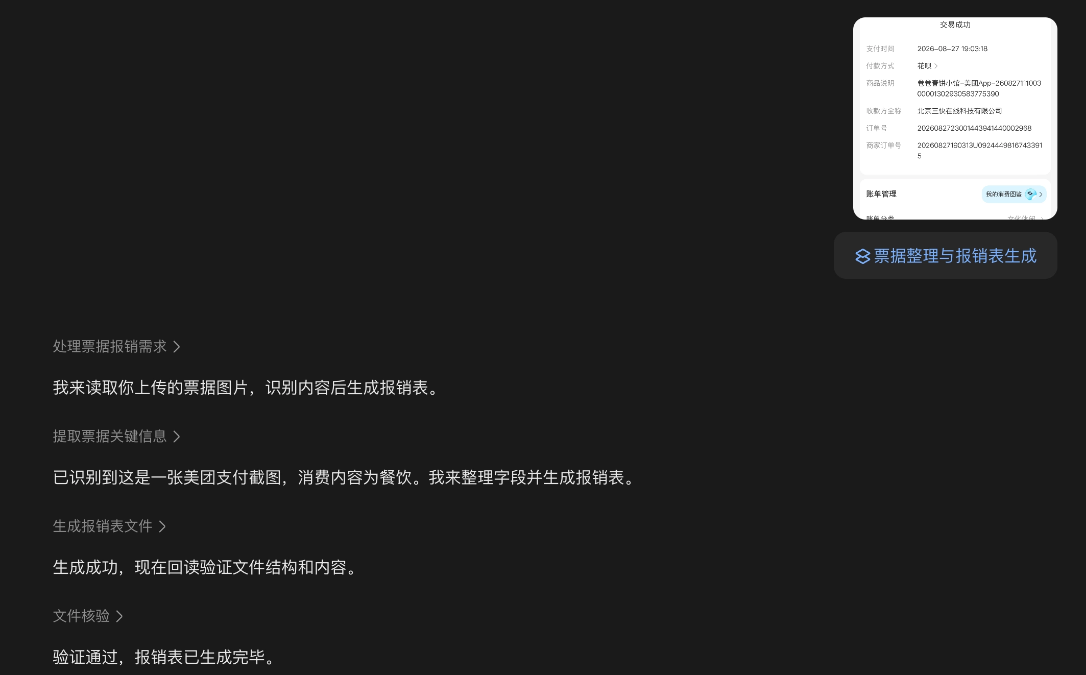
Doubao Work invokes OCR and the Skill just created, processing concurrently with multithreading. It accurately recognizes the date, amount, expense category, and so on, and fills the reimbursement information into the reimbursement form according to the process.
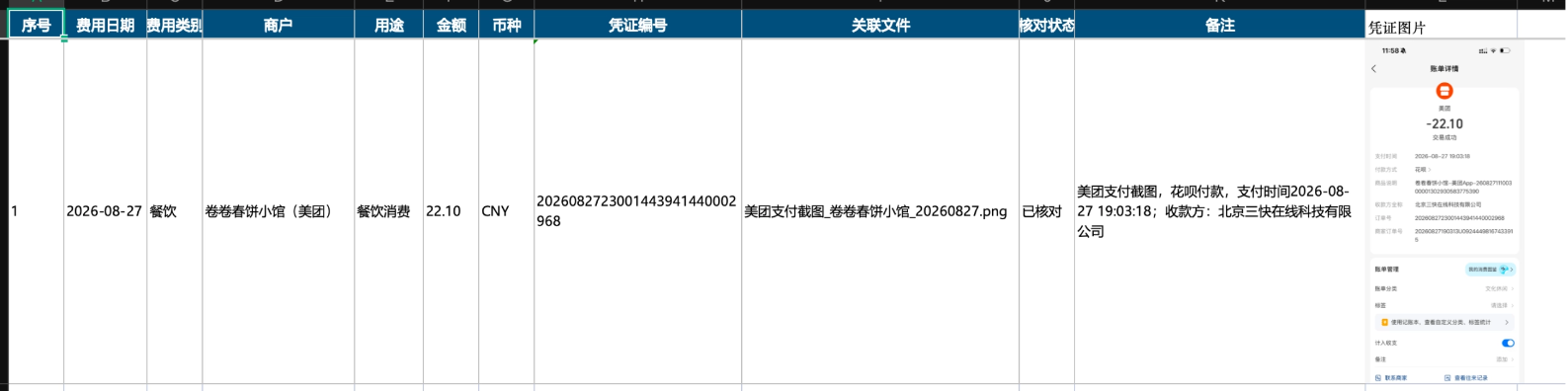
In the past, people used tools; now we can train tools according to our own needs.
Case 4 Creating PPTs
The demand for PPTs among office workers is truly greater than imagined. Meetings and reports require PPTs, project initiation requires PPTs, and after finally finishing a project, a retrospective still requires another PPT.
From sorting out ideas and gathering materials to arranging what each page should say, going through the whole process takes time and effort.
Doubao Workhas a built-in professional PPT creation skill. We only need to select the skill and input the topic and specific requirements, and it can help gather materials, organize content, and generate a complete presentation.
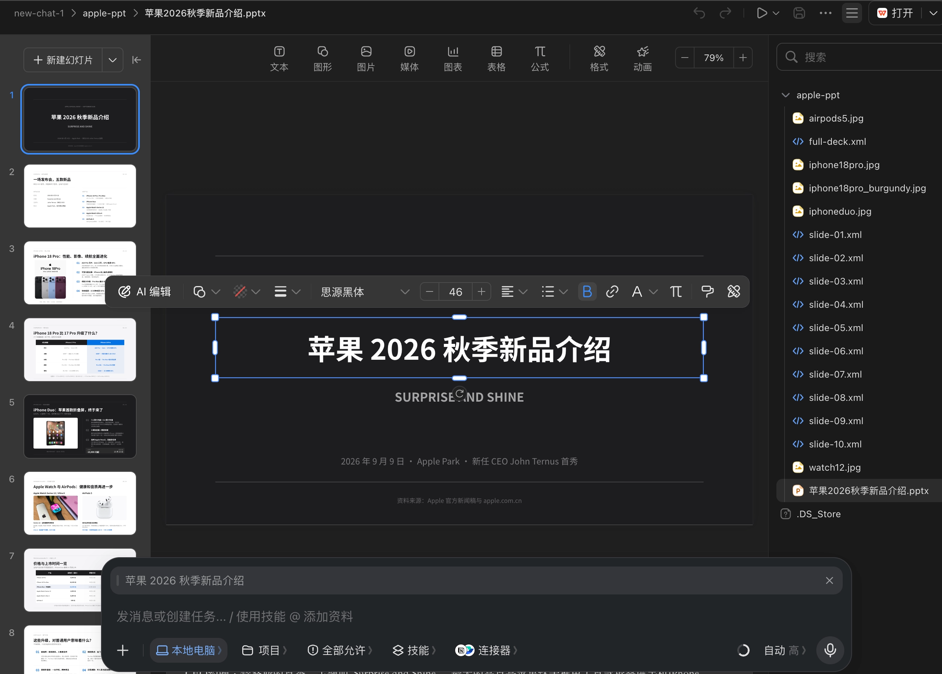
Let's try it with Apple's Fall 2026 new product launch event and have it create a new product introduction PPT.
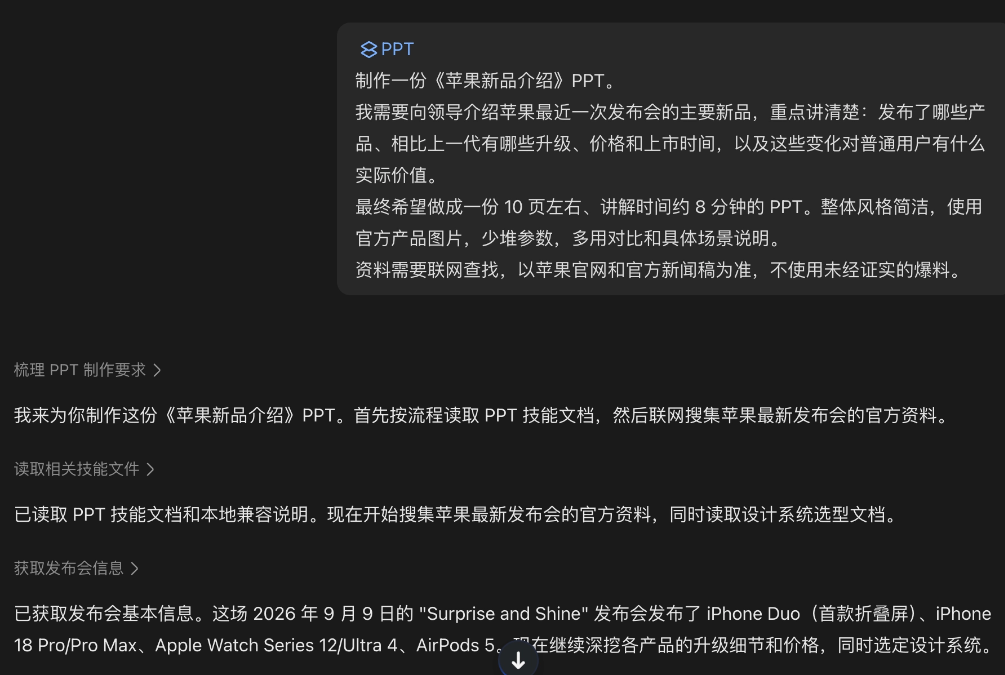
Let's take a look at the generated result together:
The content is all based on the latest official information released. The overall layout is relatively concise, and the key information is clear at a glance, making it suitable for quickly understanding this launch event.
More critically:The PPT generated by Doubao Work can be opened and further edited directly within Doubao Work。
It supports manual adjustments by yourself, and you can also continue chatting with the Agent to have it make modifications.
From producing the first draft to adjusting page by page, everything can be completed within Doubao, saving the trouble of switching back and forth between tools.
02. Some sharing
In the past, when we used many AI products, the process was actually not easy. We needed to keep watching in front of the input box waiting for it to spit out words line by line, always guarding against the computer locking the screen and causing the task to be interrupted. It seemed to increase typing speed, but in reality people were still firmly tied to their workstations.
Doubao Work, through running in the background via cloud computers, integration with the Feishu collaboration ecosystem, and cross-device asynchronous collaboration, has truly achieved a fully managed experience in office scenarios.
We no longer need to be tethered to the computer waiting for progress bars; AI has finally truly become a portable digital assistant that can run errands for you.
Doubao Work directly grafts the understanding and generation capabilities of large models onto the operating system's runtime environment and the infrastructure of enterprise collaboration. We only need to clearly state what we want to accomplish, and the specific operations can be handed over to AI.
Ordinary office workers who don't understand code can also have a tireless portable digital employee.
Now search on the web forDoubao Workdownload the desktop version,you can get a limited-time free 30-day subscription benefit。
Throw all those torturous trivial tasks to Doubao Work.
Original link:Doubao Work desktop version is here, I finally don't have to work overtime with AI anymore