
What is the Doubao Embedding API
The Doubao Embedding API is a semantic embedding model developed by ByteDance, named Doubao-embedding. It is mainly designed for vector retrieval use cases, supports both Chinese and English, and can handle a context length of up to 4K. Currently, two versions are available. text-240715: the maximum vector dimension is 2560, and it supports dimensionality reduction to 512, 1024, and 2048. Its Chinese and English retrieval performance is significantly improved compared with the text-240515 version, and this version is recommended. text-240515: the maximum vector dimension is 2048, and it supports dimensionality reduction to 512 and 1024. The API Host ismaas-api.ml-platform-cn-beijing.volces.com, and the Region iscn-beijing。
Before using the Doubao-embedding API, you need to configure it by setting environment variables or modifying it directly in the codeVOLC_ACCESSKEYandVOLC_SECRETKEY. ByteDance provides a unified SDK integration method, including SDKs for Golang, Python, and Java.
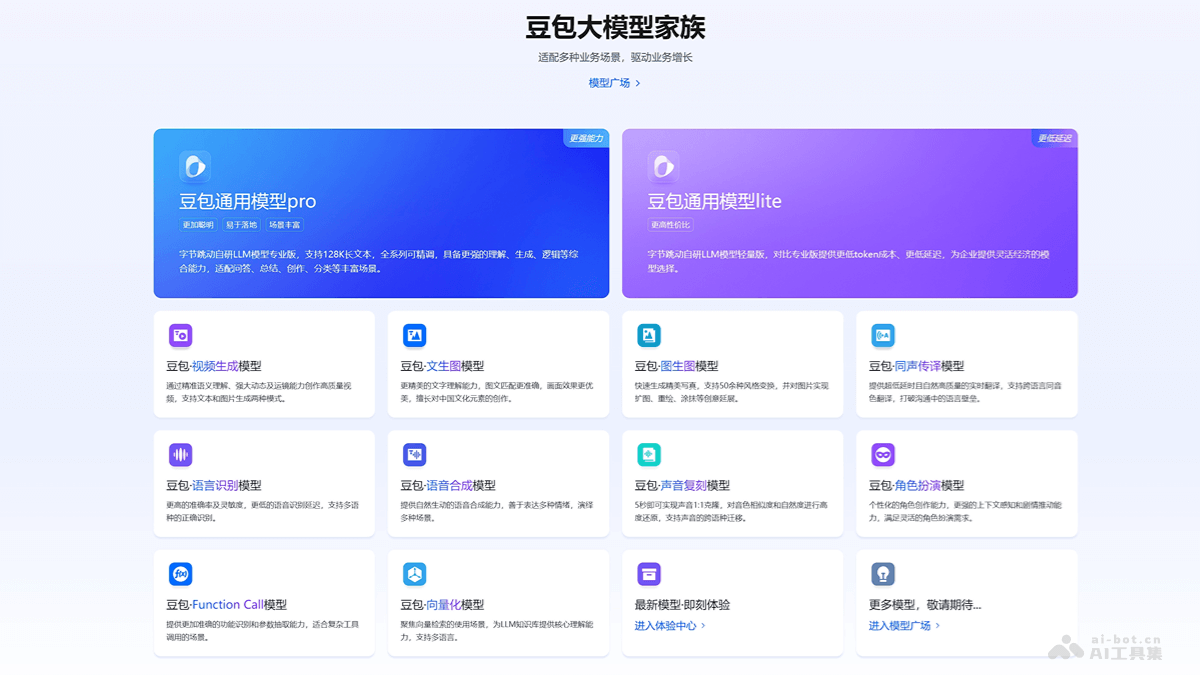
Main Features of the Doubao Embedding API
- Semantic Embedding: Converts text content into semantic vectors, and these vectors can express the semantic information of the text.
- Supports Multiple Languages: Supports embedding processing of Chinese and English text.
- Long Text Processing: Can handle a context length of up to 4K (that is, 4096 characters), making it suitable for embedding long texts.
- High-Dimensional Vector Output: Provides 2048-dimensional vector output, while also supporting dimensionality reduction to 512 and 1024 dimensions, adapting to different application scenarios and computing resources.
- Vector Retrieval Optimization: The generated vectors are suitable for vector retrieval tasks such as document similarity comparison and information retrieval.
- Easy to Integrate: Provides SDKs for Golang, Python, and Java, making it convenient for developers to integrate and use in different programming environments.
- Flexible Input and Output: The API input is a list containing text content, and the output is a list containing the embedding result of each text, including the vector and the corresponding index.
- Retrieval Performance Optimization: In retrieval scenarios, it is recommended to add an instruction prefix to the query text to improve retrieval performance and accuracy.
- Suitable for Multiple Applications: Suitable for multiple application scenarios such as search engines, recommendation systems, knowledge graphs, and natural language processing.
Project Address of the Doubao Embedding API
- Address of the Embedding API Calling Guide:https://www.volcengine.com/docs/82379/1263524
How to Obtain the API Key Authentication for the Doubao Embedding API
The API Key is the key used for API authentication, ensuring that identity can be verified when calling the API. When using the API for development, you need to add it in the Header of the HTTP requestAuthorizationfield. When actually calling the API, you need to replaceVOLC_ACCESSKEYwith the actual API Key.
- Register an AccountGo to the Volcengineofficial websiteand register an account.
- Log In to the Console: Use your account to log in to the Volcengine console.
- Create an API Key: In the console, find the API access key section and click to create an API Key. You need to set a name for the API Key to facilitate identification and management. After creation, the system will provide a string of characters, which is the API Key. Be sure to keep it properly to avoid leaking it to others.
Doubao Embedding API'sDifferent LanguagesSDK Integration Methods
- Golang SDK Integration Method
- Install the SDK: First, you need to install the Golang SDK using the go get command.
go get -u github.com/volcengine/volc-sdk-golang - Set the API Key: Set your
VOLC_ACCESSKEYandVOLC_SECRETKEY。package main import ( "encoding/json" "errors" "fmt" "os" api "github.com/volcengine/volc-sdk-golang/service/maas/models/api/v2" client "github.com/volcengine/volc-sdk-golang/service/maas/v2" ) func main() { r := client.NewInstance("maas-api.ml-platform-cn-beijing.volces.com", "cn-beijing") // fetch ak&sk from environmental variables r.SetAccessKey(os.Getenv("VOLC_ACCESSKEY")) r.SetSecretKey(os.Getenv("VOLC_SECRETKEY")) req := &api.EmbeddingsReq{ Input: []string{ "天很蓝", "海很深", }, } endpointId := "{YOUR_ENDPOINT_ID}" TestEmbeddings(r, endpointId, req) } func TestEmbeddings(r *client.MaaS, endpointId string, req *api.EmbeddingsReq) { if got, status, err := r.Embeddings(endpointId, req); err != nil { errVal := &api.Error{} if errors.As(err, &errVal) { // the returned error always type of *api.Error fmt.Printf("meet maas error=%v, status=%d\n", errVal, status) } return } else { answer, _ := json.Marshal(got) fmt.Println("embeddings answer", string(answer)) } }
- Install the SDK: First, you need to install the Golang SDK using the go get command.
- Java SDK integration method
- Add dependencies: In your
pom.xmlfile, add the Java SDK dependency.<dependency> <groupId>com.volcengine</groupId> <artifactId>volc-sdk-java</artifactId> <version>LATEST</version> </dependency> - Set the API Key: Set your
VOLC_ACCESSKEYandVOLC_SECRETKEY。package com.volcengine.example.maas.v2; import com.volcengine.model.maas.api.v2.*; import com.volcengine.service.maas.MaasException; import com.volcengine.service.maas.v2.MaasService; import com.volcengine.service.maas.v2.impl.MaasServiceImpl; import java.util.ArrayList; import java.util.Arrays; public class EmbeddingsV2Demo { public static void main(String[] args) { MaasService maasService = new MaasServiceImpl("maas-api.ml-platform-cn-beijing.volces.com", "cn-beijing"); // fetch ak&sk from environmental variables maasService.setAccessKey(System.getenv("VOLC_ACCESSKEY")); maasService.setSecretKey(System.getenv("VOLC_SECRETKEY")); EmbeddingsReq tReq = new EmbeddingsReq() .withInput(new ArrayList<>(Arrays.asList( "天很蓝", "海很深" ))); String endpointId = "${YOUR_ENDPOINT_ID}"; testEmbeddings(maasService, endpointId, tReq); } private static void testEmbeddings(MaasService maasService, String endpointId, EmbeddingsReq req) { try { EmbeddingsResp resp = maasService.embeddings(endpointId, req); System.out.println(resp.getObject()); System.out.println(resp.getData()); //object: object type 恒为embedding,embedding: embedding向量,index: 列表中序号 } catch (MaasException e) { System.out.println("req_id: " + e.getRequestId()); System.out.println("code: " + e.getCode()); System.out.println("code_n: " + e.getCodeN()); System.out.println("message: " + e.getMsg()); e.printStackTrace(); } } }
- Add dependencies: In your
- Python SDK integration method
- Install the SDK: You can install the Volcano Engine Python SDK via pip.
pip install volcengine-python-sdk - Configure environment variables: In your
.envfile or system environment variables, set yourVOLC_ACCESSKEYandVOLC_SECRETKEY。VOLC_ACCESSKEY=您的AccessKey VOLC_SECRETKEY=您的SecretKey ENDPOINT_ID=您的EndpointId - Write code: Use the SDK to make API calls. A simple example code:
import os
from volcengine.maas.v2 import MaasService
from volcengine.maas import MaasException, ChatRole

def test_embeddings(maas, endpoint_id, req):
    try:
        resp = maas.embeddings(endpoint_id, req)
        print(resp)
        return resp
    except MaasException as e:
        print(e)

if __name__ == '__main__':
    maas = MaasService('maas-api.ml-platform-cn-beijing.volces.com', 'cn-beijing')
    maas.set_ak(os.getenv("VOLC_ACCESSKEY"))
    maas.set_sk(os.getenv("VOLC_SECRETKEY"))

    # 豆包embedding模型用于检索场景,query建议必须添加如下instruction前缀保证检索效果
    query_instruction = '为这个句子生成表示以用于检索相关文章:'
    query = "天是什么颜色?"
    document = "天空呈现颜色主要与“瑞利散射”现象有关..."

    req = {
        "input": [
            query_instruction + query,  # query text
            document,  # document text
        ]
    }
    resp = test_embeddings(maas, endpoint_id="ep-xxx-xxx", req=req)  # endpoint 使用方舟 2.0 模型接入
    embeddings = [item["embedding"] for item in resp.data]
- Install the SDK: You can install the Volcano Engine Python SDK via pip.
Data structure of the Doubao embedding API
The data structure of the Doubao embedding API (Doubao-embedding API) mainly includes two parts: input (Input) and output (Output).
- Input: The input part is mainly a list containing the text content to be vectorized, for example: json
{
  "input": [
    "天很蓝",
    "海很深"
  ]
}- Output: The output part includes the following fields:
-
req_id: Request ID, the unique identifier identifying this API call.data: A list containing the vectorization results of each query, where each result includes:embedding: A list of floating-point numbers representing the vector of the text.index: The index of the vector, corresponding to the order of the input queries.object: Usually "embedding", indicating the result type.
Precautions for the Doubao embedding API
- API Host and Region: Ensure that requests are sent to the correct API host and region, for example
maas-api.ml-platform-cn-beijing.volces.comandcn-beijing。 - Authentication: When using an API Key for authentication, ensure that you choose an API key that has not expired to avoid call failures. You can obtain the API Key through the Volcano Engine console interface, and make sure to use it for authentication when calling the API.
- Choose an appropriate model: Choose the corresponding model according to the specific needs of the application and the size of the context window. For example, if you need to process a longer context, you can choose the Doubao-pro-128k model.
- Call parameters: Choose an appropriate model and adjust API parameters as needed, such as
max_tokens、temperature、top_petc., to obtain the best results. - Streaming calls and non-streaming calls: Streaming calls support receiving model-generated responses in real time, which is suitable for scenarios that require immediate feedback. Non-streaming calls wait for the model to complete all generation and then return the results all at once. Choose the appropriate calling method according to the application scenario.
- Error handling: Error information will include an error code and description. First, check the error information to determine the problem, then make corresponding adjustments based on the error information, such as correcting request parameters or checking the authentication configuration.
- Data format: The data returned by the API is usually in JSON format, including fields such as id, choices, message, finish_reason, logprobs, created, model, object, and usage. For detailed descriptions of specific fields, please refer to the API documentation.
Application scenarios of the Doubao embedding API
- Information Retrieval: Used to build search engines and recommendation systems, providing retrieval services for relevant documents or information.
- Document Classification: Classifies and tags documents for easier management and retrieval.
- Semantic Search: Provides search services based on semantic understanding, improving the relevance and accuracy of search results.
- Knowledge Graph Construction: Through text vectorization, constructs associations between entities and concepts to form a knowledge graph.
- Content Recommendation: On content platforms, recommends relevant content based on user interests and content similarity.
- Chatbot: Serves as the semantic understanding module of a chatbot, providing a more natural human-computer interaction experience.