
What is Doubao AI Programming
Doubao AI Programming is a new featureDoubaolaunchedAI programming. Based on AI technology, it provides a more convenient code import process, supports one-click upload of multiple local code files and real-time import of GitHub open-source repositories, quickly obtaining the complete context of the project. Doubao AI Programming has a more efficient interactive experience. Based on a brand-new code editor, users can immersively read code and precisely select code to ask questions. The Doubao AI Programming feature is a capable assistant in study and work, improving programming efficiency and comprehension ability.
The latest upgrade of Doubao AI Programming supports multimodal input (text, images, files, drawing board, etc.), and can automatically understand user needs to generate code. A new Agent multi-tool collaboration system has been added, which can automatically retrieve materials, add images, check code, and provide real-time previews, ensuring the usability and aesthetics of the generated content. The latest upgrade provides visual editing, allowing users to make modifications through natural language or direct page operations, making it easy to develop websites and applications without knowing how to code.
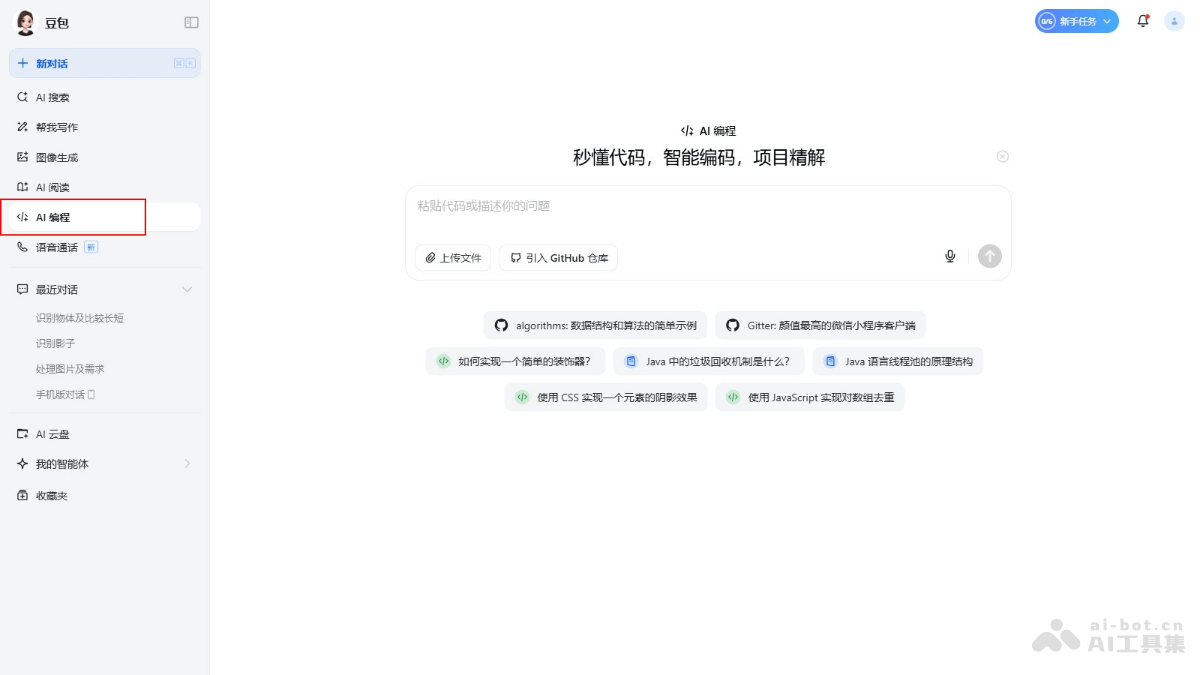
Main features of Doubao AI Programming
- Convenient import process:
- One-click upload: Users can upload multiple local code files with one click, without operating file by file, saving time.
- Real-time import of GitHub repositories: Supports real-time import of open-source repositories on GitHub, quickly obtaining the complete context of the project, avoiding the cumbersome process of copying code segment by segment.
- Efficient interactive experience:
- Immersive reading: The brand-new code editor supports immersive reading, reduces distractions, and improves users' ability to focus on code.
- Precise code selection: Users can precisely select code segments and ask questions directly about specific code, improving the precision of interaction.
- Easy-to-understand answer method:
- Explanation of approach + code examples: Provides explanations of approach and code examples to help users better understand problems and solutions.
- Code generation, explanation, repair, and optimization: Doubao can generate code, explain code, fix errors, and provide optimization suggestions, helping users improve code quality.
- Multimodal input: Supports multiple input methods such as text, images, files, and drawing board. Users express their needs by uploading reference images, drawing sketches, etc., and AI automatically understands and completes the logic.
- Agent multi-tool collaboration system: Automatically retrieves materials, adds images, checks code, supports real-time previews, and ensures that the generated pages are runnable and have visual consistency and usability.
- Visual editing and multi-round iteration: Provides multiple modification methods such as natural language follow-up questions, visual component editing, template switching, and source-code-level editing, and supports multi-version records and rollback, as well as code difference comparison between versions.
How to use Doubao AI Programming
- Visit Doubao: Visit theDoubao AI Programming official website, register and log in to your account.
- Select the AI Programming feature: Find and select the "AI Programming" feature on the website.
- Import code: Upload multiple local code files, or import GitHub open-source repositories in real time, to quickly obtain the complete context of the project.
- Use the code editor: Use the all-new code editor for immersive reading and editing, precisely select code, and ask Doubao questions or request help at any time.
- Ask questions and get answers: While reading or editing code, ask Doubao questions at any time. Doubao provides explanations of ideas and code examples to help users resolve their doubts.
- Use the answers to optimize code: Optimize the code based on the answers provided by Doubao.
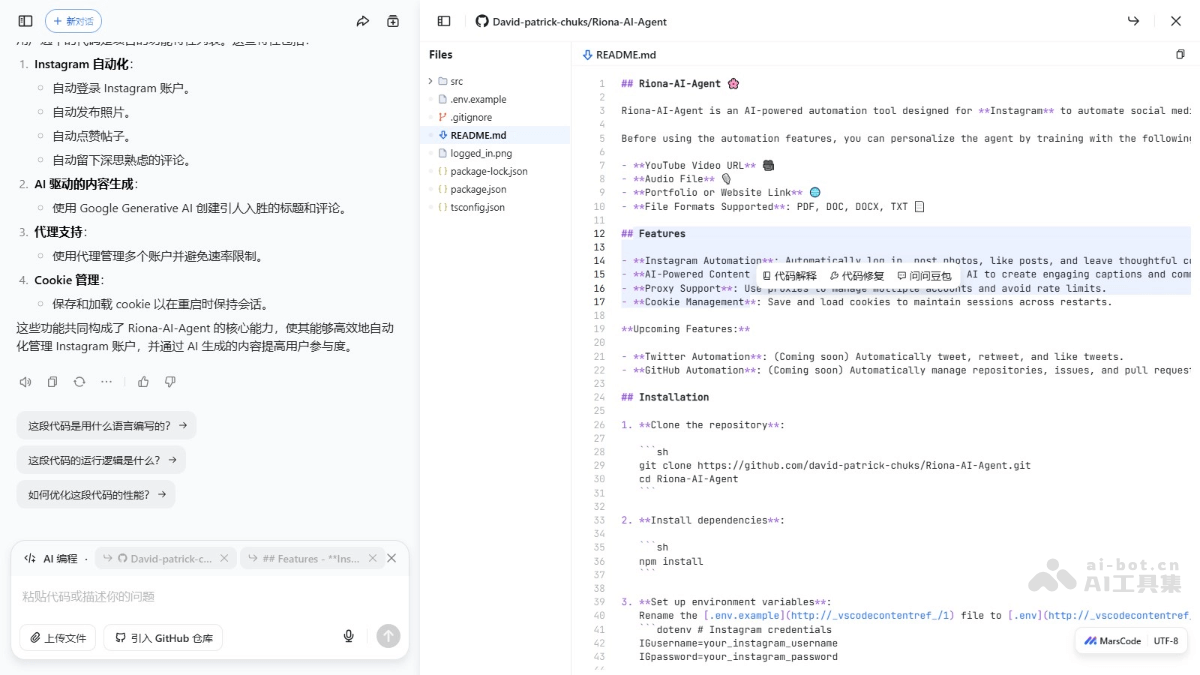
Application scenarios of Doubao AI programming
- Beginners learning programming: For programming beginners, provide basic code examples and explanations of ideas to help users understand programming concepts and practice.
- Solving programming problems: When developers encounter programming problems or errors that are difficult to solve, provide immediate answers and repair suggestions.
- Code review and optimization: Help developers review code, provide optimization suggestions, and improve code quality and performance.
- Project management: In team projects, help team members quickly understand the project code and promote collaboration and knowledge sharing.
- Education and training: Educational institutions use it as a teaching tool to provide an interactive programming learning experience.