
What is DKAI-DV
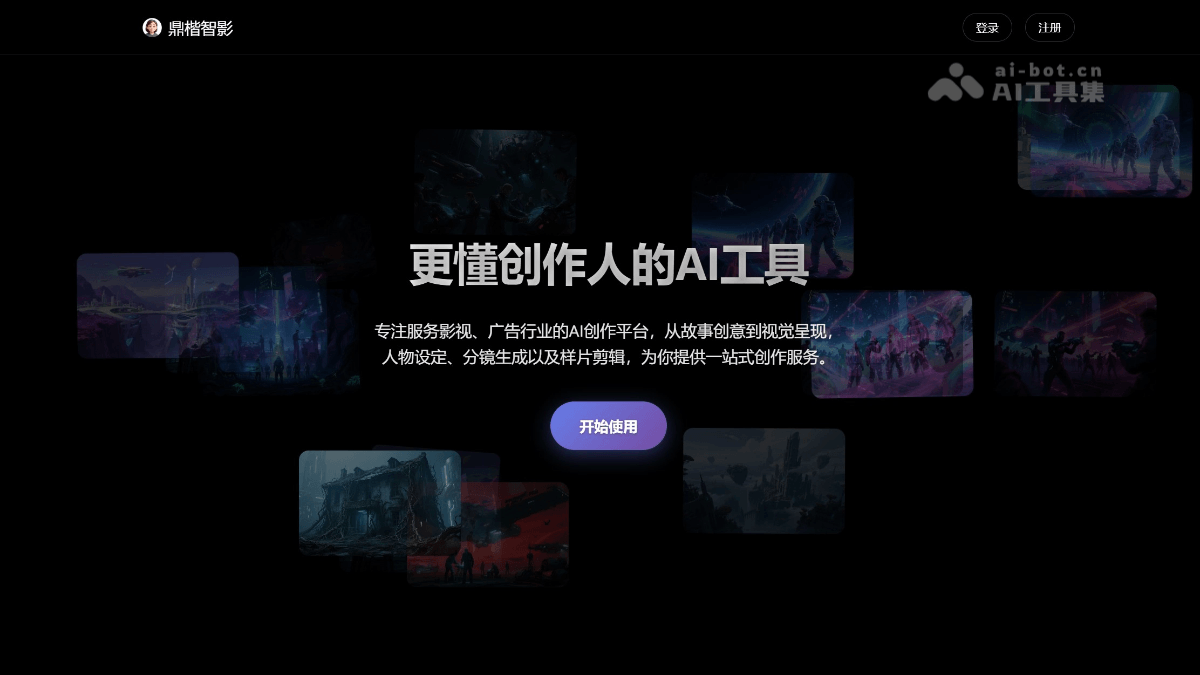
DKAI-DV is a one-stop AI full-process video production platform launched by Dingkai Technology, positioned as "an AI tool that better understands creators." The platform covers the entire creation process from story ideas and script generation to visual presentation, supporting custom control and AI automatic integrated generation of shots, scripts, visuals, scenes, characters, and objects, helping film and television, advertising, and content creators greatly improve video production efficiency.
Main Features of DKAI-DV
-
Script Generation: Based on AI technology, it assists creators in story idea exploration and script writing, helping quickly build narrative frameworks, design dialogue and plot direction, and lowering the threshold for early-stage film and television creation.
-
Storyboard Design: Intelligently generates professional-grade storyboard sketches and visual planning, supports custom adjustment of elements such as shot language, shot size, and camera position, making the creative intentions of directors and cinematographers visually presentable.
-
Text-to-Video: Simply input a text description to directly generate the corresponding video visual content, quickly transforming creative copy into dynamic imagery and greatly improving the efficiency of conversion from concept to visuals.
-
Smart Editing: AI automatically completes material selection, pacing control, and sample sequence assembly, supports intelligent splicing of visuals according to scripts and storyboard logic, and reduces repetitive manual operations in traditional editing.
-
AI Voiceover: Built-in high-quality speech synthesis engine can automatically match suitable timbre, speed, and emotional expression according to character settings and scene atmosphere, achieving professional-grade intelligent voiceover.
-
Image Design: Automatically generates supporting static visuals and concept art according to script content and storyboard requirements, supports stylized customization, and provides rich visual material support for video creation.
-
Smart Subtitles: Automatically recognizes speech content in videos and accurately generates synchronized subtitles, supports multilingual translation and style adjustment, and improves video readability and dissemination efficiency.
-
Music Generation: AI automatically generates suitable background music according to the video's emotional rhythm and scene atmosphere, eliminating the need to find additional copyrighted music and achieving intelligent creation with integrated audio and visuals.
-
HD Export: Supports high-quality final output in multiple resolutions and formats, meeting professional image quality needs for different scenarios such as film and television proposals, advertising placement, and platform publishing.
How to Use DKAI-DV
-
Visit the Official Website and Register an Account: Open the DKAI-DV official website http://www.dkai-dv.com/, it is recommended to use Chrome or Edge browser for the best experience, and enter the creation workspace after completing account registration and login.
-
Create a New Project: On the workspace homepage, click New Project, select the project type according to creative needs (such as script creation, storyboard design, or video synthesis), and fill in the project name and basic information.
-
AI-Generated Script: In the script creation module, input story ideas, themes, or keywords, and AI assists in generating a complete script, including plot outline, scene descriptions, and character dialogue, which creators can modify and polish on this basis.
-
Custom Character Settings: Enter the character design module to define attributes such as appearance features, personality tags, and clothing styles for the characters in the script, establish a unified visual image reference, and ensure character consistency in subsequently generated scenes.
-
Intelligent Storyboard Generation: Based on the completed script content, use the storyboard design function to generate professional storyboard sketches with one click, supporting customized adjustment of details such as shot framing, camera angle, and image composition, to achieve a visualized preview of the director's intent.
-
Text-to-Video Scene Creation: On the basis of the storyboard, use the text-to-video function to transform text descriptions into dynamic footage. Input scene descriptions and action instructions, and AI automatically generates the corresponding video clips, supporting multiple iterations to optimize the visual effect.
-
AI Voiceover and Sound Effects: Add AI voiceover to video clips, selecting appropriate timbre, speech rate, and emotional style according to character attributes. Ambient sound effects can also be added to scenes to enhance the immersion and narrative tension of the visuals.
-
Intelligent Image Matching and Asset Supplementation: For stages that require static images or concept art, use the image matching design function to automatically generate supporting visual assets, supplementing key frames, transition shots, or background elements in the video.
-
Intelligent Editing to Assemble the Final Cut: Import all generated video clips, voiceovers, and assets into the intelligent editing module. AI automatically splices and connects them according to the script logic and storyboard order, and creators can manually adjust the rhythm, transitions, and shot connections.
-
Add Intelligent Subtitles and Background Music: Enable the intelligent subtitle function to automatically recognize speech content and generate synchronized subtitles, while using the music generation function to automatically match or customize background music according to the video's emotional atmosphere.
-
Preview and Detail Adjustment: Play the final cut in full in the preview interface, check details such as visual continuity, audio-visual synchronization, and subtitle accuracy, and make targeted modifications and regenerate unsatisfactory parts.
-
High-Definition Export of the Final Cut: After confirmation, choose the appropriate resolution and format for high-definition export, supporting professional-quality output for different scenarios such as film and television proposals, advertising placements, and platform publishing.
Core Advantages of DKAISoft Intelligent Film
-
Film-Grade Professional Positioning: Focused on serving the film and television and advertising industries, with a deep understanding of professional creative workflows, rather than being a general short-video tool
-
Full-Process Integration: Full-chain AI empowerment from story ideas, character design, and storyboard generation to sample editing
-
Highly Controllable Creation: Core creative elements such as shots, scenes, characters, and objects support customized control
-
Visual Quality Assurance: The official website displays a large number of high-quality AI concept art and scene generation cases, with relatively high image refinement
-
Leap in Creative Efficiency: Greatly compresses the traditionally complex film and television pre-production and production process, lowering the professional threshold
Key Information and Usage Requirements of DKAISoft Intelligent Film
- Product Name: DKAISoft Intelligent Film (DKAI-DV)
- Developer: DKAISoft
- Browser Requirements: Microsoft Edge or Google Chrome is recommended
- Product Positioning: One-stop AI full-process creation platform for the film and television/advertising industries
- Core Scenarios: Script writing, storyboard design, sample production, advertising videos, corporate promotional videos
Application scenarios of Dingkai Zhiying
-
Early-stage film and television development: From story ideas and script writing to character design and storyboard sketches, it assists directors, screenwriters, and producers throughout the entire process in quickly completing project proposals and visual previews, greatly shortening the early preparation cycle.
-
Advertising creative production: For brand advertisements and product promotional videos, it provides one-stop AI production from creative scripts and storyboard design to animated sample videos, helping advertising teams quickly present creative concepts to clients and improve proposal approval rates.
-
Short video and self-media operations: It helps short video creators and self-media bloggers efficiently produce plot-driven, commentary, and knowledge-based video content, lowering production barriers through AI automation and enabling high-frequency, stable updates.
-
Corporate promotion and commercial display: It supports enterprises in quickly producing promotional videos such as company introductions, product launches, and event recaps, without the need to build a complete filming team, reducing the cost of commercial video production.
-
Animation and game concept design: It provides animation teams and game developers with high-quality concept art, scene atmosphere images, and animated previews, assisting with worldview construction, character design, and level visual planning.
-
Education and training content: It helps educational institutions and online course platforms convert teaching copy into video courseware with voiceover, subtitles, and illustrations, enhancing the visual effect of knowledge dissemination.