
What is DevDocs
DevDocs is an open source technical documentation crawling and processing tool designed for programmers and developers. Based on intelligent crawler technology, it quickly crawls and organizes technical documentation, shortening the time to understand documentation from weeks to hours. DevDocs supports crawling website structures 1-5 levels deep, automatically discovers links and sub-URLs, and crawls quickly with multithreading. DevDocs is quickly deployed based on Docker, so developers can get started without complex configuration. DevDocs is suitable for many scenarios such as framework learning, AI training data preparation, custom AI assistant development, and documentation archiving. It is an efficiency tool for programmers and AI developers.
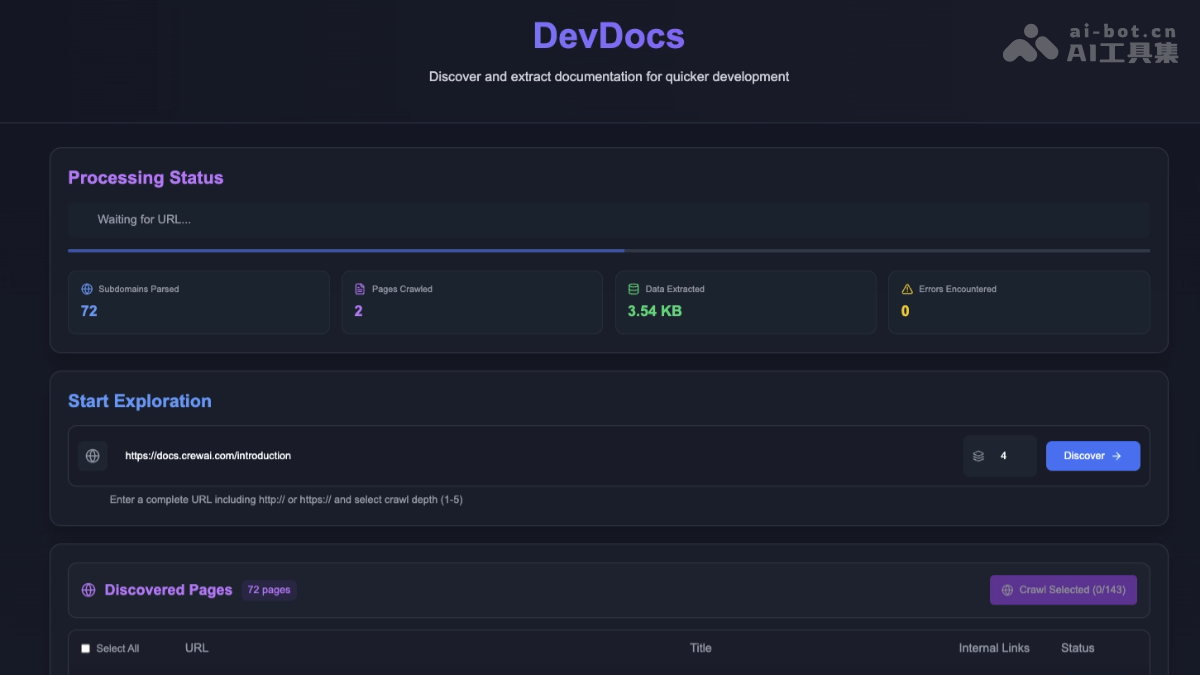
Main Features of DevDocs
- Intelligent Crawling: Supports crawling website structures 1-5 levels deep, automatically discovers links and sub-URLs, and comprehensively maps website content.
- Efficient Processing: Multithreaded crawling, intelligent caching, and removal of redundant information (such as ads and navigation bars) to ensure content is clean and useful.
- Flexible Output: Supports Markdown (MD) and JSON format output.
- AI Integration: Built-in MCP server, seamlessly connects with AI tools such as Claude, Cursor, and Cline.
- Quick Deployment: Supports one-click Docker deployment, ready to use out of the box.
Technical Principles of DevDocs
- Intelligent Crawler Technology: DevDocs is based on advanced crawler algorithms and automatically traverses the technical documentation pages of a target website. It supports crawling 1-5 levels deep to ensure comprehensive coverage of the website structure. It supports automatic discovery and tracking of links and sub-URLs in pages, intelligently mapping the content of the entire website.
- Content Extraction and Cleaning: Based on HTML parsing technology, it accurately extracts the core content of pages and removes irrelevant information such as ads, navigation bars, and footers, ensuring that the extracted content is clean and useful and directly focuses on the core parts of the technical documentation.
- Data Processing and Organization: The extracted content is further processed and logically organized, making the structure clear and easy to find. DevDocs supports exporting the processed data as Markdown (MD) or JSON. Both formats are easy to read and edit and facilitate integration with various tools and systems.
- Performance Optimization: DevDocs uses parallel processing technology to crawl multiple pages at the same time, significantly improving crawling efficiency. DevDocs has an intelligent caching mechanism to avoid repeatedly crawling the same content, saving time and resources. DevDocs reasonably sets the crawling rate according to the requirements of the target website, respects the server, and avoids putting excessive pressure on the website.
- Integration with AI Tools: DevDocs has a built-in MCP (Model Context Protocol) server and seamlessly connects with various AI tools (such as Claude, Cursor, Cline, etc.). Users can directly use the crawled and processed technical documentation for AI model training or queries, enabling intelligent applications and analysis.
DevDocs Project Address
- GitHub Repository:https://github.com/cyberagiinc/DevDocs
Application Scenarios of DevDocs
- Enterprise Software Development: Quickly crawl and organize technical documentation, store it in an MCP server, and shorten the development cycle.
- Web Data Scraping: Automatically crawls all relevant pages of a target website, supports multilevel deep crawling, and provides comprehensive and structured data.
- Team Knowledge Management: Integrates internal documents, supports multiuser access and permission management, and facilitates knowledge sharing within teams.
- Rapid Development for Independent Developers: Combined with tools such as VSCode, quickly provide clear documentation, support Markdown and JSON formats, and accelerate product launch.
- AI model training: Crawl and clean documents, output them in the format required by AI models, and integrate them into the MCP server to facilitate model training.