
Hi everyone, there are more and more AI tools now, and all kinds of skills, plugins, and agents are dazzling. You want to find a few useful AI skills to help with work, but what you get in search results is either functionality that does not fit the need, or ads that are hyped to the skies but turn out to be hard to describe in actual use.
In the past, finding AI skills was like looking for a needle in a haystack. Downloading, installing, and trying them out was time-consuming and laborious. Now with DeepSkill, ordinary people can precisely lock onto AI skills that are truly useful.
In today's tutorial, we'll show you how to use DeepSkill to turn vague work needs into a precise list of skill recommendations, letting AI help you find AI and maxing out efficiency directly!
What is DeepSkill
DeepSkill It is a platform focused on precise search for AI skills. Users only need to input complete work needs as if chatting with a friend, and the platform will automatically intelligently break down and analyze them, rewrite the needs into precise search terms, and then, based on real test results, filter out truly useful recommendations for you from a massive number of skills.
DeepSkill supports natural language input, and you do not need to remember any professional terminology or keywords. It can recommend the most suitable skill combinations based on specific scenarios.
Let's take a look at how to operate it~
01. Precise search for a single need
Visit the DeepSkill official website:https://www.meyo.life/skill
Open the search box and enter your complete need. There is no need to break down keywords; just describe it like you normally speak. For example:
I have an Excel file of sales data for the past year. I want to find out which months had abnormal sales fluctuations, and generate an analysis report with charts for my boss to see.
The precise recommendations returned by DeepSkill are as follows:
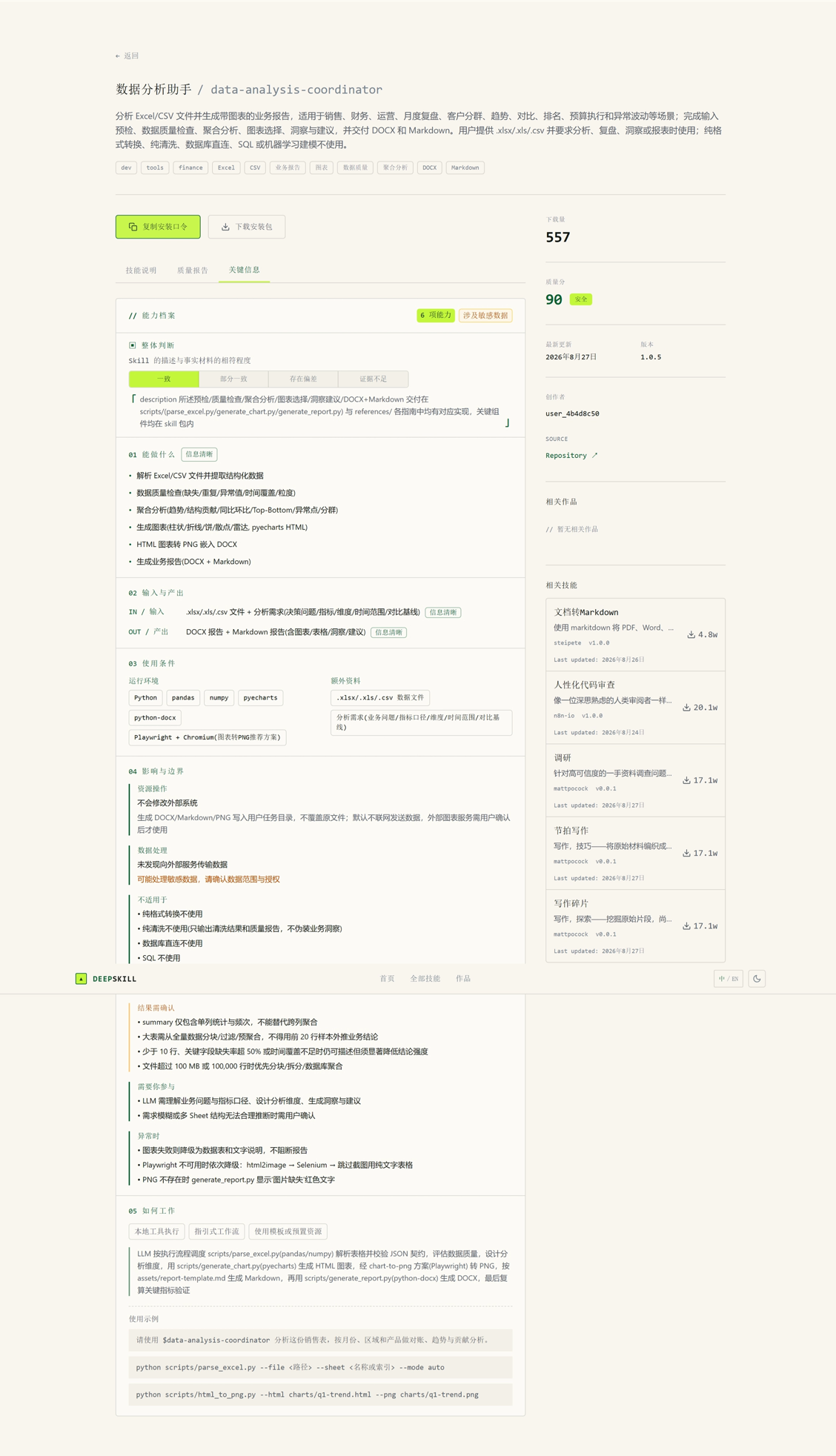
The optimal recommendation card integrates security review results, description consistency verification, threshold explanations, and matching analysis based on your specific needs, helping you quickly judge whether it is suitable for you. The complete search results also include 4 related skills, covering different directions from anomaly attribution to general data analysis.
In this way, you get a precise "data analysis toolkit," a one-stop solution from analysis to reporting.
02. Complex multi-task search
The most impressive thing about DeepSkill is that it can understand complex multi-task needs and find the most matching combinations from a massive number of skills.
Open the search box and enter a complex need containing multiple work modules. For example:
I am the operations lead for a SaaS product. Recently, user churn has become quite serious. I want to build a churn warning system, design a campaign plan to improve retention, and also monitor key metrics.
The recommendation results returned by DeepSkill are as follows:
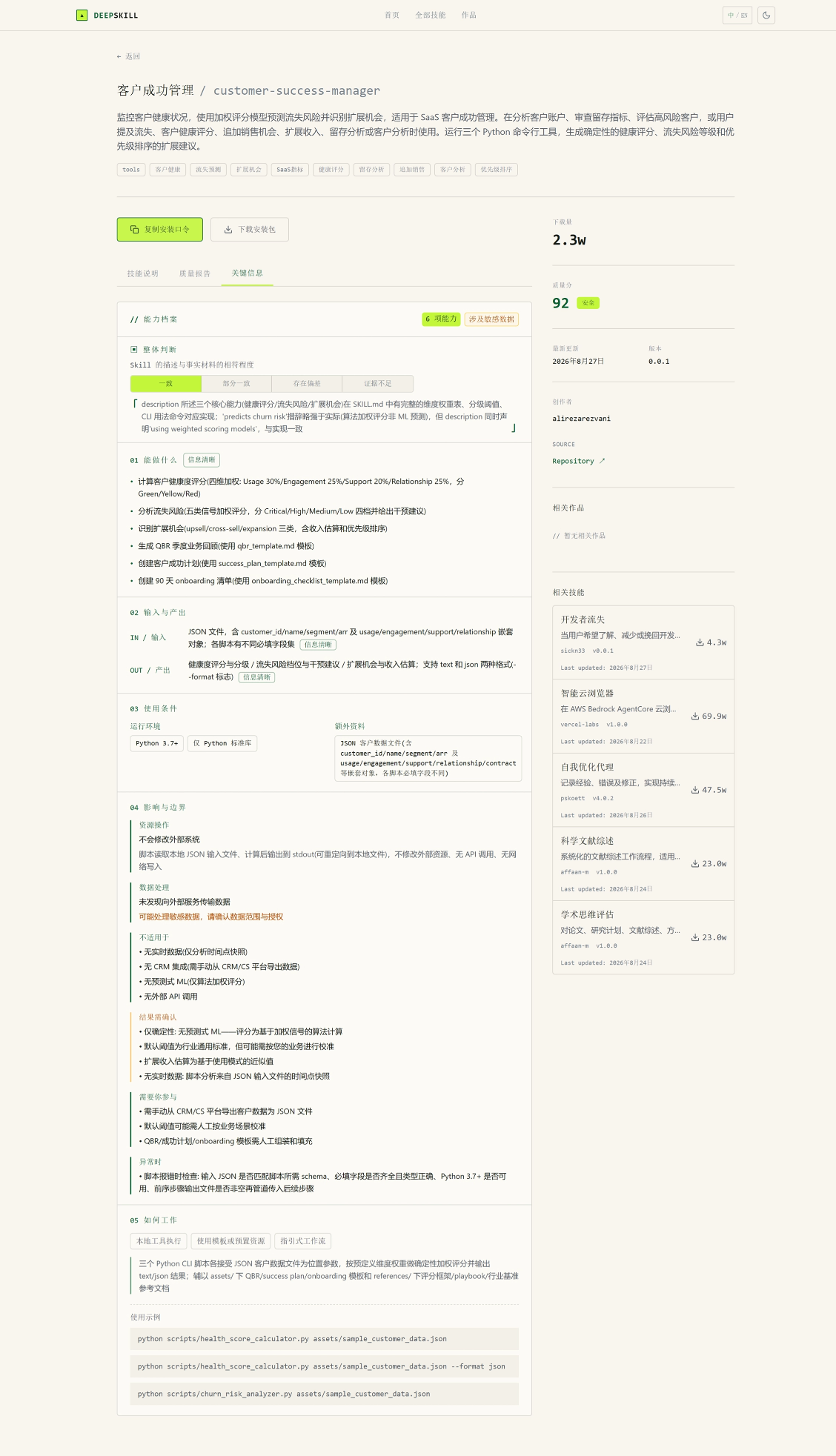
DeepSkill understood the three keywords in your need: "churn warning," "retention plan," and "metric monitoring." The complete search results also include skills such as improve-retention, specifically for retention plan design. You can, according to priority, first install the most core customer-success-manager for warning, then gradually expand the retention plan.
In this way, you get a systematic "user growth solution," rather than a pile of scattered tools.
03. Creative cross-domain search
DeepSkill can also help you discover cross-domain skill combinations and solve those innovative needs where "I also do not know what tool to use."
For example, enter:
Next week I need to make a project report PPT for a client. The content involves market analysis, competitor comparison, and financial forecasting. I hope AI can help me generate a professional PPT and pair it with data charts.
The recommendation results returned by DeepSkill are as follows:
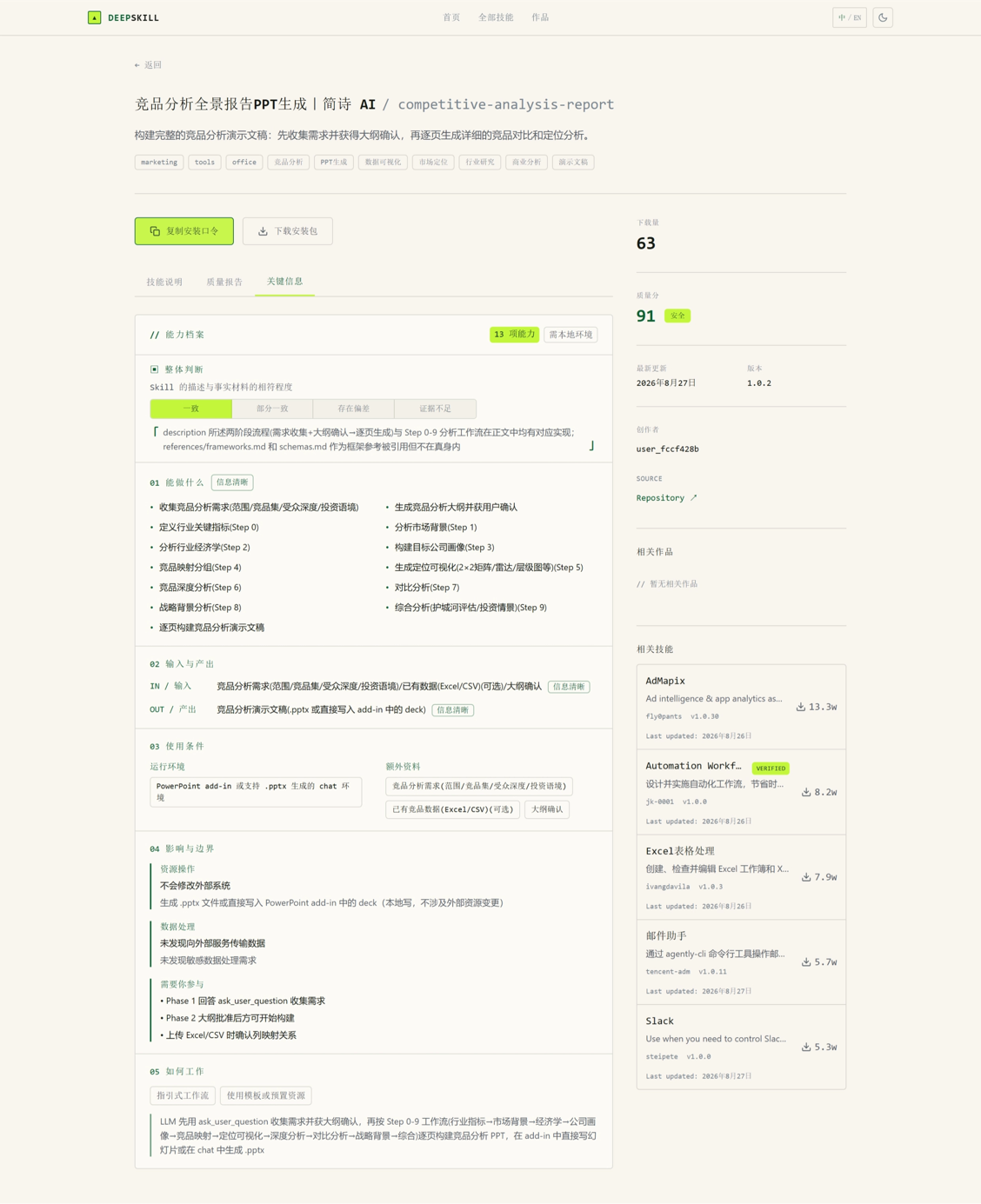
This requirement spans multiple areas including market research, competitive analysis, financial forecasting, and PPT creation, and DeepSkill has identified the intersections among them. The complete results also include skills with different positioning such as market-analysis-report and peer-financial-tracker. Depending on how urgent the timeline is, you can choose to use competitive-analysis-report to directly output a finished product, or combine multiple skills to separately complete the analysis and the PPT.
This way, even if you are doing this kind of project for the first time, you can quickly find the right combination of tools.
04. Some Sharing
After trying to use DeepSkill to find AI skills, I was truly blown away—the efficiency improvement was so obvious!
Previously, when looking for AI skills, I would browse category directories on various platforms or use simple keyword searches, and the results were often either ads or features that did not match. Sometimes after spending ages downloading and installing, I found it could not solve my problem at all, and all the time was wasted.
But ever since I started using DeepSkill, this experience has completely changed.
Take writing requirements, for example. Previously I had to break down the problem myself, think of keywords, and compare features one by one. Now I only need to describe the full requirement the way I would complain about work to a friend, and DeepSkill can automatically understand my scenario, break it down into professional search terms, and filter out those skills that "look impressive but are not easy to use" based on real test results.
Using DeepSkill to find AI skills lets me spend more time on the actual work instead of wasting it on tool screening. However, although DeepSkill is very powerful, you cannot rely on it completely. We need to use our own judgment based on our actual scenarios to decide whether the recommendations are suitable, because after all, we are the ones who understand our own work best.
As the AI skills ecosystem becomes richer and richer, finding tools in the future will surely rely even more on this kind of intelligent search method. The idea behind DeepSkill of "letting AI help you find AI" really solves a major pain point. I also look forward to using it to discover more useful skills and make work easier!