
What is Coze PPT
Coze PPT isCozean AI one-click PPT generation service launched by Coze, capable of generating high-quality, beautifully designed PPTs. Users only need to enter a topic or upload relevant materials, and the AI will automatically complete information gathering, content writing, and layout design,quickly generating a PPT. It provides a variety of preset styles, such as "Humanities and History" and "Academic Sharing", and can intelligently match the style according to the context, ensuring a high degree of consistency between the PPT style and content. Before generating the PPT, users can preview and modify the outline. After generation, it supports online editing of text and replacing images, and the AI will automatically optimize the layout. The Agent collaboration mode in Coze Space supports users in directing different intelligent agents to complete tasks such as information gathering and data analysis, integrating them to generate a professional PPT.

Main features of Coze PPT
- One-click PPT generation: Users only need to enter a simple topic or requirement, or upload relevant materials (such as Word, PDF, Excel, etc.), and the AI will automatically complete a series of operations including information gathering, content writing, and layout design, quickly generating a high-quality PPT.
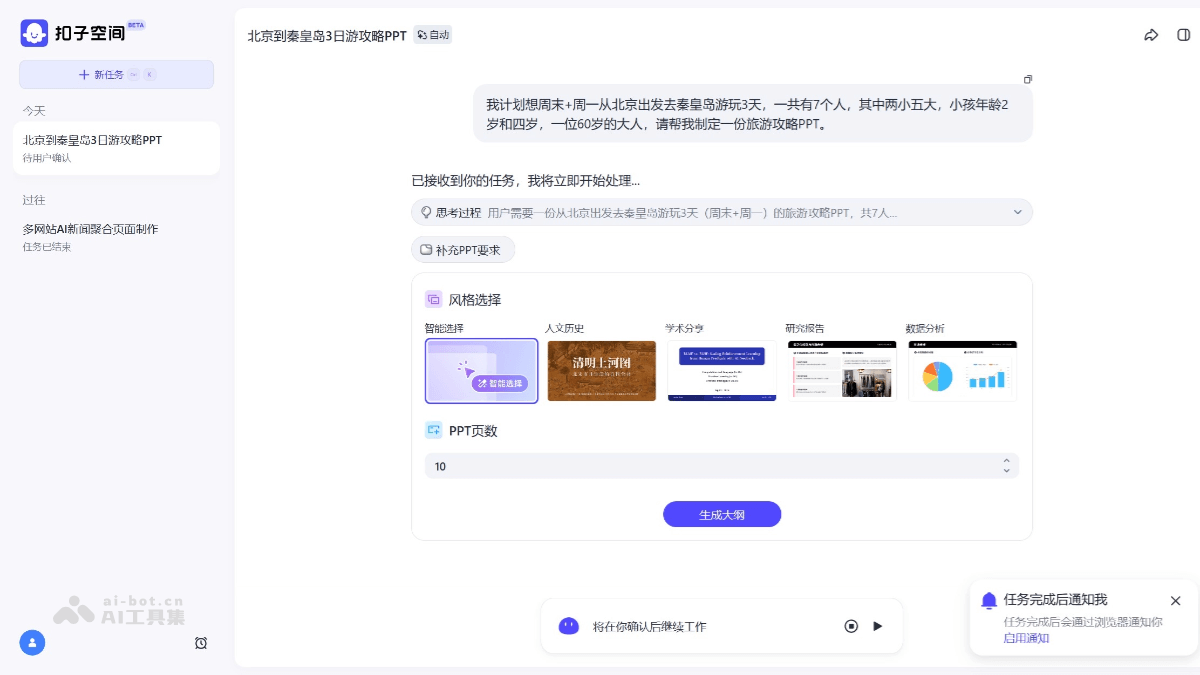
- Intelligent design and style matching:Cozeprovides a variety of preset styles, such as "Humanities and History", "Academic Sharing", "Research Report", and "Data Analysis". Users can choose an appropriate style according to the theme and purpose of the PPT. If unsure about the style, they can choose "Smart Selection", and the AI will automatically match the style according to the context of the task, ensuring a high degree of consistency between the PPT style and content.
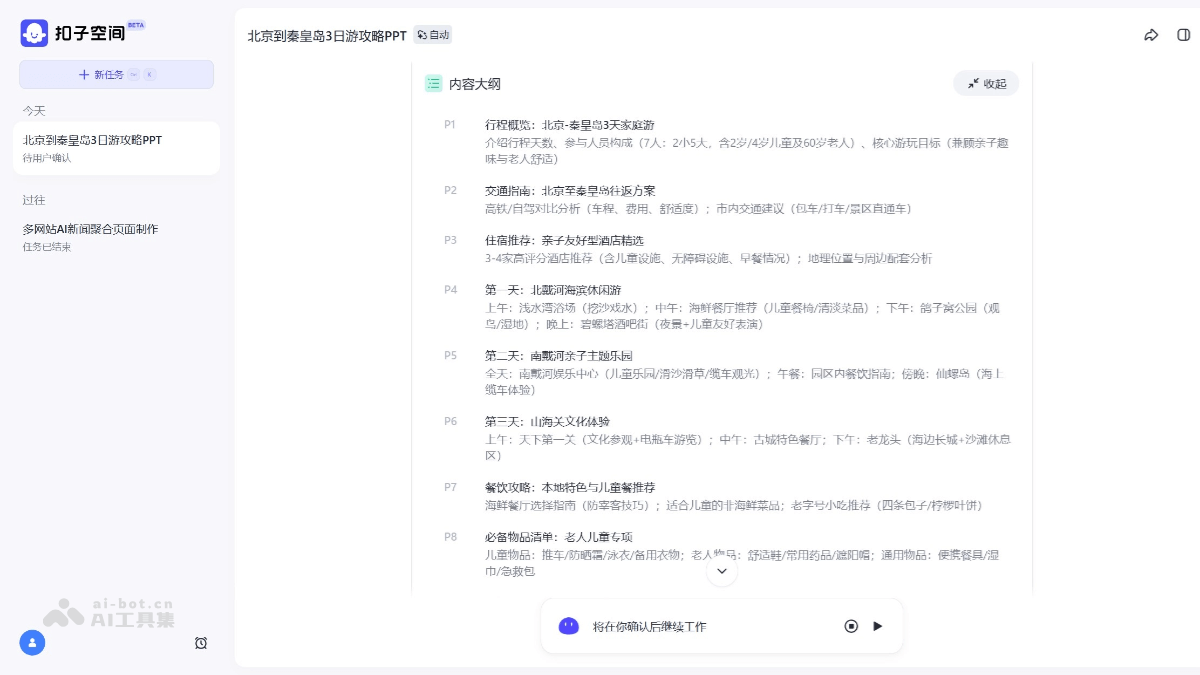
- Content outline preview and modification: Before generating the PPT, Coze will generate a content outline for the user to confirm. Users can modify or delete the content of each page in the outline, or insert new pages, ensuring that the PPT content meets expectations.
- Flexible secondary editing: The generated PPT supports highly flexible editing and interaction. Users can modify text and replace images online, and the AI will automatically optimize the layout and arrangement. Users can also download the PPT file (supporting the .pptx format) and use familiar software (such as PowerPoint or WPS) for detailed modifications.
- Multimodal content generation: It can generate elements such as charts, images, and mathematical formulas according to needs, making the PPT richer and more diverse.
How to use Coze PPT
- Log in to the platform: VisitCozeand log in using a mobile phone or other method.
- Create a new task: Click "New Task" to enter the task creation interface.
- Enter task requirements
-
Enter the topic directly: Enter the PPT topic or requirement in the input box, for example, "Create a PPT about artificial intelligence".
-
Upload materials: If relevant materials are already available, you can upload PDF, Word, Excel, and other files through "Attachment", or paste text or provide a web link, and the AI will generate a PPT based on these materials.
-
- Choose style and number of pages: The system will prompt you to choose the PPT style. You can select "Humanities and History", "Academic Sharing", "Research Report", "Data Analysis", or "Smart Selection". Specify the number of pages for the PPT (currently up to 30 pages).
- Confirm the outline: Coze will generate a content outline for the user to confirm. Users can modify or delete the content of each page in the outline, or insert new pages.
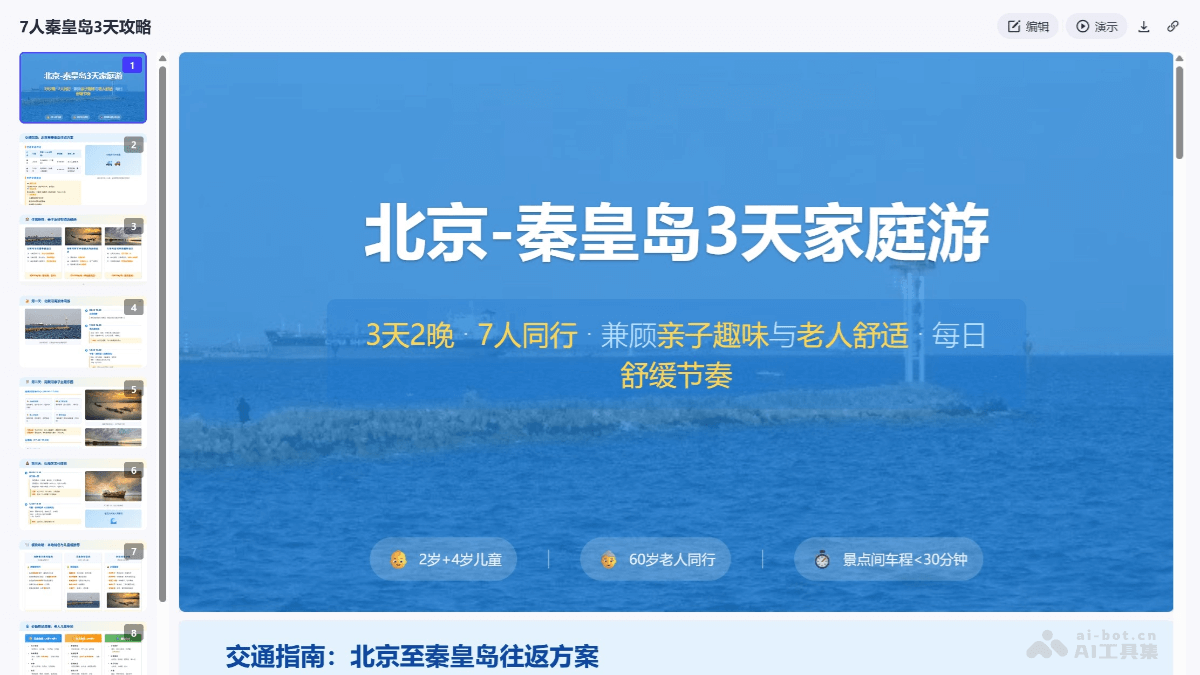
- Generate the PPT: Click "Generate PPT", and AI will automatically search for relevant content and generate the PPT page by page. During the generation process, users can view the AI's search content and sources.
-
Online editing: The generated PPT supports online editing. Users can modify text and replace images, and AI will automatically optimize the layout.
-
Download and modify: You can download the PPT file (.pptx format) and use PowerPoint or WPS for detailed modifications.
- Optimization and adjustment: If you are not satisfied with the generated PPT, you can click the "Edit" button and enter modification suggestions to have the AI regenerate a certain page or the entire PPT.
Generation example: I plan to travel from Beijing to Qinhuangdao for 3 days over the weekend + Monday. There are 7 people in total, including two children and five adults. The children are 2 and 4 years old, and there is one 60-year-old adult. Please help me create a travel guide PPT. (https://space.coze.cn/s/sizVQ7xckPE/)
Application scenarios of Coze PPT
-
Project reporting: Quickly generate PPTs for project progress and results display, helping team members and management quickly understand the project situation.
-
Market analysis: Based on market research data, generate PPTs containing charts and analysis for internal sharing or client reporting.
-
Sales proposal: Create sales proposal PPTs that highlight product advantages, market positioning, and customer value to improve sales success rates.
-
Academic report: Prepare PPTs for academic conferences or seminars to clearly present research results and experimental data.
-
Teaching courseware: Teachers can quickly create teaching PPTs containing rich charts and cases to improve teaching effectiveness.
-
Event planning proposal: Create planning PPTs for company events, meetings, or marketing activities, presenting event plans, budgets, and expected results.