
What is Copilot Search
Copilot Search is an intelligent search mode launched by Microsoft Bing, combining the advantages of traditional search and generative AI. Based on intelligent information integration, it provides concise summaries, clear answers, or intelligently laid-out information according to the user's query, helping users quickly find what they need and reducing time spent browsing web pages. Copilot Search supports highlighting source links, enhancing information credibility, and provides related topic suggestions for users to explore in depth. Copilot Search supports mobile devices, making it suitable for obtaining information anytime and anywhere, simplifying the search process, and satisfying users' curiosity.
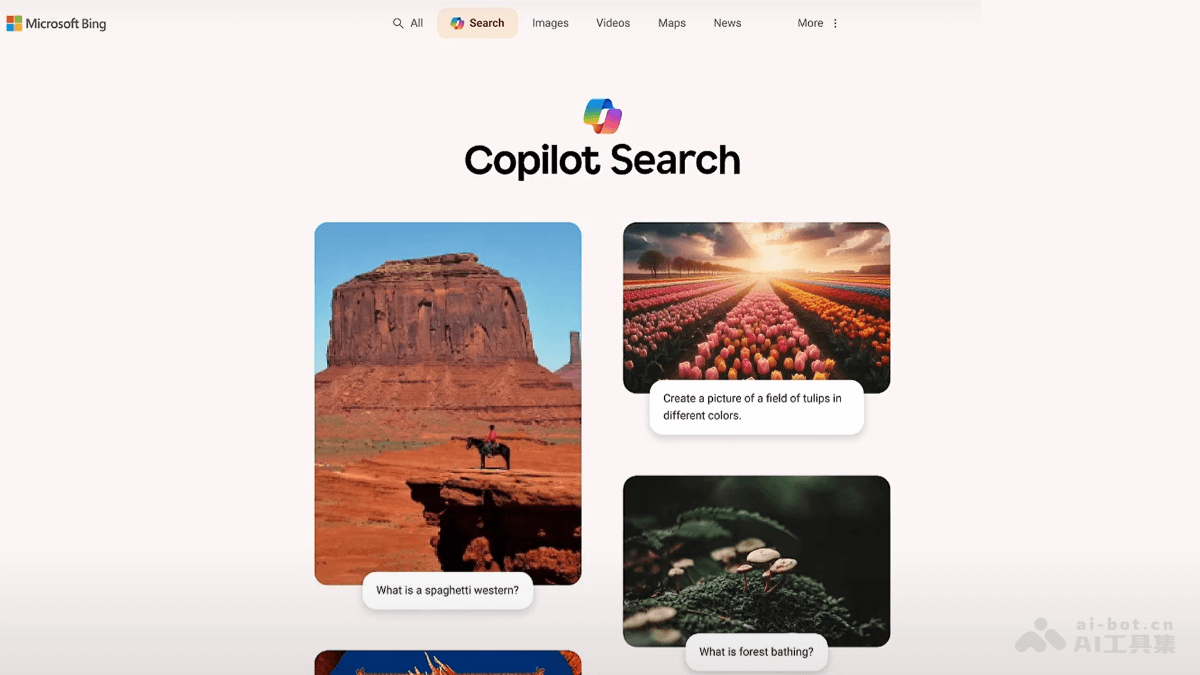
Main features of Copilot Search
- Intelligent information integration: Provides concise summaries, clear answers, and intelligently laid-out information to help users quickly find what they need.
- Source citations: Clearly labels information sources, enhances credibility, and supports one-click access to original links.
- In-depth exploration support: Provides related topic suggestions, making it convenient for users to continue exploring, and supports multi-turn conversation experiences.
- Mobile device support: Optimizes the mobile experience, making it suitable for obtaining information anytime and anywhere.
- Simple homepage design: Makes it convenient for users to quickly start searching, suitable for various scenarios.
How to use Copilot Search
- Use on the official Bing website: VisitBingFind the Copilot Search entry in the official website's navigation bar. Enter a question or keyword in the search box.
- Use through the Bing mobile app: Download and install the Bing mobile app. Find the Copilot Search entry in the app. Enter a question or keyword to get answers and information.
- Explore and research in depth: View the related topic suggestions below the search results, and click on topics of interest to continue exploring. If you need more information, click the cited source links to visit the original web pages.
- Multi-turn conversation experience: On the same page, continue asking questions or click related topics, and Copilot Search provides further information according to your needs.
- Verify information: If you need to verify the source of information, click the citation links in the results to directly visit the original web pages.
Application scenarios of Copilot Search
- Academic research: Quickly obtain literature, materials, and summaries to support academic research and paper writing.
- Daily question answering: Quickly look up health tips, life hacks, weather information, etc., to meet immediate needs.
- Work information collection: Efficiently integrate data and professional opinions to assist report writing and market research.
- Hobby exploration: Explore more content in interest areas such as photography, music, and history in depth based on keywords.
- Travel planning: Search for information on attractions, food, transportation, etc., to quickly create travel guides.