
What is Copilot Edits
Copilot Edits isGitHub Copilota new feature launched that uses AI technology to improve code editing efficiency. Copilot Edits allows developers to quickly modify code in Visual Studio Code using natural language instructions and supports inline editing across multiple files. Developers can specify the range of files to be modified in a unified interface, allowing Copilot Edits to make modifications directly in the code editor according to the instructions, view the results in real time, and adjust them. Copilot Edits supports simple text replacement and can handle complex code logic modifications, such as fixing security vulnerabilities or refactoring code.
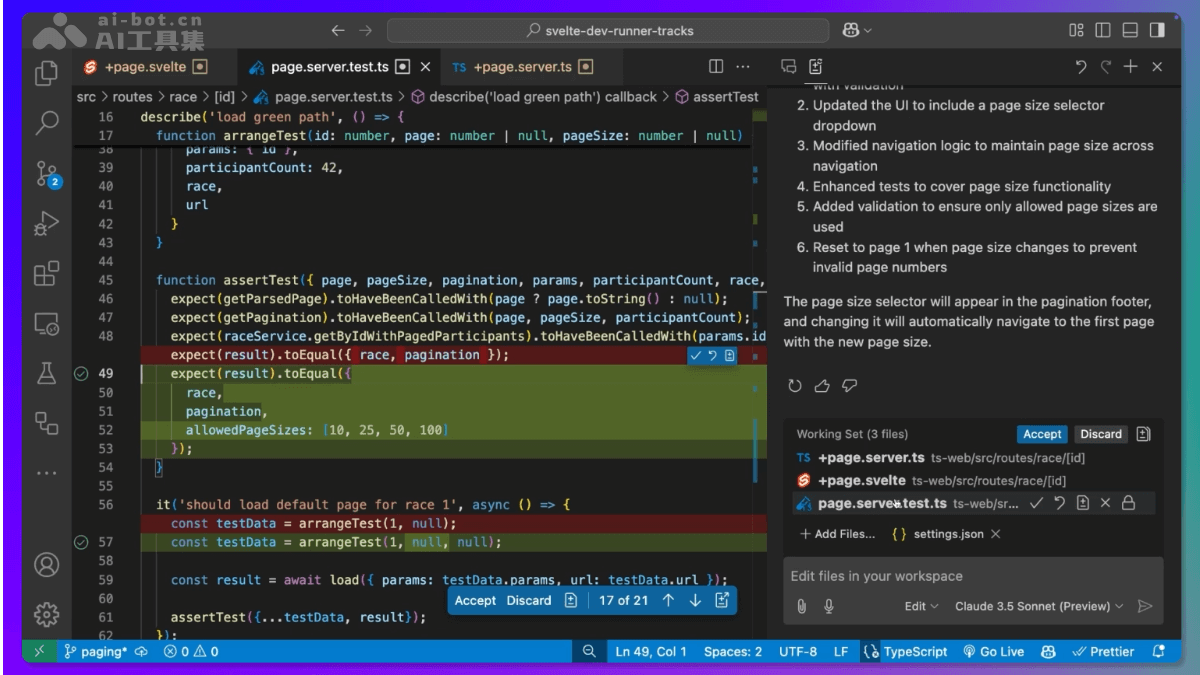
Main features of Copilot Edits
- Multi-file inline editing: Supports simultaneous code modifications across multiple files.
- Natural language instruction-driven: Modifies requirements based on natural language descriptions.
- Real-time preview and iteration: View modification results in real time and supports multiple rounds of adjustment.
- Code review and accept/reject: Accept or reject AI-generated modifications file by file or modification by modification, with support for undo and redo.
- Support for multiple language models: Supports selecting different language models to generate code modification suggestions.
- Context awareness and intelligent suggestions: Recommends related files based on context and Git history.
- Integration with Copilot Chat: Quickly apply code suggestions from chat to the project.
- Voice interaction support: Interact based on voice instructions.
Limitations of Copilot Edits
- Multiple simultaneous editing sessions are not currently supported.
- Using
@workspace /newto set up new projects is not yet supported in editing sessions. Currently, use Copilot Chat for initial setup. - Although
#codebase鞥finds context related to the query well, the quality of the edits generated afterward varies. Usegithub.copilot.chat.edits.codesearch.enabled (Preview)settings to improve the agent experience for finding files, or explicitly add files to the working set to create better results. - Jupyter notebooks, other custom text formats, and binary file formats are not supported or have not yet been tested.
- The working set is currently limited to 10 files.
- Copilot Edits can make at most 7 edit requests every 10 minutes.
Official website address of Copilot Edits
- Official website address:Copilot Edits
Application scenarios of Copilot Edits
- Batch code modification: Uniformly modify code across multiple files, such as replacing functions, updating variable names, or adjusting code style.
- Vulnerability fixing: Quickly locate and fix known security vulnerabilities across multiple files.
- Feature expansion: Add new features to a project, such as adding the same navigation bar or theme switcher to multiple pages.
- Code optimization: Perform performance optimization or refactoring on code in multiple files to improve code quality.
- Project migration: Migrate a project from one technology stack to another, such as migrating the testing framework from Jest to Vitest.