
What is Copilot Actions
Copilot Actions is a new feature of Microsoft 365 Copilot launched by Microsoft at the Ignite conference. It supports users in using simple prompts to automatically complete daily repetitive tasks, such as summarizing Teams meetings and generating weekly reports. Users only need to set it up once, and AI can automatically execute tasks based on preset templates and rules, improving work efficiency and allowing users to focus on more valuable work. The Copilot Actions feature is currently in private preview.
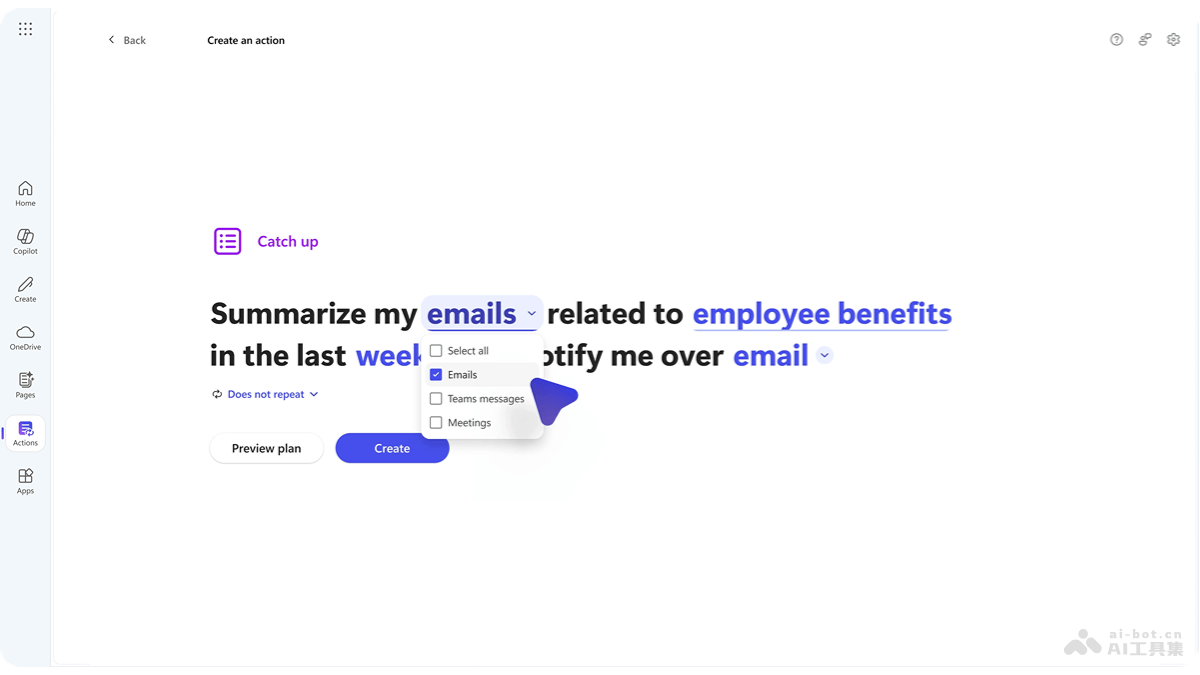
Main features of Copilot Actions
- Automate daily tasks: Users can automatically complete repetitive daily tasks based on simple prompts, such as summarizing Microsoft Teams meetings, compiling weekly reports, or receiving a summary email of missed meetings, chats, and emails when returning from vacation.
- One-time setup: Users set it up once, and afterward AI will automatically execute tasks based on preset templates and rules, similar to a powerful AI macro.
- Boost productivity: Based on automated tasks, users focus on more impactful and valuable work, saving time and improving overall productivity.
Copilot Actions official website address
- Official website address:https://www.microsoft.com/en-us/microsoft-365/blog/2024/11/19/introducing-copilot-actions-new-agents-and-tools-to-empower-it-teams/
Application scenarios of Copilot Actions
- Meeting management: Automatically generate meeting minutes, including discussion points, action items, and responsibility assignments, and help arrange meetings, including reminders and schedule coordination.
- Report preparation: Automatically summarize key data and progress on a weekly or monthly basis, generate reports, and track project progress and automatically update status reports.
- Email management: Automatically classify and prioritize received emails, and automatically reply to or draft email templates for common inquiries.
- Data aggregation and analysis: Aggregate data from different sources, generate analysis reports, and regularly update business dashboards to reflect the latest data.
- Human resource management: Automate the onboarding process for new employees, including assigning necessary software and resources, and quickly answer employees' common questions about company policies.