
What is ComfyUI-MochiEdit
ComfyUI-MochiEdit is an open-source video editing tool based on ComfyUI and Genmo Mochi. It enables video editing by converting videos into noise and resampling them, and supports local editing and video-to-video functionality. Users can adjust parameters such as noise correction strength and alignment strength to control the video effect, and use it in combination with ComfyUI-MochiWrapper nodes to achieve more complex editing needs. ComfyUI-MochiEdit is easy to install and requires no additional dependencies, bringing new ideas to video editing.
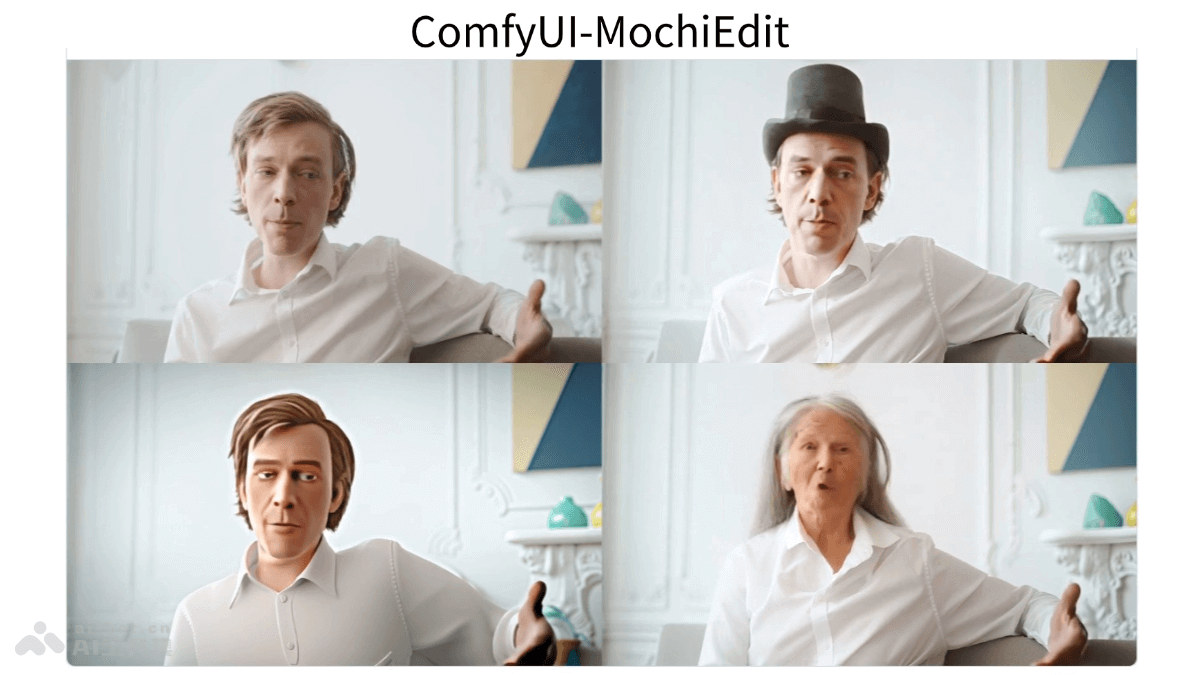
Main features of ComfyUI-MochiEdit
- Video-to-noise then resampling: ComfyUI-MochiEdit converts the input video into noise, resamples the noise with a target prompt, and generates new video content.
- Local editing: Users can edit only specific parts of a video without having to process the entire video, providing greater flexibility for video editing.
- Video style or content conversion: Convert one video into a new video with a specific style or content, using another video as a reference.
- Parameter adjustment: Users adjust parameters such as noise correction strength, alignment strength with the original video, and the number of guidance steps in the generation process to control the effect of the final video.
- Custom prompts: Supports use in combination with ComfyUI-MochiWrapper nodes, adjusting output results based on custom prompts to achieve more complex editing needs.
Technical principles of ComfyUI-MochiEdit
- Mochi Unsampler node: One of the core nodes of ComfyUI-MochiEdit, responsible for converting input video data into noise. This involves converting the pixel data of the video into a noise form that is resampled.
- Mochi Prepare Sigmas node: Its role is to convert noise data back into video format. It is responsible for generating new video frames based on the target prompt and noise data.
- Noise and signal processing: In the process of converting video into noise, this involves the analysis and processing of the video signal, as well as the control and adjustment of the noise during resampling.
- Use of target prompts: In the process of resampling noise to generate a new video, the target prompt plays a key role, guiding how the noise is converted into the desired video content.
- Parameter control: Users adjust various parameters to affect the result of video editing. Parameters include noise correction strength, alignment strength, and number of guidance steps, and adjustments to the parameters directly affect the final output effect of the video.
Project address of ComfyUI-MochiEdit
- GitHub repository:https://github.com/logtd/ComfyUI-MochiEdit
Application scenarios of ComfyUI-MochiEdit
- Film and video production: In film production, create special effects, replace scenes, or make local adjustments to specific shots without needing to reshoot the entire scene.
- Video content creation: Video bloggers and content creators can quickly edit videos, such as changing backgrounds, adding special effects, or modifying specific elements in the video.
- Advertising and marketing: In advertising production, quickly change product displays or scenes to adapt to different advertising needs and market changes.
- Education and training: In the education field, create or modify video tutorials, such as inserting or replacing teaching materials in videos, to adapt to different teaching needs.
- News and reporting: News organizations quickly edit news videos, such as inserting or replacing specific images or video clips in a report.