
What Is ColaMD
ColaMD is an open-source Markdown editor. The tool solves the pain point of traditional editors requiring a manual refresh to see updates after AI modifies a file, enabling real-time synchronization between Agent background modifications and foreground content, just like watching AI write live. The tool uses true WYSIWYG editing, a minimalist distraction-free interface, and supports cross-platform and custom themes.
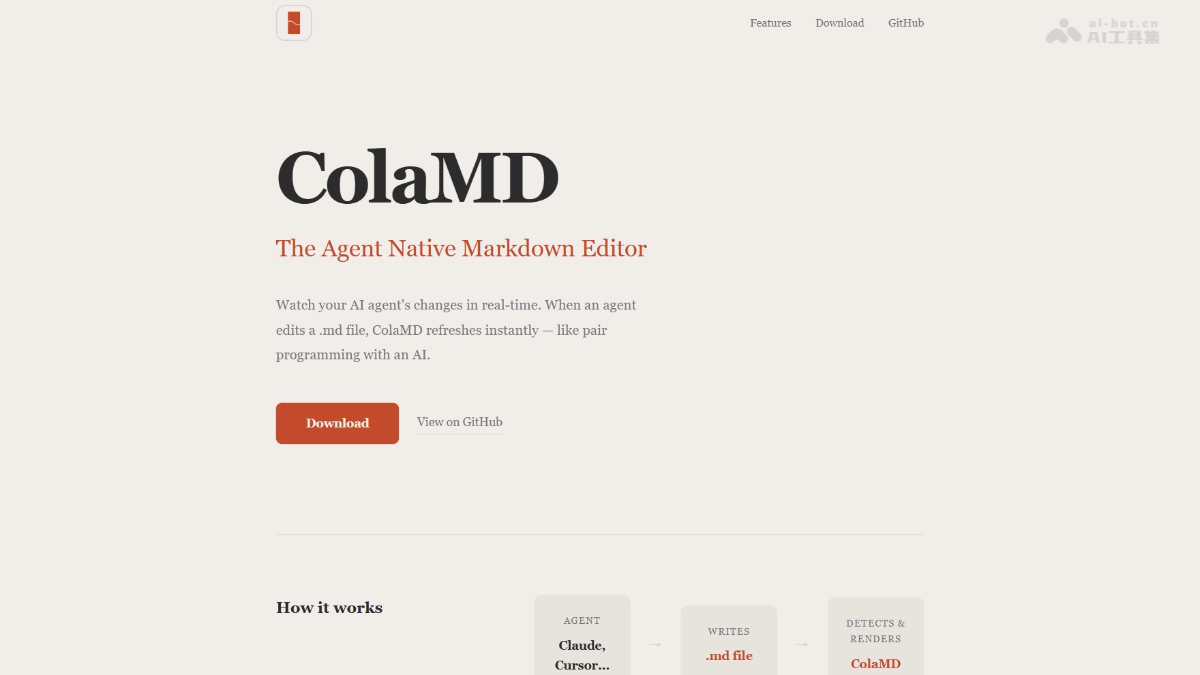
ColaMD's Main Features
-
Real-Time File Sync: When an AI Agent modifies a
.mdfile, the editor content automatically refreshes instantly, with no need to manually close and reopen. -
Agent Status Indicator: The title bar shows an orange breathing light to indicate the Agent is writing, and a green flash to indicate editing is complete.
-
True WYSIWYG: Type Markdown and directly see the rich-text rendering effect, with no need for a split-screen preview window.
-
Smart Line Breaks: A single line break renders as a line break, perfectly matching the writing output habits of AI Agents.
-
Rich-Text Copy: When copied content is pasted into apps such as WeChat and email, the complete formatting and styles are preserved.
-
Quick Links: Hold Cmd and click any link in the editor to open it directly in the browser.
-
Theme System: Provides 4 built-in themes and supports importing custom CSS with persistent saving.
-
Format Export: Supports one-click export of documents to PDF or HTML files.
-
Cross-Platform Support: Natively supports the three major desktop operating systems: macOS, Windows, and Linux.
How to Use ColaMD
- Installation: Download the version for the corresponding system from GitHub Releases and complete installation; open it and use it without any configuration.
- Basic Use: Open any
.mdfile to start editing; all changes are automatically saved to the original file. - Collaborating with an Agent: Keep the file open in ColaMD and let the AI Agent modify the file in the background; the editor content will refresh in real time.
- Quick Actions: Hold the
Cmd/Ctrlkey and click a link to open it in the browser; supports one-click export to PDF or HTML, and you can freely switch or import custom themes.
ColaMD's Key Information and Usage Requirements
- Core Positioning: An open-source Markdown editor designed for the AI Agent era, enabling real-time human-machine collaboration.
- System Requirements: Supports the three major platforms: macOS, Windows, and Linux.
- Usage Conditions: Needs to be used with an external AI Agent (such as Claude Code or Cursor); it does not have built-in AI features.
- Product Limitations: No file management, cloud sync, or plugin system; focuses on real-time single-file editing.
ColaMD's Core Advantages
- Real-Time Collaboration Experience: The industry's first Agent-native design; when AI modifies a file, content syncs within seconds, completely eliminating the fragmented operation of repeatedly closing and reopening.
- Extremely Lightweight and Pure: Zero-configuration and ready out of the box, with no file management, no knowledge base, and no plugin interference, focusing solely on Markdown editing.
- Seamless Human-Machine Collaboration: The status indicator provides real-time feedback on the Agent's work progress, giving you an intuitive grasp of the AI writing rhythm, just like pair programming.
ColaMD's project address
- Project website:https://colamd.com/
- GitHub repository:https://github.com/marswaveai/ColaMD
Comparison of ColaMD with similar competing products
| Comparison dimension | ColaMD | Typora | Obsidian |
|---|---|---|---|
| Core positioning | Agent-native Markdown editor | General-purpose Markdown editor | Knowledge base management tool |
| AI collaboration | Real-time synchronization of Agent modifications, with status indicator alerts | Requires manual refresh or reopening the file to view updates | Requires plugins, not natively supported |
| Product form | Lightweight single-file editor | Single-file editor | Workspace + bi-directional link knowledge base |
| Feature richness | Minimalist, no file management/plugins/cloud sync | Moderate, focused on editing experience | Extremely rich, with a massive plugin ecosystem |
| Learning curve | Zero configuration, ready to use out of the box | Low, intuitive and easy to use | Relatively high, requires understanding bi-directional note-taking logic |
| Use cases | Real-time human-AI collaborative writing | Personal Markdown writing | Long-term knowledge accumulation and management |
ColaMD application scenarios
- AI-assisted writing: Let Agents such as Claude and Cursor generate or polish articles, watch the AI writing process in real time, and intervene and adjust immediately.
- Code documentation collaboration: Developers use Agents to automatically generate project documentation or comments, proofreading while generating, improving technical writing efficiency.
- Content iteration and optimization: Repeatedly have AI revise the same Markdown content, allowing comparison of changes before and after without frequently switching windows.
- Knowledge organization notes: Use Agents to organize fragmented information into structured notes, and confirm in real time whether the organization results meet expectations.