
What is CodeMote
CodeMote is an AI-native cross-platform terminal tool that supports remote control of desktop AI coding agents and a full development environment from iPhone/iPad. The tool turns a phone into a remote control for a personal development workstation, allowing developers to still handle urgent bugs in real time when away from their computer, follow up on AI coding progress, view code diffs, and participate in remote collaboration. It supports lock screen Live Activity monitoring, a complete Git workflow, and file management, is compatible with editors such as VS Code and Cursor, and code always stays local and is never uploaded to the cloud.
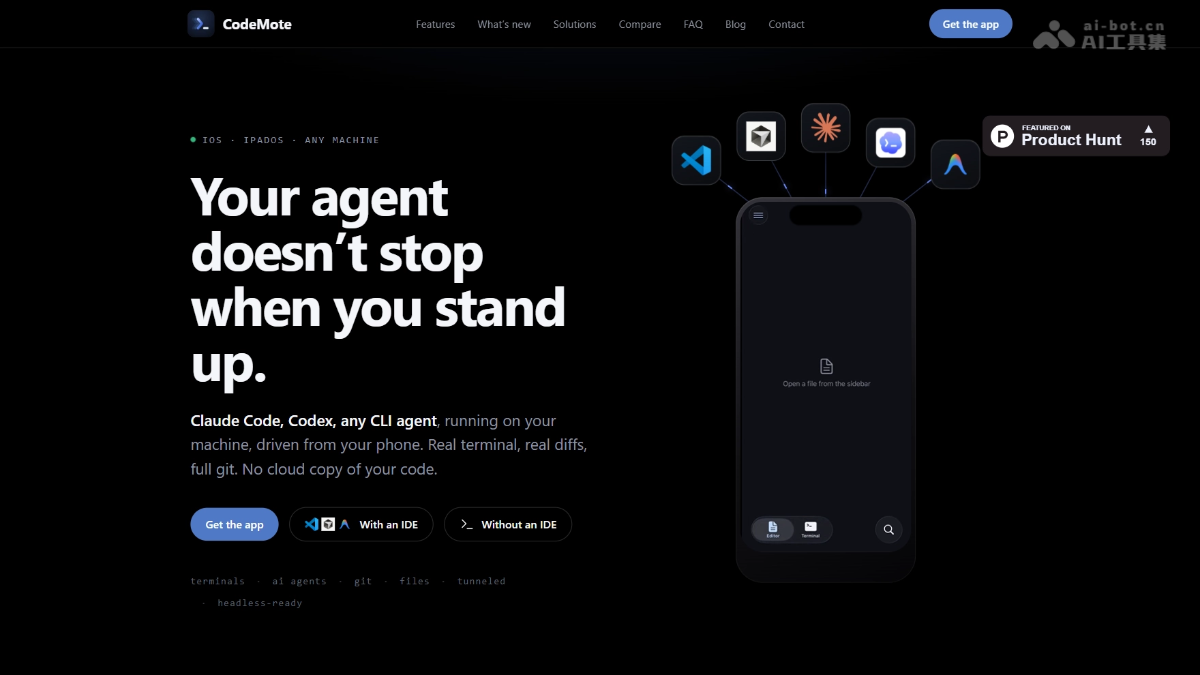
CodeMote's main features
- Real-time full-featured terminal on mobile: Run Claude Code, Codex, or any CLI coding agent on your phone, with machine access permissions fully consistent with the desktop version and support for real terminal command execution.
- Lock screen real-time rendering and event streaming: Use the iOS lock screen Live Activity feature to dynamically display the terminal execution stream. When the agent is waiting for manual approval, it automatically switches status and pushes a wake-up notification so you can glance in and intervene at any time.
- Complete Diff and file management panel: Supports viewing real code diff comparisons, browsing the full file tree online, and manually modifying code configuration.
- Deeply integrated Git workflow: Complete stage, commit, push, branch, and history viewing directly on mobile, with no need for additional GitHub keys or tokens.
- Compatible with mainstream editors and headless deployment: Supports one-click integration with development tools such as VS Code, Cursor, and Antigravity through plugins, and can run directly through the npm CLI in server environments without an IDE.
How to use CodeMote
- Install the app: Visit the CodeMote official website https://codemote.caste.work/ and download and install the CodeMote App on iPhone or iPad.
- Connect the development environment: Connect CodeMote to local editors such as VS Code and Cursor through a plugin, or run the npm CLI directly on a headless server to establish a connection.
- Start the AI agent: Start Claude Code, Codex, or another CLI coding agent on mobile and begin remotely controlling the desktop development environment.
- Real-time monitoring and approval: View the terminal execution stream through lock screen Live Activity, receive notifications when the agent is waiting, and glance in and approve code changes at any time.
- Complete Git commits: View code diffs on mobile, and after confirming they are correct, directly complete stage, commit, and push operations.
CodeMote's core advantages
-
Code never goes to the cloud: All code always stays on the user's local machine and is not uploaded to any third-party server, ensuring privacy and security.
-
Real terminal experience: Provides a complete CLI terminal, file system, and machine access permissions.
-
The lock screen is the workbench: Use the iOS Live Activity feature to monitor agent status and respond quickly without unlocking your phone.
-
Full-featured mobile experience: Supports complete diff viewing, file editing, Git operations, and dev server running, going beyond the functional boundaries of a chatbot.
-
Multi-agent compatibility: Supports Claude Code, Codex, and any CLI coding agent.
Comparison of CodeMote with similar competitors
| Comparison dimension | CodeMote | Claude App |
|---|---|---|
| Interaction method | Provides a real terminal with a complete CLI environment, allowing commands to be executed directly. | Supports only chat-based conversational interaction, with no terminal capability. |
| Agent Support | Compatible with Claude Code, Codex, and any CLI coding agent. | Bound only to Claude's own agent, with no ability to switch. |
| Editor Compatibility | Supports integration with mainstream editors such as VS Code, Cursor, and Antigravity. | No external editor compatibility; limited to its own ecosystem. |
| Diff Viewing | Features a standalone, complete diff panel for line-by-line review of code changes. | Displays differences only as text blocks in the chat window, resulting in a limited experience. |
| File Editing | Supports online browsing of the file tree and direct modification of code and configuration. | Does not support file system access or code editing operations. |
CodeMote Use Cases
-
Urgent Vulnerability Fixes: Receive an online alert while away, remotely connect to the development environment via phone, and quickly locate and fix code issues.
-
AI Coding Progress Tracking: Start Claude Code and leave your seat, monitor the agent's execution status in real time via Lock Screen Live Activities, and approve key changes promptly.
-
Mobile Code Review: View complete code diffs and the file tree during commutes or meeting breaks, and complete code reviews and Git commits.
-
Server Management Without an IDE: Connect directly to remote servers in headless mode, and perform deployment, debugging, and operations tasks on your phone.
-
Cross-Device Collaborative Development: Use an iPad as a portable development terminal to access the complete development environment of your main workstation anytime and anywhere, maintaining coding continuity.