
What is CodeCV
CodeCV is a free online tool designed specifically for internet professionals.Resume maker, offering a rich collection of Chinese and English resume templates, covering positions such as front-end, back-end, product, and operations. Users can edit their resumes through Markdown or WYSIWYG mode, enjoying convenient features such as automatic formatting, AI summary polishing, and Chinese-English translation. CodeCV supports export in multiple formats including PDF, PNG, and Markdown, ensuring resumes are both attractive and practical. CodeCV prioritizes privacy and security, ensuring personal information is not leaked. The tool has exported over 200,000 professional resumes for free, making it a practical assistant for job seekers.
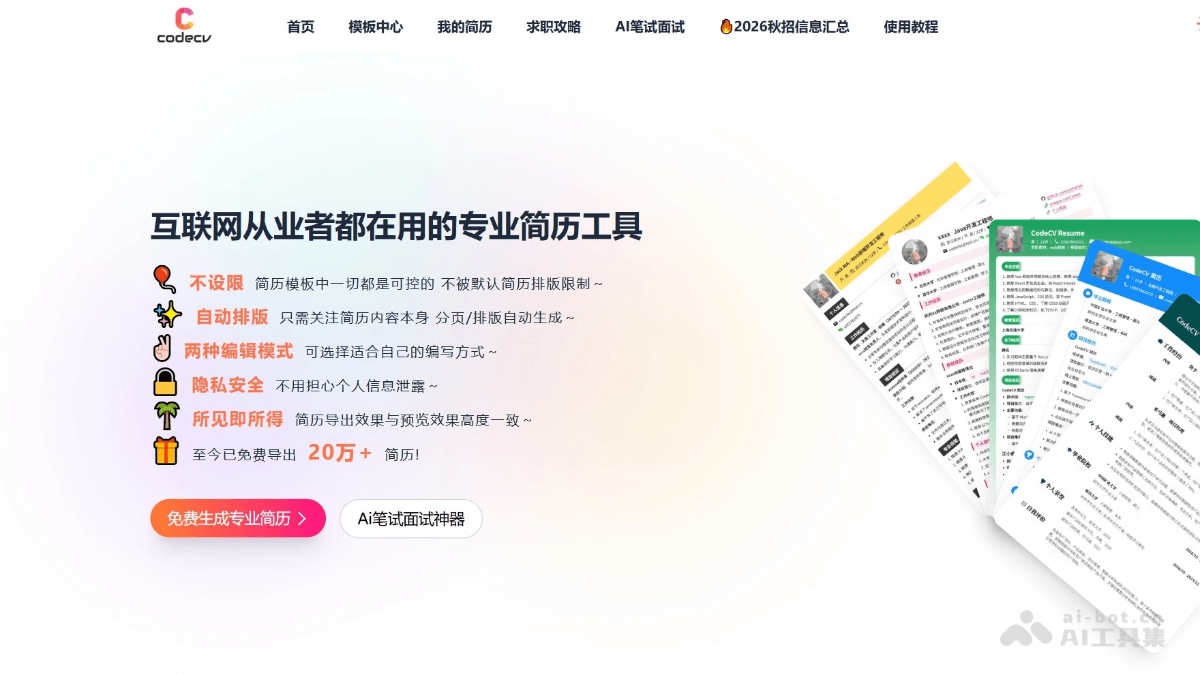
Main Features of CodeCV
- Markdown editing support: Supports users in writing resumes using Markdown syntax, suitable for users familiar with programming.
- WYSIWYG editing: Provides an intuitive editing interface where users can directly see the final appearance of the resume, suitable for users unfamiliar with Markdown.
- Automatic formatting: After users input content, CodeCV automatically handles resume formatting and pagination, ensuring a clean and professional format.
- Extensive template library: Provides a variety of industry templates, covering positions such as front-end, back-end, big data, product, and operations, meeting different job-seeking needs.
- Multi-format export: Supports exporting resumes in multiple formats such as PDF, Markdown, and PNG, making it convenient for users to use on different occasions.
- AI-assisted resume writing: Includes features such as resume polishing, Chinese-English translation, and resume generation, helping users improve the professionalism and appeal of their resumes.
-
Job-seeking guide: Provides job-seeking guidance and interview tips, helping users better prepare for the job-seeking process and improve their success rate.
How to Use CodeCV
- Visit the official website: Open a browser and visit the CodeCV official website https://www.codecvcv.com/ , register and log in to your account.
- Choose an editing mode: CodeCV provides two editing modes:
- Markdown editor: Suitable for users familiar with Markdown syntax.
- WYSIWYG editor: Suitable for users who want to directly see the resume appearance.
- Choose a template: Browse and select a resume template that suits your needs. CodeCV provides a variety of free templates; choose according to personal preference or job-seeking goals.
- Edit resume content: Enter personal information, educational background, work experience, skills, etc. in the selected editor. In the Markdown editor, use Markdown syntax to format text; in the WYSIWYG editor, format text directly through menus and toolbars.
- Adjust layout and style(if needed): Adjust the layout and style of the resume according to your preferences. In the Markdown editor, this usually involves using different Markdown syntax elements; in the WYSIWYG editor, adjust directly through drag-and-drop and style selection.
- Preview the resume: During editing, use the preview function to view the final effect of the resume and ensure everything meets expectations.
- Export the resume: Once satisfied with the resume, choose the export function to save the resume as PDF, Markdown, or PNG format. The file can be used for online applications, printing, or sending via email.
CodeCV Product Pricing
- Free Basic Features: Use 1 free resume template provided by CodeCV; unlimited free export of resumes in PDF, PNG, and MD formats.
- VIP Value-Added Services: The image upload size for VIP users is 4M. Monthly membership (¥18.99):4 resume templates are available;Quarterly membership (¥35.99): 5 resume templates are available;Annual membership (¥69.99): unlimited number of resume templates.
CodeCV Use Cases
- Personal Job Seeking: Job seekers use CodeCV to create personalized resumes and adapt to the needs of different job applications.
- Career Development: Professionals use CodeCV to update and optimize their resumes, making it easier to get a promotion or change jobs.
- Student Internships: Students create resumes to apply for internship opportunities and showcase their educational background and practical experience.
- Freelancers: Freelancers use CodeCV to create resumes and highlight their professional skills and project experience.
- Cross-Regional Job Seeking: For users who need to seek jobs in different countries and regions, the Chinese-English translation feature provided by CodeCV is especially useful.
- Resume Template Design: Designers and developers use CodeCV to design and share their own resume templates.