
What is cobalt
cobalt is an open-source free image, audio, and video download tool that provides a clean, simple, ad-free experience. cobalt supports video, audio, and image downloads across all platforms, including mainstream video websites, social media, and music platforms. cobalt offers personalized settings and supports multiple theme switching. Users can download videos up to 8K and audio in multiple formats, cobalt can automatically extract subtitles, it is simple to use, requires no registration, and supports web version and Docker self-hosted deployment.
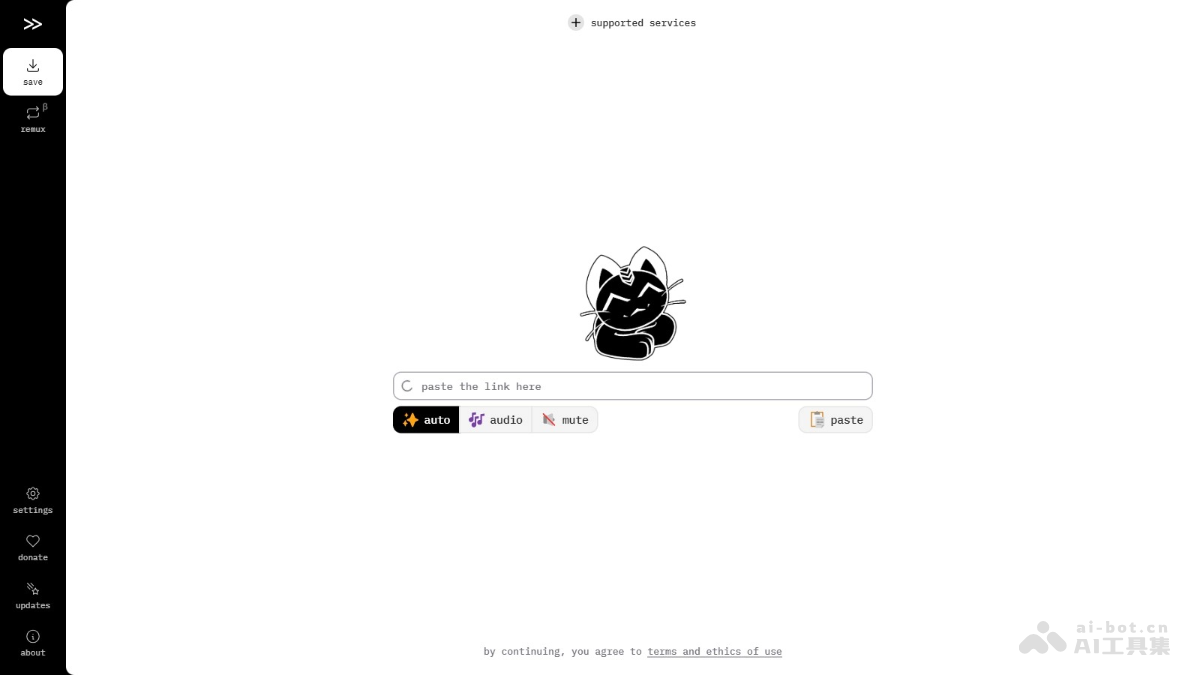
cobalt's main features
- All-platform support: Can download content from video websites such as YouTube, Bilibili, and Dailymotion, social media platforms such as Instagram, TikTok, Twitter/X, and Reddit, and audio platforms such as SoundCloud.
- Personalized settings: Multiple theme switching, including free adjustment of light and dark modes. Supports multiple languages, making it convenient for users of different languages.
- Download options:
- Video quality supports up to 8K+.
- Supports multiple video encoding formats, adapting to different devices.
- Supports subtitle download and automatic extraction.
How to use cobalt
- Using the web version:
- Open a browser and visit the cobalt official website.
- Copy the link of the video, audio, or image you want to download.
- Paste the link into the input box on the cobalt web version.
- Select the desired video or audio quality and other options (such as subtitle download).
- Click the download button, and the system will download automatically.
- Self-hosted use(using Docker):
- If you want complete control over the download environment, choose self-hosted cobalt.
- Install Docker on your computer.
- Visit cobalt's GitHub repository to find the deployment guide and Docker configuration file.
- Follow the guide to run Docker commands and start the cobalt container.
- Access the locally deployed cobalt interface in your browser.
- The subsequent operations are the same as the web version: copy the link, paste it, select the format, and download.
cobalt's project address
- GitHub repository:https://github.com/imputnet/cobalt
- Online demo:https://cobalt.tools/
cobalt's use cases
- Online learning: Download course videos from educational platforms for learning when there is no internet.
- Video editing: Obtain high-quality video materials for personal or commercial video editing projects.
- Music collection: Save favorite music videos and audio to build a personal music library.
- Social media backup: Back up important posts and videos on social media to prevent data loss.
- Business analysis: Download competitors' marketing videos for market trend analysis.
- Cultural research: Collect films and TV programs from different countries for cultural and language research.