
What Is ClipSketch AI
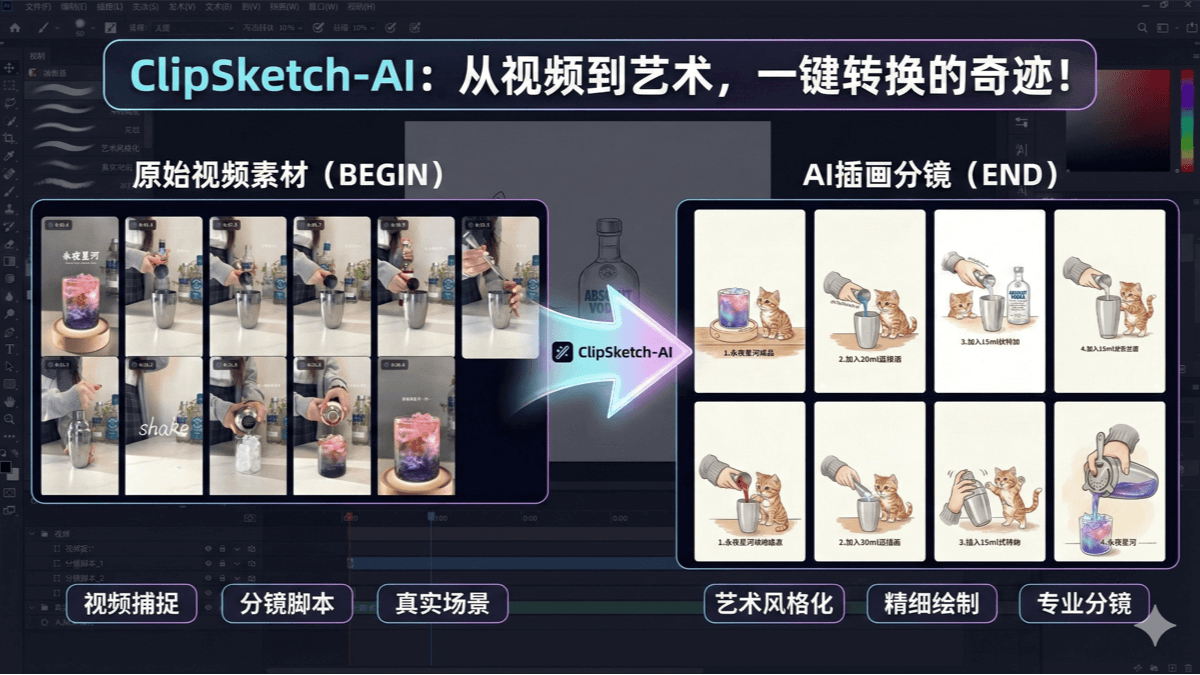
ClipSketch AI is an open-source AI-driven content creation tool designed for video creators, social media operators, and fan-edit enthusiasts. It can parse video links from Bilibili and Xiaohongshu, automatically extract keyframes and convert them into hand-drawn style storyboards, while generating copy suitable for social media. The tool supports multi-source video import, HD playback, and frame-level marking. It is easy to use and suitable for various creation scenarios, such as series content production, short drama video creation, and product recommendations.
Main Features of ClipSketch AI
-
Video Parsing and Frame-Level Marking: Supports parsing Bilibili and Xiaohongshu video links, accurately marks highlights down to the frame, and can export marked data as TXT timeline tags or ZIP image packages.
-
AI Drawing and Copy Generation: Based on the Google Gemini large model, it turns marked video clips into hand-drawn style storyboards with one click and generates social media copy in three styles.
-
Batch Processing and Optimization: Has the ability to generate storyboards in batches and can be configured to use the Batch API, saving creation costs.
-
Multi-Platform Adaptation: The interface has a responsive design and supports adaptive display on PC, iPad, and mobile, making it convenient to use.
-
Open-Source Deployment: Supports local open-source deployment. Users can configure their own Gemini API Key to achieve data privacy protection and feature customization.
How to Use ClipSketch AI
-
Visit the Platform: Go to the ClipSketch AI online experience version or the locally deployed address.
-
Import Video: Enter a Bilibili or Xiaohongshu video link, and the tool will automatically parse the video.
-
Frame-Level Marking: By playing the video, use shortcut keys (such as Space to play/pause, left and right keys to adjust frame by frame, and T to mark) to mark highlights.
-
Generate Storyboard: After marking is complete, click the generate button, and the tool will convert the video clips into a hand-drawn style storyboard.
-
Generate Copy: At the same time, it generates social media copy in three styles, which can be selected and used as needed.
-
Export Data: Marked data can be exported as TXT timeline tags or ZIP image packages for later editing.
-
Local Deployment: For long-term use, you can deploy locally based on the open-source code and configure your own Gemini API Key.
ClipSketch AI Project Address
- Github Repository:https://github.com/RanFeng/clipsketch-ai
- Online Experience Address:https://clipsketch-ai.vercel.app/
Application Scenarios of ClipSketch AI
-
Short Video Creation: Quickly extract keyframes from long videos, convert them into hand-drawn style storyboards, and publish them to platforms such as Xiaohongshu and Weibo, saving time on storyboard design and copywriting.
-
Social Media Operations: Batch process trending content from platforms such as Bilibili and Xiaohongshu, and quickly generate fan-created content adapted to the account's style.
-
Product Recommendation/Review Accounts: Extract highlights from product review videos and publish them with hand-drawn images and copy to improve recommendation effectiveness.
-
Short Drama Video Production: Convert long drama videos into hand-drawn storyboards, making it easier to create fan edits and edit videos.
-
Series Content Production: Quickly break down tutorial videos and generate structured storyboards, facilitating the planning and production of series content.
-
Educational Content Creation: Automatically convert instructional videos into storyboard scripts for course planning and presentation.