
What Is Chuangyin Island
Chuangyin Island is amusic creation platformthat integrates recording-to-text, voiceover, and AI songwriting. It supports quickly converting audio to text, making it easy for users to quickly record information in meetings, speeches, and other occasions. Chuangyin Island provides a variety of timbres and parameters to meet different voiceover needs, making voiceover effects more natural. Users only need to input lyrics, and AI automatically arranges the music, simplifying the music creation process, lowering the threshold, and allowing music enthusiasts to create easily. The software interface is friendly and the operation is simple, making it a capable assistant for music creation and audio processing.
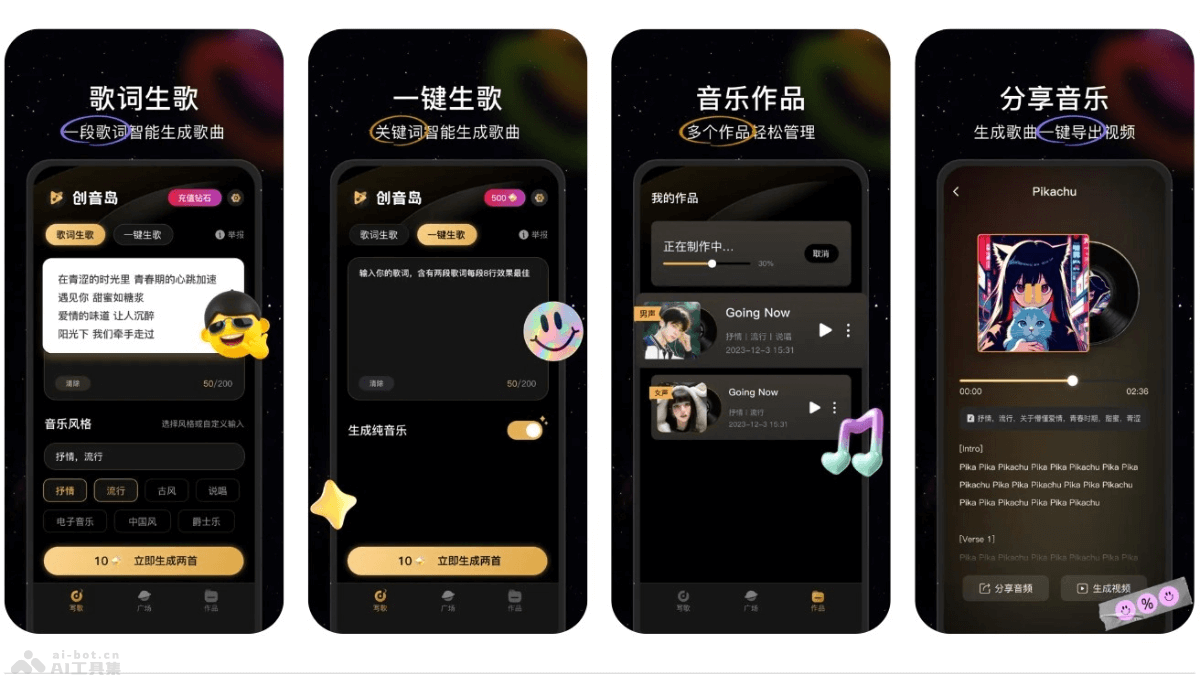
Main Features of Chuangyin Island
- Recording-to-Text: Based on advanced speech recognition technology, Chuangyin Island can quickly and accurately convert recording files into text, suitable for meeting minutes, interview organization, class notes, and many other scenarios.
- Voiceover Feature: Chuangyin Island provides precise voiceover features. Users can choose different timbres and sound effects as needed to generate natural and fluent speech for text content.
- AI Songwriting: Users input lyrics, and Chuangyin Island's AI technology can intelligently arrange music and generate songs, lowering the threshold for music production.
- Audio Editing: Provides audio editing tools such as clipping, merging, and volume adjustment, allowing users to easily process audio files.
- Smart Recommendations: Based on users' usage habits and preferences, Chuangyin Island can recommend suitable speech recognition and speech synthesis models, improving the accuracy of conversion and voiceover.
How to Use Chuangyin Island
- Download and Install: Download and install the application on your phone. iOS users visitApple App Store, and Android users use the phone app store. Follow the prompts to complete the installation process.
- Register and Log In: After opening the app, register an account or log in using a social media account.
- Recording-to-Text: Select the recording-to-text feature, upload or record an audio file, and the app automatically processes the audio and converts it to text. Proofread the converted text and edit it if necessary.
- Voiceover:
- Select the voiceover feature and enter the text you want to voice over.
- Choose the voice (timbre, speed, tone, etc.).
- Preview the voiceover effect, and save or export the voiceover file once satisfied.
- AI Songwriting:
- Use the AI songwriting feature and input lyrics.
- Choose parameters such as music style and rhythm.
- AI generates accompaniment and melody based on the input.
- Adjust the generated music and export it once you are satisfied with the modifications.
- Audio Editing: Use audio editing tools to clip, merge, adjust the volume, and perform other operations on audio files.
- Save and Share:
- After completing all edits, save the work.
- Choose to share the work on social media or send it to others by email.
Application Scenarios of Chuangyin Island
- Music Creation: Music enthusiasts and professional music producers create songs, including lyric writing, composition, arrangement, and more.
- Audio Content Production: Podcast and video content creators produce background music, sound effects, and voiceovers to enhance the appeal of their content.
- Education and Training: Teachers and trainers create instructional audio and course content, such as language learning materials, audiobooks, etc.
- Corporate promotion: Enterprises create advertising audio, corporate songs, product introductions, etc., to increase brand awareness.
- Personal entertainment: Users create musical works for personal entertainment or to share with friends.