
What Is ChatTCP
ChatTCP is an innovative TCP protocol analysis tool that, based on a chat interface format, makes complex TCP packet analysis simple and intuitive. The tool supports automatic diagnosis of issues such as network latency, retransmission, and packet loss, and can decode application-layer protocols such as HTTP, WebSocket, and Redis. ChatTCP provides multiple classic cases to help users learn and master the TCP protocol. ChatTCP can automatically analyze and export image, audio, and video files transmitted over HTTP. ChatTCP currently only supports the Mac version.
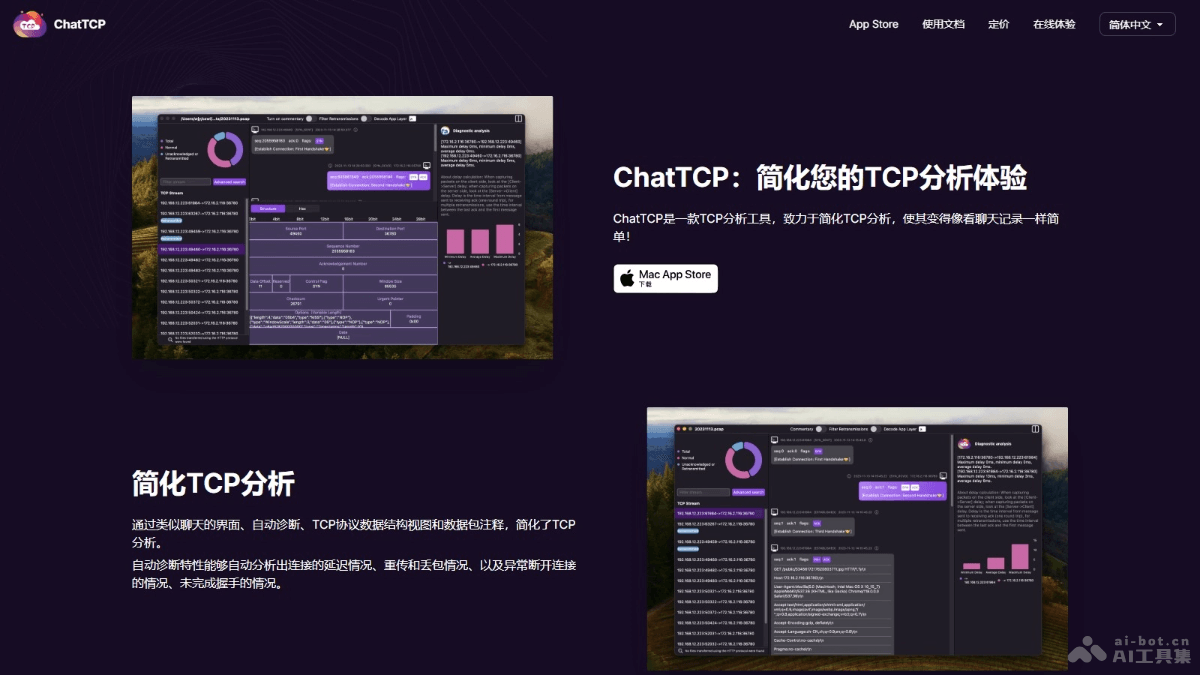
Main Features of ChatTCP
- Simplified TCP Analysis: Automatically diagnoses connection issues based on a chat interface, and provides TCP data structure views and packet annotations.
- Automatic Diagnosis: Automatically analyzes network latency, packet loss, and retransmission situations, and detects issues such as abnormal disconnections and incomplete handshakes.
- Application-Layer Protocol Decoding: Supports decoding of common application-layer protocols such as HTTP, WebSocket, and Redis, and displays them with protocol data structure views to help users understand and analyze application-layer communication.
- Classic Cases Provided: Provides multiple classic TCP cases, including application-layer protocol cases such as WebSocket, as well as failure cases, for users to learn from and analyze.
- File Export Function: Automatically identifies and exports image, audio, and video files transmitted over HTTP, and supports saving them to disk.
- Advanced Search: Provides a search function that does not require memorizing commands, supports users in searching directly by protocol field, and supports searches for TCP and application-layer protocols.
How to Use ChatTCP
- Download and Install: Visit ChatTCP'sofficial websiteto download the ChatTCP application. Install the application on a Mac device.
- Open the Application: Open the ChatTCP application, and you will see a user-friendly interface.
- Import Packets:
- Use Wireshark or another network packet capture tool to capture network packets.
- Import the captured pcap (or pcapng) file into ChatTCP.
- Analyze TCP Connections:
- ChatTCP automatically analyzes all TCP connections and lists all TCP session information on the left side.
- Select a specific TCP session, and the properties panel on the right displays the basic information of that connection.
- View Chat-Style Packets:
- In the middle part of the application, ChatTCP displays the communication process between both parties in the TCP connection in the form of a chat conversation.
- You can view key information for each packet, such as sequence number, acknowledgment number, flags, and more.
- Application-Layer Protocol Decoding: If a packet contains application-layer protocols such as HTTP, WebSocket, or Redis, ChatTCP can decode it and display it with a protocol data structure view.
- Use Advanced Search: Use ChatTCP's advanced search function to search directly by protocol field and quickly locate specific packets.
- Export Files: If needed, export image, audio, and video files transmitted over HTTP.
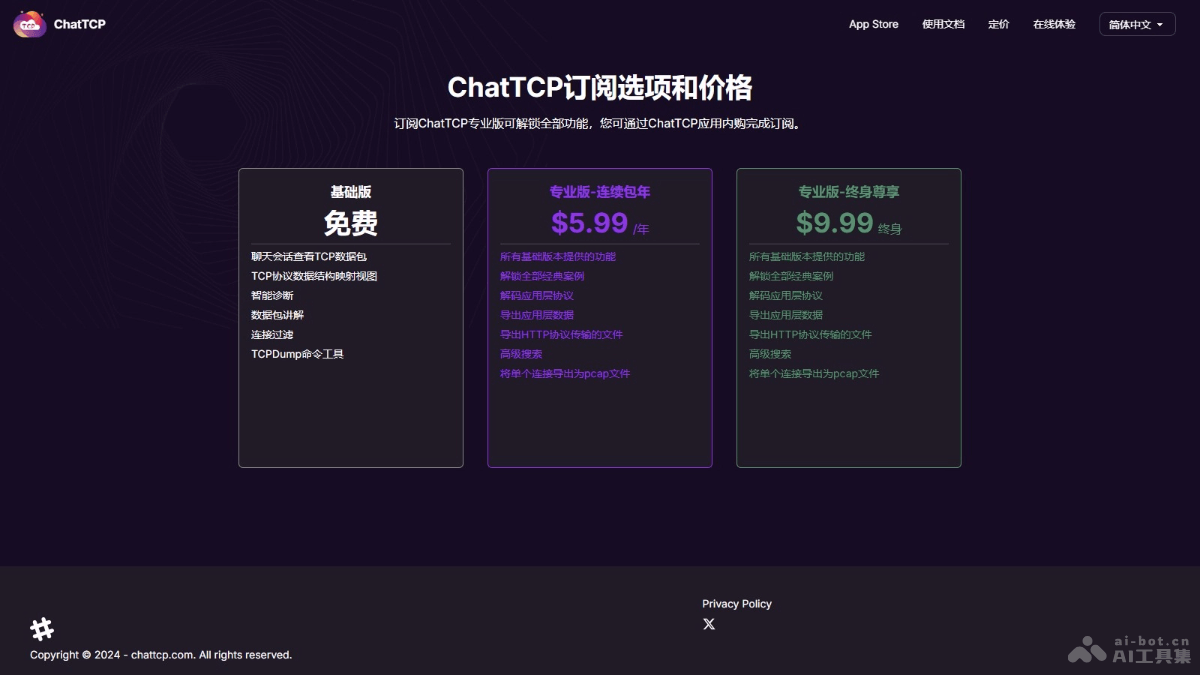
ChatTCP Product Pricing
- Basic Edition:Free。View TCP packets in a chat session,TCP protocol data structure mapping view.
- Professional Edition - Annual Subscription:$5.99/year。Includes all features provided by the Basic version,Unlock all classic cases,Decode application layer protocols.
- Professional - Lifetime Premium:$9.99 lifetime。Includes all features provided by the Basic version,Export files transmitted over the HTTP protocol,Advanced search.
ChatTCP use cases
- Network troubleshooting: Network engineers and IT professionals diagnose and resolve issues such as network latency, packet loss, retransmission, and abnormal disconnections.
- Protocol learning and education: Students and teachers learn how the TCP/IP protocol works, using real-world cases to deepen their understanding of complex concepts such as protocol state transitions, sliding windows, and congestion control.
- Network security analysis: Security analysts analyze network traffic to identify potential security threats and abnormal behavior.
- Application layer protocol development and testing: When developers develop or test application layer protocols such as HTTP, WebSocket, and Redis, they analyze whether the protocol implementation is correct and the problems that may occur during communication.
- Performance optimization: Based on analyzing the performance of TCP connections, developers identify bottlenecks and optimize application performance, such as reducing latency and improving throughput.