
What is ChatPs
ChatPs is an innovative Photoshop plugin that simplifies the image editing process through natural language interaction. Without the need to master complex Photoshop operation techniques or shortcuts, you can simply issue commands in everyday language, and ChatPs can accurately recognize and execute tasks, such as selecting layers, translating text, cutting out images, adjusting images, and more. It has been specially trained for design scenarios and can meet the diverse needs from beginners to senior designers, greatly reducing repetitive operations and improving design efficiency. ChatPs covers the core functions of Photoshop and, combined with AI technology, supports the generation of creative images and 3D design elements, providing new possibilities for the future way of design work.
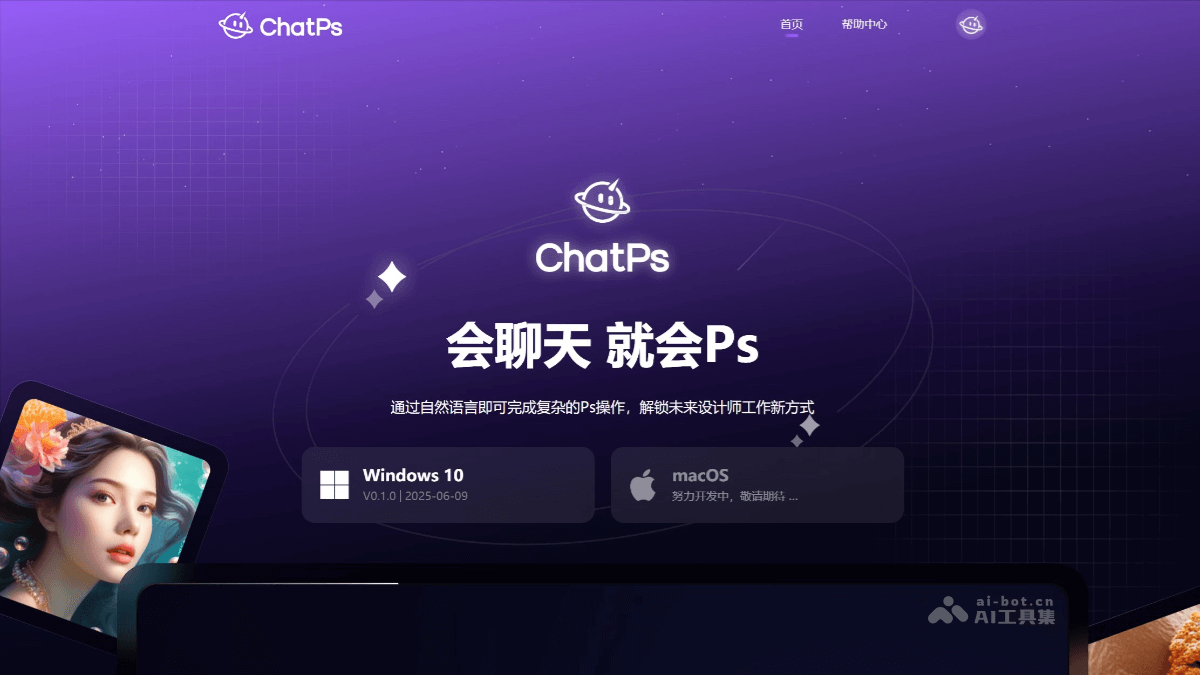
Main Features of ChatPs
- Text-to-Image: Enter a simple prompt to generate creative images.
- Image-to-Image: Generate images with a certain degree of similarity based on the selected reference area or image type.
- Inpainting: Enter a prompt to repaint a certain area of the image.
- Line Art Coloring: Use the line art image in the selection as a reference image, combine it with keywords for coloring, and generate a color effect image.
- Lossless Upscaling: Supports enlarging images clearly without distortion, with richer details, and one-click improvement of image resolution.
- Outpainting: Recognizes image content and supports one-click expansion of the picture.
- Artistic Fusion: One-click fusion of distinctive artistic styles to quickly complete style transfer.
- HD Restoration: One-click repair of blurry images to save image quality.
- Background Removal: One-click intelligent cutout to quickly remove the image background.
- AI Product Images: Upload the original product image or effect image to generate better-looking product images.
- AI Face Swap: By selecting the area to be replaced and uploading a face image, you can generate model images with better effects.
- Prompt Generator: Provides popular prompts to help users add and translate prompts with one click.
- Natural Language Interaction: ChatPs supports completing complex Photoshop operations through natural language commands, so users do not need to memorize complex shortcuts or tool paths.
How to Use ChatPs
- Visit the Platform: Visit ChatPs'sofficial website, click to log in, scan the QR code with WeChat to follow the official account.
- Obtain an Invitation Code: The product is currently in beta experience, and an invitation code must be applied for to log in and experience it.
- Download ChatPs: After logging in, download the installation package with one click according to the device model.
- Install Adobe Photoshop: To use ChatPs, Adobe Photoshop must be installed, and it must be Photoshop CC 2023 (24.0) or above.
- Install ChatPs: First close any opened Adobe Photoshop, open the installation package and double-click the .exe file, then follow the prompts to complete the installation.
- Use ChatPs: After the installation is complete, open Adobe Photoshop to start using it. Opening ChatPs will launch Adobe Photoshop by default.
Application Scenarios of ChatPs
- Graphic Design: ChatPs can help designers quickly complete graphic design tasks, such as creating posters, advertising flyers, business cards, etc. Through natural language instructions, designers can easily adjust elements such as image layout, color, and fonts.
- E-commerce Design: E-commerce sellers can use ChatPs to quickly modify product images, such as batch cutouts, background replacement, image resizing, etc., to meet the image requirements of e-commerce platforms.
- Photography Post-processing: Photographers can use ChatPs to quickly complete photo post-processing, such as adjusting lighting, color correction, retouching flaws, etc., improving work efficiency.
- Creative Design: ChatPs supports generating creative images and 3D design elements, such as generating IP characters, designing logos, etc., providing inspiration and rapid prototyping for creative professionals.
- Education and Training: In the field of design education, ChatPs can serve as a teaching aid to help students quickly master the basic operations of design software and lower the learning threshold.