
What is ChatPDF
ChatPDF is a free AI conversational PDF reading tool. Users can upload PDF files, and ChatPDF uses large language models (LLM) to parse the content and answer user questions, providing a new way to deeply understand document content. It supports automatic question extraction and multilingual communication, simplifying information retrieval and improving reading efficiency.
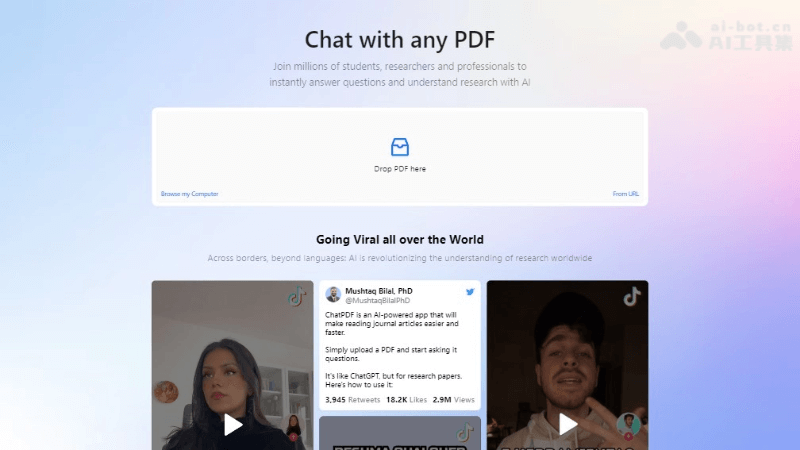
Main Features of ChatPDF
- File Upload and Parsing: Users can upload PDF files, and ChatPDF will parse the file content, preparing for Q&A.
- Intelligent Q&A: Based on large language models, ChatPDF can understand and answer questions about PDF content.
- Automatic Question Extraction: The system automatically extracts potential questions from the PDF for users to select and interact with.
- Multilingual Support: ChatPDF can respond in the language of the user's question, supporting multiple languages.
- Document Summarization: Provides quick summaries of document content, helping users capture key points.
- Content Cross-Reference: Supports answering with citations from the original text, making it convenient for users to cross-reference and verify information.
- Document Translation: Some services support translating PDF files into different languages and provide side-by-side comparison.
- Cross-Platform Use: Users can use ChatPDF on the web, on mobile devices, or through browser extensions.
- API Integration: Supports integrating ChatPDF into any website, providing broader application scenarios.
ChatPDF Project Address
- Product Official Website:chatpdf.com
- GitHub repository:https://github.com/sanweiw/chatpdf
- API Link:https://www.chatpdf.com/docs/api/backend
How to Use ChatPDF
- Visit the Platform: Visit the ChatPDF product official website.
- Upload File: In the ChatPDF interface, click the upload button or drag and drop the PDF file to the designated area to upload the file.
- Wait for Processing: After uploading the file, the system will use AI to process the file content and prepare to generate Q&A.
- Ask Questions: After the file is processed, you can start asking questions. Enter questions and make sure they are related to the content of the PDF file.
- Get Answers: ChatPDF will provide answers based on the file content and the questions. These answers may come from pre-trained models or be generated in real time.
Who ChatPDF Is For
- Researchers and Scholars: Need to quickly extract information and data from a large number of academic papers and professional literature.
- Students: Need to understand concepts and knowledge points in textbooks, courseware, or study materials.
- Professionals: Such as lawyers, doctors, or financial advisors, who need to quickly grasp the content of contracts, reports, or professional documents.
- Corporate Employees: Need to process and understand work-related documents, such as market research reports, business proposals, etc.