
What Is the ChatGPT Windows Client?
The ChatGPT Windows client is a desktop application launched by OpenAI for users of the Windows operating system. It allows users to use ChatGPT's features more conveniently on Windows devices without needing to access the web version through a browser. The ChatGPT Windows client provides some enhanced interaction features, such as hotkey activation, one-click screenshot sending, file uploads, drag-and-drop image uploads, conversation search, and voice conversations. Currently, the client is in an early version and is only available as a test experience for ChatGPT paying users, with a full version planned for release to all users later this year. The system requirement is Windows 10 version 17763.0 or later. The release of the ChatGPT Windows client is intended to improve the user experience, make the AI assistant more integrated into daily work and study, and increase productivity.
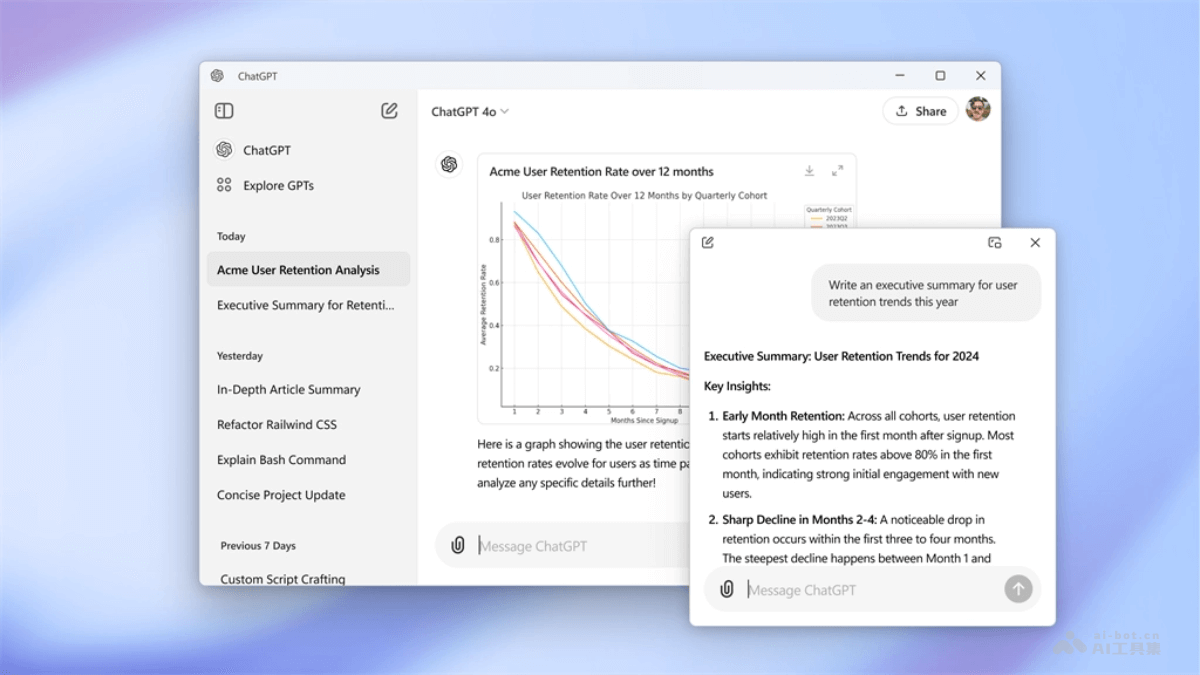
Main Features of the ChatGPT Windows Client
- Hotkey Activation: Users can use a hotkey (Alt + Space on Windows) to quickly activate the ChatGPT window and start a conversation.
- One-Click Screenshot Sending: Users can send a screenshot of the current screen to ChatGPT without first saving the image and then uploading it.
- One-Click File Upload: Users can upload files directly in the ChatGPT window and attach relevant prompts at the same time, without switching to other windows or programs.
- Drag-and-Drop Image Upload: Users can send images directly to ChatGPT by dragging and dropping, improving the intuitiveness and convenience of interaction.
- Conversation Search Feature: Users can enter keywords in the chat box to quickly search past conversation records.
- Voice Conversation Feature: Users can have voice interactions with ChatGPT, making interaction more natural and convenient.
How to UseChatGPT Windows Client
- Installation and Login: VisitMicrosoft Store, run the installer, and follow the prompts to complete installation and log in.
- Start a Conversation: Use a hotkey (such as Alt + Space) to quickly open the ChatGPT window, or find the ChatGPT application in the Start menu and click to open it.
- Enter a Question or Instruction: Enter a question or instruction in the chat window, and ChatGPT will generate a response or perform a task based on the information provided.
- Advanced Features:
- If you need to send a screenshot, use the hotkey to capture the screen content and send it to ChatGPT.
- To upload a file, click the upload button and select the file. ChatGPT will read the file content and reply.
- Use the drag-and-drop feature to drag images directly into the ChatGPT window for analysis.
- Search Conversation History: If you need to find previous conversation content, use the search feature and enter keywords to search.
- Voice Interaction: The client supports voice features, allowing direct voice conversations with ChatGPT.
- Personalized Settings: Adjust settings as needed, such as hotkeys, notification settings, and more.
Application Scenarios of the ChatGPT Windows Client
- Academic Research: Researchers and students use ChatGPT to obtain literature materials, write papers, translate professional terminology, and more, improving academic work efficiency.
- Programming and Development: Developers use ChatGPT for code debugging, learning new programming languages, getting development advice, and generating code snippets.
- Content Creation: Writers, bloggers, and content creators use ChatGPT to generate creative ideas, proofread text, and write articles and marketing copy.
- Customer Service: Businesses use ChatGPT as an auxiliary tool for customer service, providing 24/7 automated reply services and answering common questions.
- Language Learning: Language learners use ChatGPT to practice conversations, learn grammar, get feedback on language practice, and improve their language skills.