
What is ChatExcel Ultra
ChatExcel Ultra is an enterprise-grade desktop AI data agent launched by YuanKong AI, designed for professional data office scenarios. The product supports local file processing, direct database connections, permanent memory, and lifelong learning. It can generate real-time refreshing interactive data dashboards and business systems through natural language. It enables cross-database and cross-table joint analysis without SQL knowledge, keeps all data within the domain throughout the process, meets enterprise compliance requirements, and achieves evolution from "understanding business materials" to "taking over enterprise data workflows."
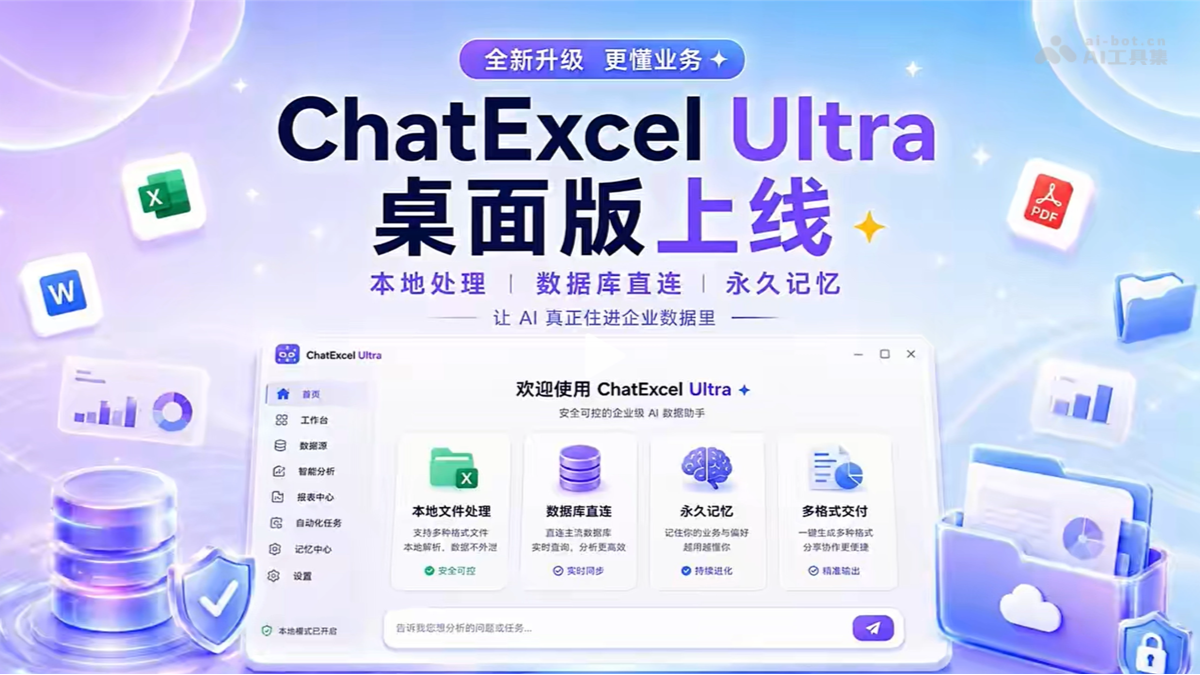
Main features of ChatExcel Ultra
-
Data system generation: Quickly create lightweight business systems such as interactive dashboards, project management boards, customer follow-up tools, and information collection forms through natural language.
-
Direct database connection: Supports mainstream databases such as MySQL, PostgreSQL, Oracle, SQL Server, and MongoDB, enabling natural language queries without SQL.
-
Cross-database and cross-table joint analysis: Supports correlation analysis across multiple databases and multiple tables, automatically understands business intent, and generates queries.
-
Local file processing: Locally parses all formats including Excel, PDF, Word, images, and compressed packages. Data does not leave the domain, with no file size limit.
-
Batch folder processing: Drag and drop entire folders directly, preserving the original directory structure, and process project materials and historical archives in batches.
-
Permanent memory and lifelong learning: Conversations are permanently saved, automatically accumulating long-term memory such as business preferences, data sources, and analysis standards.
-
Scheduled tasks: Automatically organize materials, summarize information, and generate reports after a cycle is set.
-
Multi-format delivery: Supports output in Excel, Word, PPT, web pages, interactive mind maps, XMind source files, and more.
-
Operate the local environment: After authorization, it can organize folders, fill in tables, and collaborate across applications.
How to use ChatExcel Ultra
-
Visit the official website to download: Visit the ChatExcel Ultra official website https://www.chatexcel.com/workspace/downloadClient,下载PC客户端。
-
Install and log in: Complete local installation and log in to the system with your account.
-
Choose a working mode: Enter a requirement description in the AI Excel-Ultra interface, or choose to connect to a database.
-
Upload files/connect data sources: Drag and drop local folders or configure database connection information.
-
Issue commands in natural language: Describe analysis requirements in Chinese, such as "analyze sales changes in East China over the past three months."
-
View and adjust results: View generated reports, dashboards, or analysis conclusions in real time, and add requirements or adjust direction at any time.
-
Export and share: Export results to Excel, PPT, web pages, and other formats for team collaboration or client communication.
Core advantages of ChatExcel Ultra
-
Data security and compliance: Fully local processing keeps sensitive data from being uploaded to the cloud, meeting compliance requirements for scenarios such as finance, healthcare, and government affairs.
-
Zero SQL threshold: Business personnel do not need programming basics and can complete complex database queries and cross-table analysis using natural language.
-
Live files retained: The processed Excel still retains formulas, formatting, images, and cross-sheet links, and can continue to be edited and circulated.
-
Continuous Evolution: With long-term use, it automatically learns business habits, understands users better the more it is used, and reduces the cost of repeated communication.
-
Complex Tasks Can Be Collaborative: Supports step-by-step progress, pause and resume, and adding requirements at any time, handling data as if collaborating with a colleague.
Comparison of ChatExcel Ultra with Similar Competing Products
| Comparison Dimension | ChatExcel Ultra | Microsoft Copilot for Excel |
|---|---|---|
| Product Positioning | Enterprise-grade desktop AI data agent, oriented toward complex data workflows | Built-in AI assistant for Excel, oriented toward personal/team office enhancement |
| Deployment Method | Standalone desktop client, locally installed and run | Integrated into Microsoft 365 cloud, requires subscription |
| Data Security | Files are processed locally, data does not leave the domain, meeting enterprise compliance | Data is uploaded to Microsoft cloud servers for processing |
| Database Support | Direct connection to MySQL, PostgreSQL, Oracle, SQL Server, MongoDB, etc., supporting joint analysis across databases and tables | Mainly relies on Excel files themselves, with limited support for connecting to external data sources through Power BI |
| SQL Capability | Natural language generates SQL, no programming background required | Does not support direct SQL queries, relies on Excel formulas and pivot tables |
| File Formats | Full-format local parsing: Excel, PDF, Word, images, compressed packages, CSV, etc., with no size limit | Mainly supports Excel format; other formats need to be converted first |
| Batch Processing | Supports dragging entire folders, preserving the original directory structure for batch processing | Does not support folder-level batch processing; files must be operated one by one |
Application Scenarios of ChatExcel Ultra
-
Financial Audit: Locally process financial statements and audit materials, identify anomalies such as duplicate invoices, large payments, and contracts pending supplementation, and generate risk dashboards.
-
Sales Management: Connect to CRM databases, correlate order data, generate customer renewal and health management dashboards, and automatically track repurchase rates.
-
Human Resources: Based on HR reports, generate interactive diagnostic dashboards such as organizational structure analysis, personnel mobility paths, and utilization rankings.
-
Project Management: Integrate project document collections, batch parse progress reports, contracts, and receipts, and generate project overviews and risk details.
-
Operations Analysis: Connect to product databases, automatically generate DAU/WAU/MAU active user analysis dashboards, and support breakdown by channel and version.