
What is Li Xiang同学 Web Version
Li Xiang同学 Web Version is a web-based AI intelligent assistant launched by Li Auto, providing users with intelligent interaction services. The web version has integrated theDeepSeek R1&V3 671B full-blooded model; for Q&A, it supports switching to select the MindGPT-3o model or the full-blooded DeepSeek model, and supports choosing whether to connect to the internet for searches. Li Xiang同学 Web Version has added avatar interaction, supporting 360° gaze tracking of the mouse position, further enhancing the user experience. Li Xiang同学 Web Version is suitable for Windows and macOS systems, and will work withLi Xiang同学 APPto collaboratively build a cross-scenario intelligent service ecosystem.
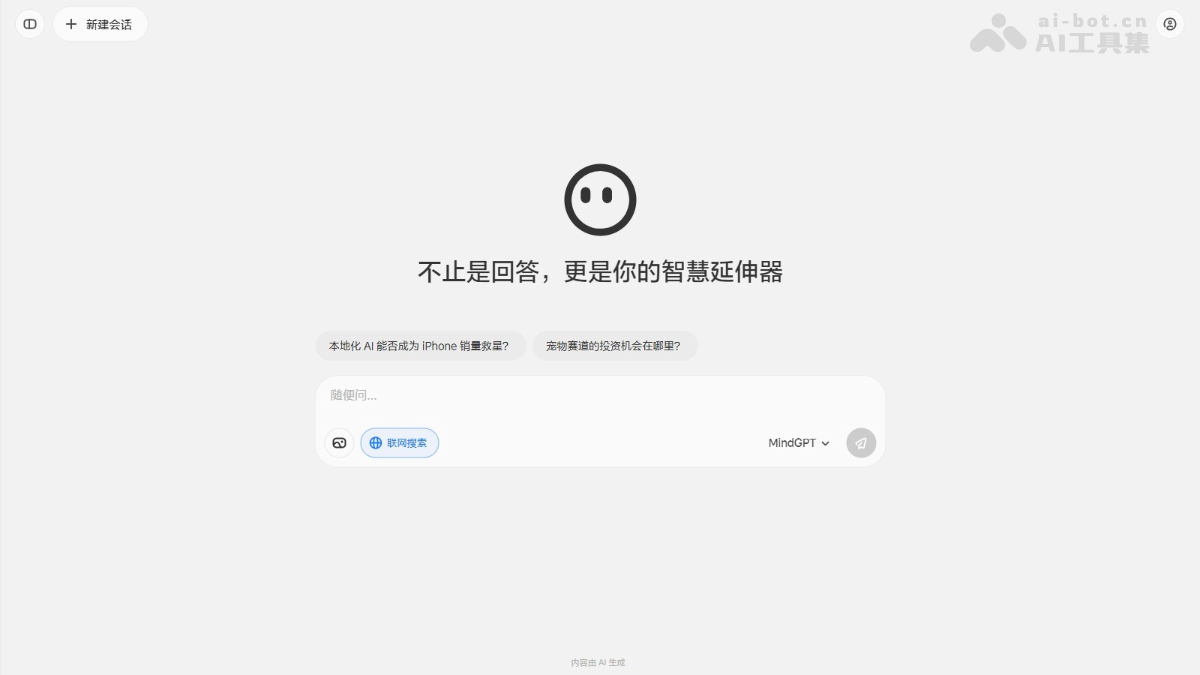
Main Features of Li Xiang同学 Web Version
-
Supports interruption: Users can interrupt the generated result at any time and start a new conversation.
- Deep Q&A: Integrated with the full-blooded DeepSeek R1&V3 models, supporting reasoning and deep thinking for complex questions and providing more accurate answers.
- Web search: Under the MindGPT model, it supports web search, obtaining the latest information in real time and answering questions by combining search results.
- Text input and output: Supports long-text input and output, suitable for handling complex questions and lengthy content.
- Image upload Q&A: Users upload images, and Li Xiang同学 Web Version recognizes the image content and answers related questions.
- Multi-device sync: Supports login on the web version and mobile app across multiple devices, with syncing of historical conversation records.
- 3D avatar interaction: Supports 360° gaze tracking of the mouse position, providing a more vivid visual interaction experience.
How to Use Li Xiang同学 Web Version
- Visit the official website: Visit the Li Xiang同学 Web Versionofficial website. Complete registration and login according to the prompts.
- Enable features: Enable web search or deep thinking to obtain more accurate answers or stronger reasoning capabilities.
- Enter a question: Supports text input, long-text input, or uploading images for Q&A.
- Multi-device sync: Conversation history on the web version and mobile app supports syncing, ensuring conversation continuity when using across devices.
Application Scenarios of Li Xiang同学 Web Version
- Complex task processing: Suitable for handling long-text input and output, such as writing documents, organizing information, translating content, etc.
- Multi-device collaboration: Syncs with the mobile app and in-car system, making it convenient for users to continue conversations or tasks on a computer.
- Deep learning and research: Supports web search and deep thinking mode, suitable for scenarios requiring large amounts of information querying and reasoning.
- Office scenarios: Used on a computer, suitable for handling work-related content, such as data analysis, report writing, etc.