
What is Qibuta
Qibuta is an AIGC audiobook picture book creation platform. Based on advanced AI technology, it provides users with a user-friendly and powerful online environment to create and share personalized audiobook picture books. The platform integrates text, image, sound, and video editing tools and has a rich resource library, supporting creators in turning inspiration into high-quality audio works. It includes image redrawing and character fusion features. Qibuta has built a creative community that encourages exchange and sharing, regularly holds creative competitions, and stimulates the imagination and creativity of users worldwide.
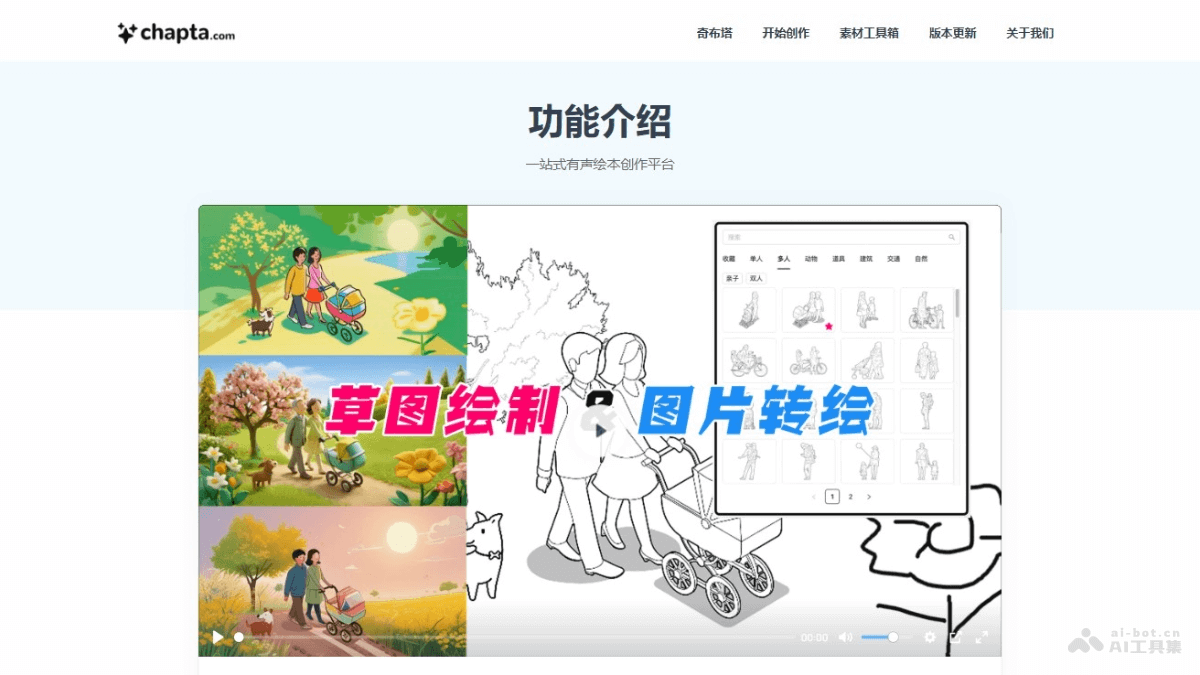
Qibuta's Main Features
- Integrated Creation Tools: Provides one-stop text, image, sound, and video editing tools, making it convenient for users to complete all creation steps on the platform.
- Resource Library: Provides a rich library of character voices, background music, emotional sound effects, and theme illustrations in various styles for users to use during creation.
- Video Generation and Editing: Supports video generation and video editing functions to meet the needs of different creators.
- Separation Mode: Supports users in generating backgrounds and character images separately, improving character consistency based on repeated use of character materials.
- Sketch Drawing: Provides preset line art materials and tools such as brushes, shapes, and text to enhance control over image content and composition.
How to Use Qibuta
- Visit the Official Website: Visit Qibutaofficial website, fill in the relevant information as prompted, and create a Qibuta account to complete registration and login.
- Start Creating: After logging in, you can find the "Start Creating" option on the platform and click to enter the creation interface.
- Choose a Template or Create a New Project: Choose a preset template to start creating, or create a completely new project.
- Edit Text Content: Enter or paste the story text in the creation interface, and you can edit the font, style, and layout.
- Choose or Upload Images: Choose illustrations from Qibuta's resource library, or upload your own designed images.
- Add Sound and Music: Use the character voices, background music, and emotional sound effects library provided by the platform to add sound to the picture book.
- Video Generation and Editing: Integrate text, images, and sound into a video, and edit it with video editing tools.
- Adjust and Optimize: Throughout the entire creation process, continuously adjust and optimize the work until you are satisfied.
- Save and Publish: After completing the creation, save the project and choose to publish it to the Qibuta community to share with other users.
Qibuta's Product Pricing
Qibuta is billed based on usage. Recharge credits to unlock more features.
- Free: Get 200 credits free upon registration.
- Recharge 5000 credits: 25 yuan.
- Recharge 3000 credits: 28.5 yuan.
- Recharge 6000 credits: 54 yuan.
- Recharge 12000 credits: 102 yuan.
- Recharge 20000 credits: 160 yuan.
Application scenarios of Qibuta
- Children's education: Create children's story picture books for education and entertainment, enhancing children's interest in reading and language skills.
- Language learning: Produce language learning materials, such as bilingual picture books, to help learners learn a new language in context.
- Early childhood education: Create cognitive development picture books for young children to help them understand the world and learn basic concepts.
- Special education: Design customized educational materials for children with special needs, such as visual storybooks for children with autism.
- Family entertainment: Parents and children create family stories together to enhance parent-child relationships.