
What is ByeCode
ByeCode is a new-generation AI no-code platform that helps enterprises quickly build digital business cards, websites, mini programs, Apps, and internal management systems, etc., without cumbersome coding and development. Based on a visual interface and drag-and-drop operations, ByeCode allows non-technical users to get started easily, deeply integrates AI large models, and supports intelligent interaction and data analysis functions. ByeCode provides comprehensive support from building, deployment, and management to application analysis, helping enterprises efficiently achieve digital upgrades and improve operational efficiency and user experience.
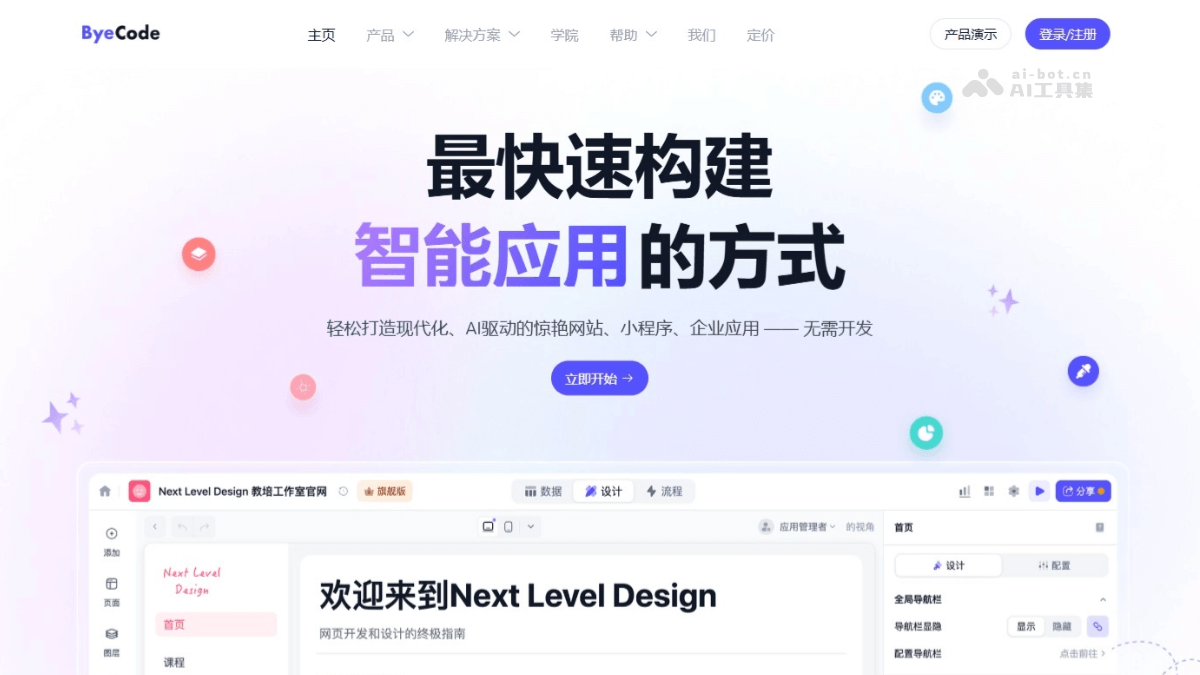
Main features of ByeCode
- Visual development environment: Users can quickly build pages based on drag-and-drop components (such as text, images, buttons, forms, etc.) without writing code.
- Rich template library: Provides a variety of free application templates, covering scenarios such as digital business cards, corporate official websites, mini programs, and internal management systems.
- Rapid building and deployment: Supports one-click deployment to cloud platforms or local servers, enabling rapid application launch and greatly shortening the development cycle.
- Deep integration with AI large models: Supports integration with AI large models such as Deepseek and Tongyi Qianwen, allowing users to directly call AI functions in applications, such as intelligent customer service, content recommendations, and intelligent form filling, etc.
- Intelligent interaction design: Provides AI-driven interaction functions such as voice interaction, intelligent Q&A, and automatic text generation to improve user experience.
- Data analysis and visualization: Provides visual data analysis tools to monitor application page views, unique visitors, traffic sources, and other data in real time, supporting operational decision-making.
How to use ByeCode
- Register and log in: Visit ByeCode'sofficial website, and complete registration and login according to the prompts.
- Choose a project type: Choose a project type as needed. Such as digital business cards, corporate official websites, mini programs, internal management systems, etc.
- Taking creating a personal business card as an example:
- Choose a digital business card template: After logging in, enter the template library and select the "Business Card" category. Choose your preferred template from the template resources, such as team business cards, sales business cards, designer business cards, etc. If you are not satisfied with the templates, choose to build from scratch.
- Copy the template: Click the "Copy Template" button to copy the selected template to your personal space.
- Modify the content:
- Modify the text content and enter personal basic information (such as name, position, contact information, etc.).
- Change the avatar image and add personal social media links (such as Douyin, Xiaohongshu, Video Account, etc.).
- If needed, add more components (such as buttons, data views, etc.), adjust colors, fonts, and icons, and add personalized elements.
- Preview and publish: Preview the business card effect at any time during editing. After production is complete, click "Publish" to share the business card to various channels.
Application scenarios of ByeCode
- Corporate official websites and internal management: Quickly build corporate official websites, digital business cards, and internal management systems to enhance corporate image and operational efficiency.
- E-commerce platforms and marketing: Build e-commerce websites and mini-programs, integrate membership management and intelligent recommendations, and enhance user stickiness and the shopping experience.
- Education and Online Learning: Build an online learning platform, manage digital textbooks, implement course recommendations and learning progress tracking, and improve teaching effectiveness.
- Intelligent Customer Service: Integrate intelligent customer service to respond quickly to customer inquiries.
- Personal Branding and Creative Display: Create personalized digital business cards, build a personal website or mini-program, showcase portfolios and creative projects, and enhance personal influence.