
What is Buzz
Buzz is an offline tool built on the OpenAI Whisper model forspeech-to-text conversion, available for Windows, macOS, and Linux systems. Buzz can convert microphone input or audio and video files into text in real time, and supports importing and exporting multiple formats such as TXT, SRT, and VTT. Buzz offers fast conversion speed, high accuracy, multilingual recognition, and can translate results into English.
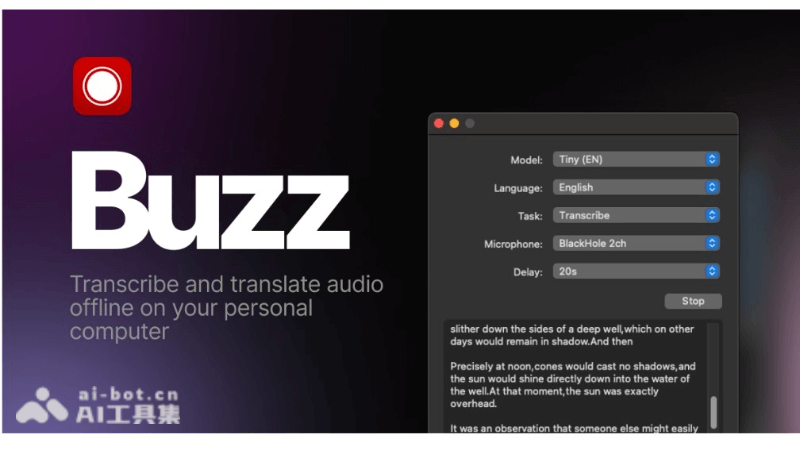
Main Features of Buzz
- Real-time speech-to-text: Buzz can convert speech captured by the microphone into text in real time, suitable for scenarios such as meeting minutes and interviews.
- Audio and video file transcription: Supports converting audio and video files in multiple formats into text, facilitating subsequent editing and analysis.
- Multilingual support: Buzz not only supports Chinese but can also recognize and process languages from many countries, with internationalization features.
- Sentence-by-sentence or word-by-word subtitle export: Users can choose the export format as needed, including sentence-by-sentence subtitles (SRT) or word-by-word subtitles (VTT).
- Translation feature: Currently Buzz only supports translating recognition results into English.
- Offline operation: All speech transcription and translation processes are performed locally without an internet connection, protecting user privacy.
How to Use Buzz
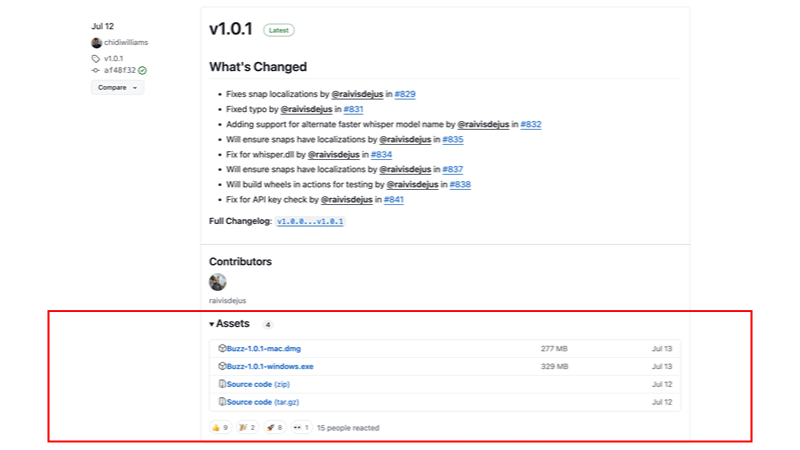
- Download and install:Visit Buzz'sproject address。Select the corresponding installation package for your operating system to download and install.
- Launch Buzz:After installation is complete, launch the Buzz program. If it is the command-line version, it needs to be run in a terminal or command prompt.
- Download the Whisper model(if needed):When using Buzz for the first time, you need to download a Whisper model. Models vary in size and language capability, so you can choose the appropriate model according to your needs.
- Import audio or video files:Select the "Import" feature through Buzz's graphical user interface, or specify the file path using command-line parameters.
- Start conversion:Select conversion settings, such as the output format (TXT, SRT, VTT, etc.), and start the conversion process.
- Get results:After the conversion is complete, check the generated subtitle or text files. Ensure that the timestamps and text content are correct.
Buzz's project address
- Project official website:https://chidiwilliams.github.io/buzz/docs
- Github repository:https://github.com/chidiwilliams/buzz
- Buzz installation package:https://github.com/chidiwilliams/buzz/releases
Buzz's application scenarios
- Video subtitle production: Quickly generate subtitles for video content, improving production efficiency, especially suitable for video bloggers and content creators.
- Interview record organization: Journalists and researchers can convert interview audio into text for easy editing, analysis, and citation.
- Language learning assistance: Language learners can use Buzz to transcribe native speakers' pronunciation and learn the rhythm and intonation of the language.
- Meeting minutes: Use Buzz to record discussion content during meetings and quickly generate meeting minutes, improving recording efficiency.
- Academic research: Researchers can use Buzz to transcribe research-related lectures or discussions for convenient use in subsequent research.