
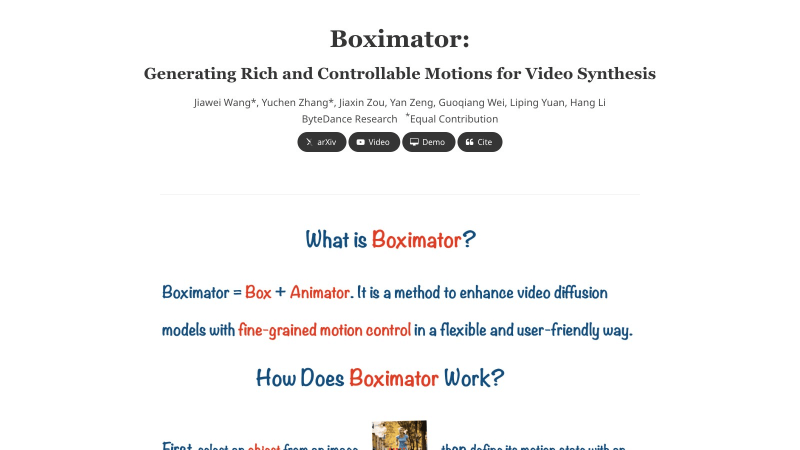
What is Boximator?
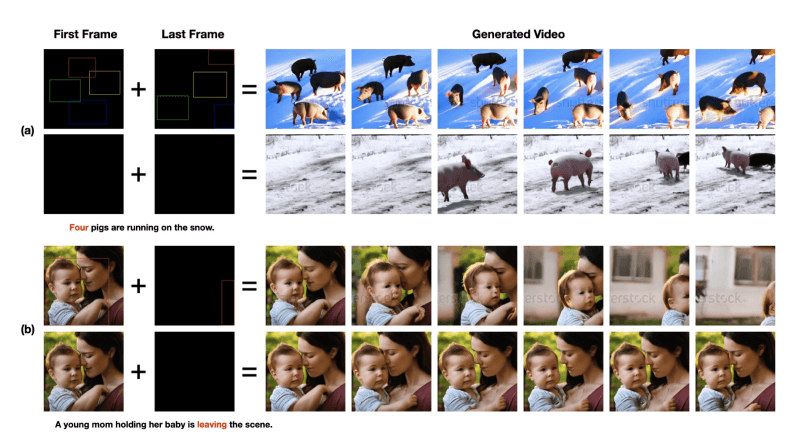
Boximator is a video synthesis technology developed by ByteDance's research team, aimed at generating rich and controllable motion to enhance the quality and controllability of video synthesis. This technology achieves fine-grained control over object position, shape, or motion path in videos by introducing two types of constraint boxes (hard boxes and soft boxes).
- Official project homepage:https://boximator.github.io/
- Arxiv research paper:https://arxiv.org/abs/2402.01566
How Boximator works
Boximator's working principle is based on video diffusion models, and it enhances the fine-grainedness and controllability of video synthesis by introducing a new control mechanism. The following are the key steps of how Boximator works:
- Object selection and box definition:
- Users use hard boxes to select and precisely locate objects in the starting frame or conditioning frame of the video. These hard boxes define the precise boundaries of the objects.
- For scenarios requiring looser control, users can define soft boxes, which provide a general area where an object must exist, allowing the object to move freely within that area.
- Object ID and box association:
- Boximator assigns each object a unique object ID, which is represented in the RGB color space, so that each object's box has a unique "color". In this way, the model can track and control the same object across frames.
- Video diffusion model integration:
- As a plug-in, Boximator integrates with existing video diffusion models (such as PixelDance and ModelScope). During training, the weights of the base model are frozen to preserve its pre-trained knowledge, while only the newly added control modules are trained.
- Self-tracking technology:
- To simplify the process of the model learning box-object associations, Boximator introduces self-tracking technology. During the training phase, the model is trained to generate colored bounding boxes whose colors correspond to object IDs. The model needs to generate the correct boxes in each frame and align them with Boximator's constraints.
- Multi-stage training process:
- Boximator's training is divided into three stages. The first stage uses hard box constraints to help the model establish a basic understanding of coordinates and IDs. The second stage introduces soft boxes, increasing training difficulty by randomly expanding hard boxes. The third stage continues to use soft boxes, but does not generate visible bounding boxes; instead, it lets the model internally retain this association.
- Inference stage:
- During the inference (video generation) stage, Boximator inserts soft boxes in frames outside the user-defined boxes. These soft boxes are generated through linear interpolation and relaxation processing, ensuring that the object roughly follows the expected motion trajectory while giving the model enough flexibility to introduce variations.
- Motion control and quality evaluation:
- Boximator evaluates the accuracy of motion control through average precision (AP) scores, which involves comparing the consistency between detected bounding boxes in the generated video and the ground-truth bounding boxes.
- Video quality is measured by Fréchet Video Distance (FVD) scores and CLIP similarity scores (CLIPSIM).
Through these steps, Boximator can achieve fine-grained control over object motion during video synthesis while maintaining high quality and realism of the video.
Application scenarios of Boximator
- Film and television production:In the post-production of films and television dramas, Boximator can be used to generate or modify scenes, such as adding or removing characters, adjusting action scenes, or creating complex special effects, without the need for expensive on-location shooting.
- Game Development:Game developers can use Boximator to create dynamic game scenes and character animations, especially when highly customized or rapidly iterated content is needed, which can greatly save development time and costs.
- VR and AR Content Creation:In the fields of virtual reality (VR) and augmented reality (AR), Boximator can be used to generate realistic virtual environments and interactive objects, providing users with an immersive experience.