
What is BetterBugs
BetterBugs is a Chrome browser extension that simplifies and accelerates the bug reporting process. With one-click screen capture, screen recording, and Rewind features, BetterBugs automatically collects key information such as console logs and network requests to generate detailed bug reports. BetterBugs has a clean and intuitive user interface and supports seamless integration with project management and communication tools such as Jira and Slack, greatly improving the work efficiency and communication flow of QA engineers, developers, project managers, and support teams in the software testing and development cycle.
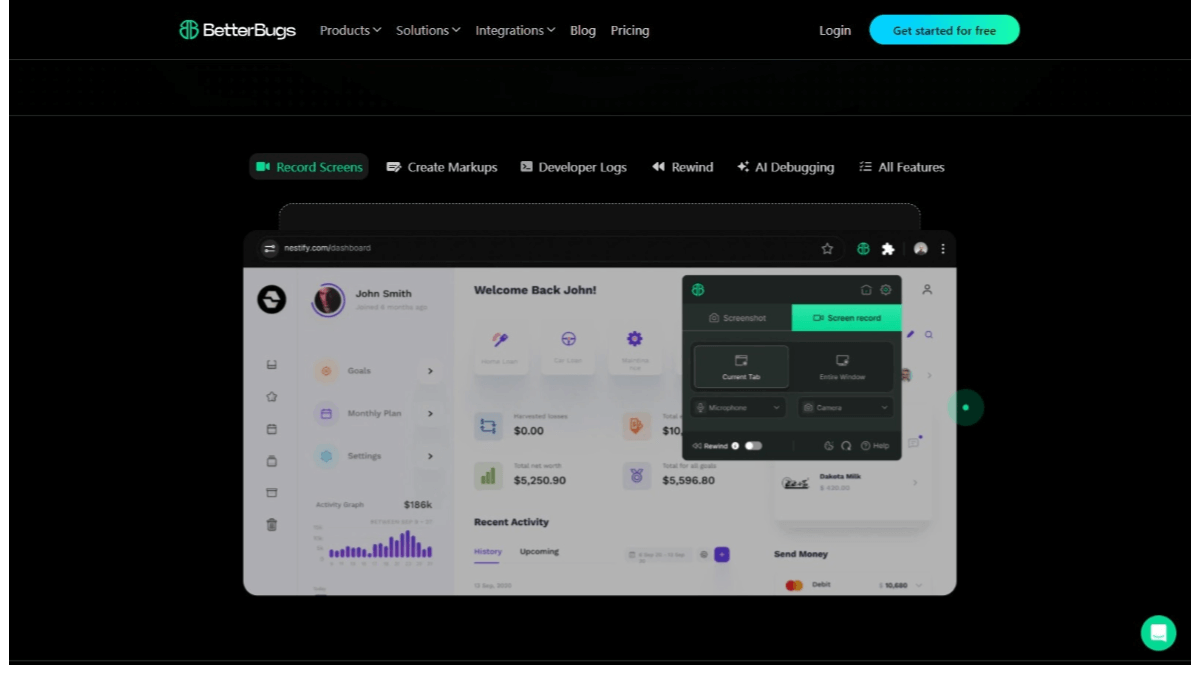
Main features of BetterBugs
- Screen capture: Users can easily take screenshots to record bugs visually.
- Screen recording: Users record screen activity to document the entire process of a bug occurring.
- Rewind feature: Automatically captures the last 2 minutes of browser activity without the user needing to manually start recording.
- Automatic technical information collection: Automatically collects console logs, network requests, and system information, and attaches them to each bug report.
- Visual bug reports: Creates visual bug reports containing all relevant details, making it easier to analyze, reproduce, debug, and resolve issues.
- Integrated project management tools: Seamlessly integrates with popular project management and messaging tools such as Jira, Linear, ClickUp, Slack, Asana, GitHub, MS Teams, and Trello.
BetterBugs official website address
- Official website address:betterbugs.io
BetterBugs product pricing
- Free (free version): Provides unlimited sessions, unlimited projects, unlimited users, developer logs, project tracker integration, team access control, private projects, and 15 days of data retention.
- Pro (professional version): Starting at $4 per user per month, includes all features of the free version, Sentry-supported backend logging, AI description generator, AI debugging assistance, private sessions, and 2 years of data retention.
- Enterprise (enterprise version): Custom pricing, includes all features of the professional version, SAML single sign-on (SSO), workspace analytics, custom data retention policies, local data storage, priority support., session management.
BetterBugs use cases
- Software development: During the software development process, developers report and document issues found in the code and quickly locate and fix them.
- Quality assurance (QA): When QA engineers test software, they create detailed bug reports, including screenshots and videos, to help the development team understand and resolve the issues found.
- Project management: Project managers track the status of bugs and integrate bug reports directly into project management tools such as Jira or Asana for easy management and monitoring.
- Customer support: Customer support teams collect issues reported by users and create bug reports containing the necessary technical details, making it easier for the development team to resolve issues faster.
- Collaboration and communication: In team collaboration, it serves as a communication tool to help team members share bug information and promote rapid issue resolution.