
What is Octoparse RPA
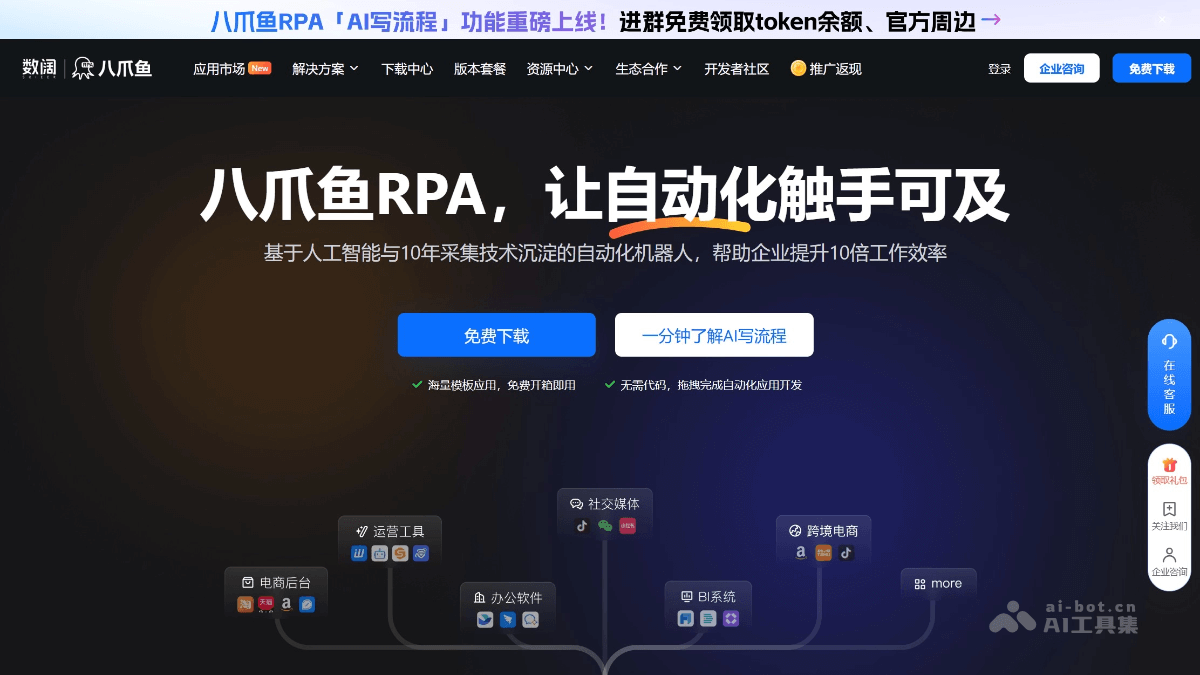
Octoparse RPA is an automation robot platform based on artificial intelligence and data collection technology, helping enterprises improve work efficiency. It provides hundreds of AI automation applications, covering multiple fields such as e-commerce, social media, and customer service, and supports customization and continuous updates. Users can complete automation application development through simple drag-and-drop operations without any coding background. Octoparse RPA integrates a variety of advanced AI technologies, such as GPT-4 and OCR, and supports features such as automatic login and intelligent replies, enabling 24/7 uninterrupted work and greatly improving work efficiency. Its enterprise-level solutions include cross-platform automatic product listing, cross-border hit product development, social media marketing automation, and more, helping enterprises achieve digital transformation.
Main Features of Octoparse RPA
-
Custom Instruction Library: Supports the complete process of creating, developing, previewing, and releasing an instruction library, which can be shared within an enterprise. Users can encapsulate frequently reused process fragments into an instruction library, such as a Xiaohongshu account login module, which can be directly called by other applications. If the login logic changes, only the instruction library needs to be modified, and the corresponding processes of associated applications can be updated synchronously.
-
Optimized Cross-Application Process Instruction Copying: Supports copying elements, improving the convenience and accuracy of process copying, and making it easy for users to quickly migrate and share processes between different applications.
-
AI Continuation of Process Fragments: With AI technology, it can intelligently continue subsequent steps based on existing process fragments, providing users with a more efficient and intelligent process design experience and reducing the workload of manually writing processes.
-
Optimized Element Editor: The entry point is more optimized and supports directly selecting variables, making it more convenient and quick for users to edit elements and improving operational efficiency.
-
Upgraded Collection Feature: Adds collection instructions, enabling batch web page data collection, intelligently identifying table and list data, supporting one-click switching to precise collection mode, avoiding redundant data, and increasing collection speed by 20 times.
-
Massive Template Applications: Provides hundreds of AI automation applications, covering multiple vertical scenarios, supporting customization and continuous updates, and meeting the needs of different industries.
-
Simple and Easy to Use: No coding background is required; automation application development can be completed through drag-and-drop operations, lowering the usage threshold and making it suitable for non-technical users.
-
High Stability: Supports 24/7 all-weather operation, can significantly improve work efficiency, flexibly connects to various business platforms, and ensures stable process execution.
-
AI Component Integration: Integrates advanced AI technologies such as GPT-4 and OCR, supports automatic login with multiple types of verification codes and self-developed NLP models, and enhances automation capabilities.
-
Enterprise-Level Solutions: Provides functions such as cross-platform automatic product listing, cross-border hit product development, social media marketing automation, AI automatic review replies, and e-commerce data collection treasure, helping enterprises with digital transformation.
-
Safe and Reliable: Has obtained the data collection capability certification from the Ministry of Industry and Information Technology of China, has been a leader in the data collection industry for many consecutive years, and ensures data security and privacy.
-
Usability: Self-developed algorithms provide intelligent recognition, support one-click batch collection, simplify operation processes, and improve data collection efficiency.
How to Use Octoparse RPA
-
Register and Log In: Visit the official website of Octoparse RPA:https://rpa.bazhuayu.com/,注册账号并登录。
-
Select a Template: Choose a suitable automation application template in the app marketplace, or customize it according to your needs.
-
Configure the process: Configure the automation process through drag-and-drop operations and set parameters without writing code.
-
Run tests: After saving the configuration, run the process, observe the execution, and debug as needed.
-
Deploy and use: After testing confirms there are no issues, deploy the process into actual business operations to achieve automated execution.
-
Monitoring and management: Monitor the process operation status through the platform to ensure stable execution and handle exceptions promptly.
Application scenarios of Octoparse RPA
-
E-commerce operations: Automatically collect product data, automatically list products, e-commerce data retrieval, etc., to improve e-commerce operational efficiency.
-
Social media marketing: Automatically track social media sentiment, automate comment and direct message management, and optimize brand marketing.
-
Customer service and public opinion monitoring: Automatically reply to e-commerce reviews and social media reviews, uncover customer needs, and maintain brand reputation.
-
Data collection and analysis: Supports collection across multiple data dimensions, covering e-commerce platforms and surrounding ecosystem software, helping enterprises make decisions.