
What is Async
Async is an open-source developer tool that provides experienced developers with a unified workflow combining AI coding, task management, and code review, helping developers improve work efficiency through AI technology. The tool can automate cumbersomeprogrammingtasks, such as fixing small errors in code, optimizing the user interface, etc. Through deep integration with GitHub Issues and Pull Requests, Async can play a role directly in the development process, allowing developers to focus more energy on key tasks. Async is suitable for developers who want to use AI to improve development efficiency.
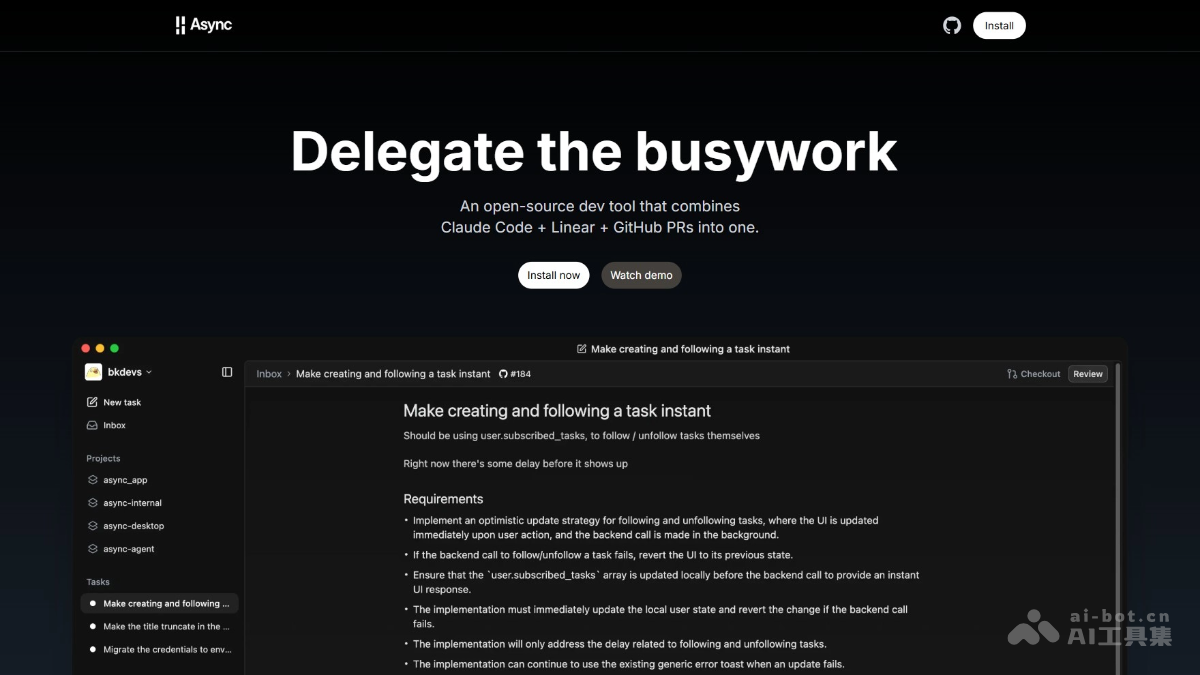
Main features of Async
-
Automatically research programming tasks: Analyze the codebase and ask clarifying questions before execution.
-
Execute code changes in the cloud: Run in an isolated environment without affecting local settings.
-
Break work into reviewable subtasks: Create stacked diffs to facilitate code review.
-
Handle the complete workflow: From GitHub issues to merged PRs, without leaving the app.
-
Enforce advance planning: Always require clarifying questions and confirmation before execution.
-
Eliminate context switching: Execute asynchronously in the cloud, letting users continue working on other tasks.
-
Simple task tracking: Automatically import GitHub issues, with no additional project management tools needed.
-
Built-in code review: Comment on and iterate on stacked diffs within the app, without leaving the app.
How to use Async
-
Install the app: Visit the Async official website https://www.async.build/,安装 Async GitHub app and select the repository to use.
-
Environment configuration: For local development, create a virtual environment and install dependencies, and set up pre-commit hooks.
-
Task creation: Async automatically imports GitHub Issues as tasks and supports manually creating new tasks.
-
Task execution: Async analyzes the codebase and asks questions, executes code changes in the cloud, creates feature branches, and generates PRs.
-
Code review: Review subtask changes step by step within the Async app, and you can provide revision suggestions or approve merges.
-
Monitoring and management: Track task progress and status through the Async app, and choose paid upgrades to get more features or task quota.
-
Local development(optional): Start a local server for development, run tests to ensure code quality, and use code formatting tools to keep code tidy.
Async project addresses
- Project official website:https://www.async.build/
- GitHub repository:https://github.com/bkdevs/async-server
Async application scenarios
-
Automated code tasks: Automatically handle repetitive code tasks, such as fixing small errors, optimizing code structure, adding new features, etc.
-
Code review and collaboration: In team development, help developers conduct code reviews, improving code quality and team collaboration efficiency by breaking tasks into subtasks and reviewing them one by one.
-
Rapid prototyping: For projects that require rapid iteration, Async can quickly generate code prototypes, helping developers validate ideas quickly.
-
Maintaining mature codebases: In existing mature codebases, safely perform code optimization and feature expansion without breaking existing functionality.
-
Individual developers: Individual developers can automate tedious tasks, save time, and focus on more valuable work.