

What is Feishu Knowledge Q&A
Feishu Knowledge Q&A is an AI knowledge base tool launched by the Feishu Smart Office platform, helping enterprises quickly obtain information and improve knowledge sharing efficiency. Based on powerful AI technology, it supports real-time web search and parsing of multiple file formats, and can connect to various data sources such as local documents, Feishu cloud documents, and enterprise business systems to quickly generate concise, structured answers. Core features include intelligent Q&A, standard Q&A library management, terminology tuning, and more, which can accumulate answers for high-frequency enterprise questions and improve answer consistency and efficiency. Feishu Knowledge Q&A supports image and table display.
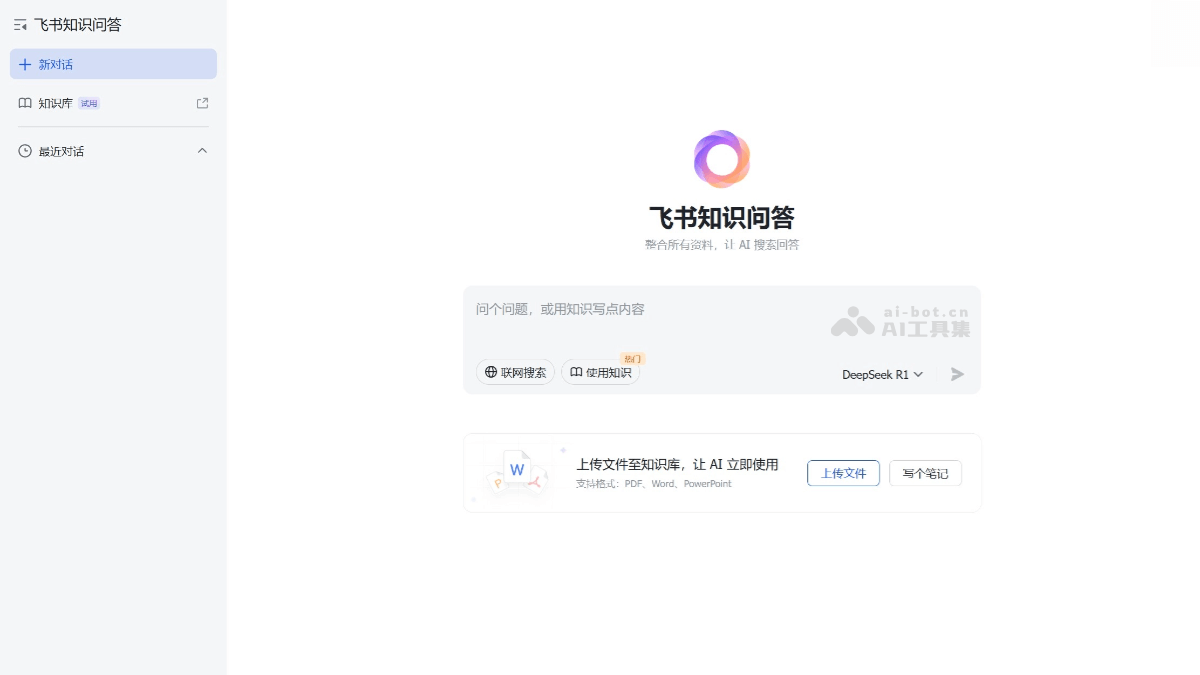
Main features of Feishu Knowledge Q&A
- Multi-model support: Feishu Knowledge Q&A supports multiple models, including DeepSeek R1 (full version) and ByteDance's own Doubao model. Users can choose different models to obtain answers according to their needs.
- Deep thinking mode: The "Deep Thinking" mode is enabled by default, and the model will first understand the question, retrieve materials, and generate the reasoning process and final answer. Users can click the reference materials or citation numbers at the end of the text to jump directly to the relevant documents.
- Real-time web search: Combined with real-time web functionality, it obtains the latest information and generates answers, ensuring the timeliness of knowledge.
- Multi-data source connection: Supports connecting to local files (such as Excel, PDF, Word, etc.), Feishu cloud documents, enterprise business systems, and databases, integrating multi-source knowledge.
- Multimodal answers: Supports displaying answers in multiple forms such as text, images, and tables, making complex information more intuitive and easier to understand. The system automatically selects the optimal answer format based on the question type and content, improving user experience.
- Group Q&A bot: In Feishu groups, users can initiate questions by @mentioning the bot and quickly obtain answers, promoting knowledge sharing and discussion within the group.
-
Automatic synchronization of Feishu materials: After logging into a Feishu account, Feishu Knowledge Q&A automatically synchronizes all of the user's files, documents, knowledge bases, and other materials in Feishu, with no need for manual import, lowering the barrier to use.
-
Intelligent material management: Newly uploaded or newly created documents are automatically stored in the "Knowledge Q&A" folder, making it convenient for users to manage and find them.
How to use Feishu Knowledge Q&A
- Access Feishu Knowledge Q&A: Visit theofficial website。
- Enable permissions and add skills: Ensure that you have enabled the permissions for Feishu Smart Partner Aily, and click the link to add the Knowledge Q&A skill.
- Create a knowledge base
- Enter the Feishu Smart Partner creation platform, select the "Knowledge Q&A" mode, and create a new knowledge base.
- You can choose to import local files (such as Excel, PDF, Word, etc.), Feishu cloud documents, or connect to an enterprise internal database as the data source for the knowledge base.
- Configure the Q&A mode: In the knowledge Q&A node, select the Q&A mode:
- Use all data: Automatically infer data and knowledge based on the input content to answer.
- Use specified data: Select specific knowledge or categories to improve Q&A performance.
- Use specified scenarios: Configure complex query scenarios; enter simple content to perform rich queries.
- Add standard Q&A pairs
- In the "Standard Q&A Library," add frequently asked questions and their standard answers to improve Q&A speed and answer consistency.
- You can set up pre-interception for questions to directly output the matching standard answer.
- Debugging and optimization
- In the knowledge Q&A debugging preview, view the retrieved standard Q&A pair data, and adjust the matching threshold and recall count.
- Optimize the segmentation of knowledge base content as needed to improve recall performance.
- Publish the app: After completing the configuration, click the "Publish" button to publish the knowledge Q&A app to the online environment.
Application scenarios of Feishu Knowledge Q&A
- Enterprise knowledge management: Feishu Knowledge Q&A can help enterprises efficiently manage internal knowledge by connecting to data sources such as local files, Feishu cloud documents, enterprise business systems, and databases to quickly retrieve and summarize knowledge.
- Intelligent customer service: Feishu Knowledge Q&A can be used as an intelligent customer service application, published to Feishu bots, service desks, or enterprise self-built customer service systems, to provide efficient and accurate answers for enterprise employees and customers. It supports importing multiple data sources and can quickly learn internal and external enterprise knowledge to ensure the professionalism and accuracy of answers.
- Team collaboration: In Feishu groups, users can initiate questions by @mentioning the bot, and the bot will answer based on the knowledge base content.
- Data insights and analysis: Feishu Knowledge Q&A supports connecting to multiple data sources, including Feishu Sheets, MySQL, etc., and can quickly generate data analysis and chart presentations through dialogue. Users can obtain data insights through Q&A and generate exclusive data dashboards to meet personalized needs.
- Business process management: Combined with the process management capabilities of Feishu intelligent partners, knowledge Q&A can be used for follow-up and reminders in business processes.
- Intelligent office assistant: Feishu Knowledge Q&A can serve as an intelligent office assistant, helping enterprise employees quickly obtain information, update data, or gain business insights.

