
What is Ant PPT
Ant PPT is an onlineAI PPT generation platformbased on artificial intelligence technology, helping users quickly and efficiently create presentations. Users only need to enter a topic or keywords, and the system can automatically generate a complete PPT draft including the outline, content, and design. It provides a variety of professional templates, and users can adjust the template style, colors, and fonts according to their needs to achieve personalized design. Ant PPT supports multilingual input and generation, making it suitable for users with different language backgrounds. It is applicable to various scenarios such as education, business, and personal use.
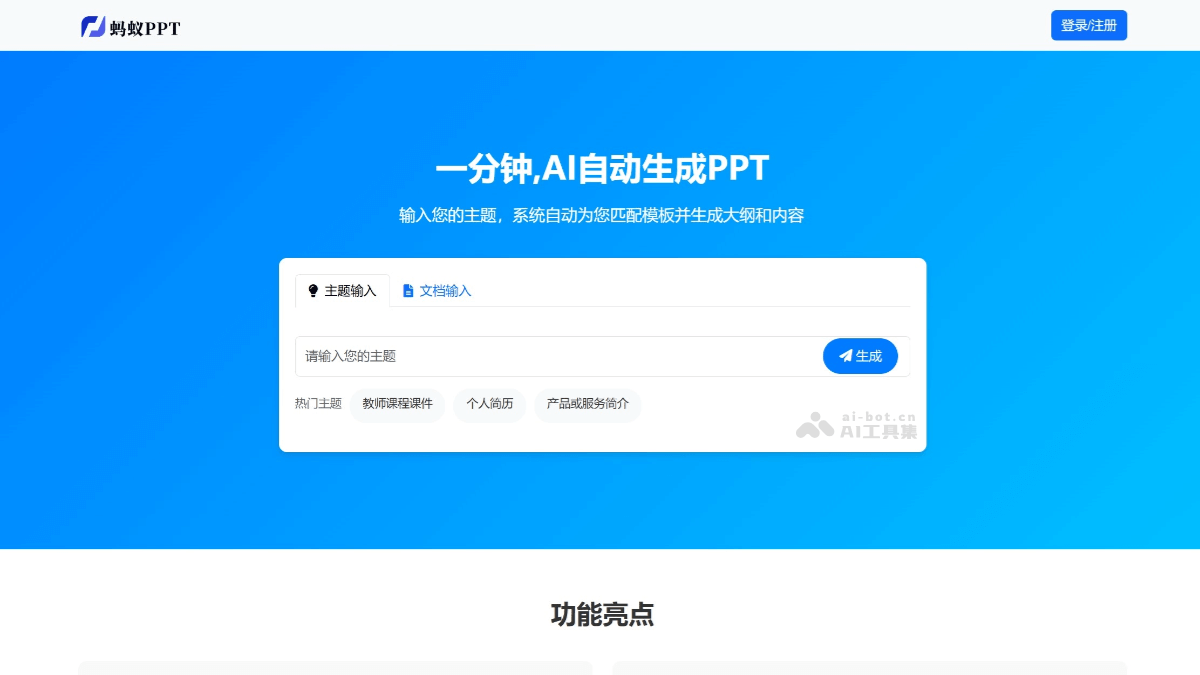
Main features of Ant PPT
-
AI intelligent PPT generation: Users enter a topic, a one-sentence description, or upload a document, and a complete PPT can be automatically generated, including the outline, content, and design.
-
Multiple generation methods:
-
One-sentence generation: Enter one sentence to quickly generate a high-quality PPT.
-
Text generation: Generate a PPT based on the text content provided by the user.
-
Document generation: Supports uploading documents in formats such as txt, word, pdf, and md, automatically parses them, and generates a PPT.
-
-
Template matching and personalized design: Built-in rich templates covering multiple scenarios and styles; users can adjust the template style, colors, fonts, and more.
-
Advanced AI model automatically matches images and generates notes: AI automatically adds images to the PPT and generates notes, improving the professionalism of speeches and reports.
-
Online editing and export: Supports online editing, modification, and export to common formats (such as PPTX and PDF), making it convenient to use on different devices and in different scenarios.
-
Multilingual support: Supports input and generation in multiple languages, meeting international usage needs.
-
Cloud storage and sharing: Users can store PPTs in the cloud for convenient access and sharing at any time.
Ant PPT official website address
- Official website address:https://www.antppt.com/
How to use Ant PPT
-
Visit the official website: Visit the Ant PPT official website https://www.antppt.com。
-
Register or log in to an account: Click the "Register" or "Log in" button in the upper right corner of the page, and complete the registration or login operation according to the prompts.
-
Choose a generation method:
-
One-sentence generation: Enter a topic or one-sentence description in the input box on the homepage, and click "Generate PPT".
-
Text generation: Click "Text generation", paste or enter text content; Markdown format is supported.
-
Document generation: Click "Document generation" and upload a document in formats such as txt, word, pdf, or md; the system will automatically parse it and generate a PPT.
-
-
Select a template (optional): Before generation, you can choose a suitable template style.
-
Generate PPT: Click the "Generate PPT" button, and the system will generate a PPT draft based on the input content.
-
Edit and adjust: After generation, you can edit text online, adjust images, change the slide order, or replace the template.
-
Save and export: After editing is complete, click the "Export" button to save the PPT in PPTX format or share it with others.
Application Scenarios of Ant PPT
-
Student Use: Students can quickly generate homework reports, classroom presentation PPTs, etc., saving time for study and preparation.
-
Teacher Use: Teachers can use it to create teaching courseware, syllabi, course summaries, etc., making lesson preparation easy.
-
Professionals: Can be used to create meeting reports, sales proposals, project summaries, product introductions, etc., improving work efficiency.
-
Speeches and Presentations: Suitable for personal interest displays, speeches, training, and other scenarios, quickly generating professional presentation slides.
-
Product Introductions: E-commerce sellers can use it to create PPTs for product introductions, event planning, brand promotion, etc.