
What is Animated Drawings
Animated Drawings is an open-source tool launched by Meta AI that uses AI technology to automatically transform hand-drawn character drawings into animations. Animated Drawings provides a complete set of tools and algorithms that can detect and segment characters in drawings and generate animation effects for them. Users can flexibly control the animation's scenes, actions, and characters through configuration files. The tool provides an automatic annotation generation tool to help users quickly create the annotation files required for animation. Animated Drawings supports multiple output formats, such as MP4 videos and transparent GIFs.
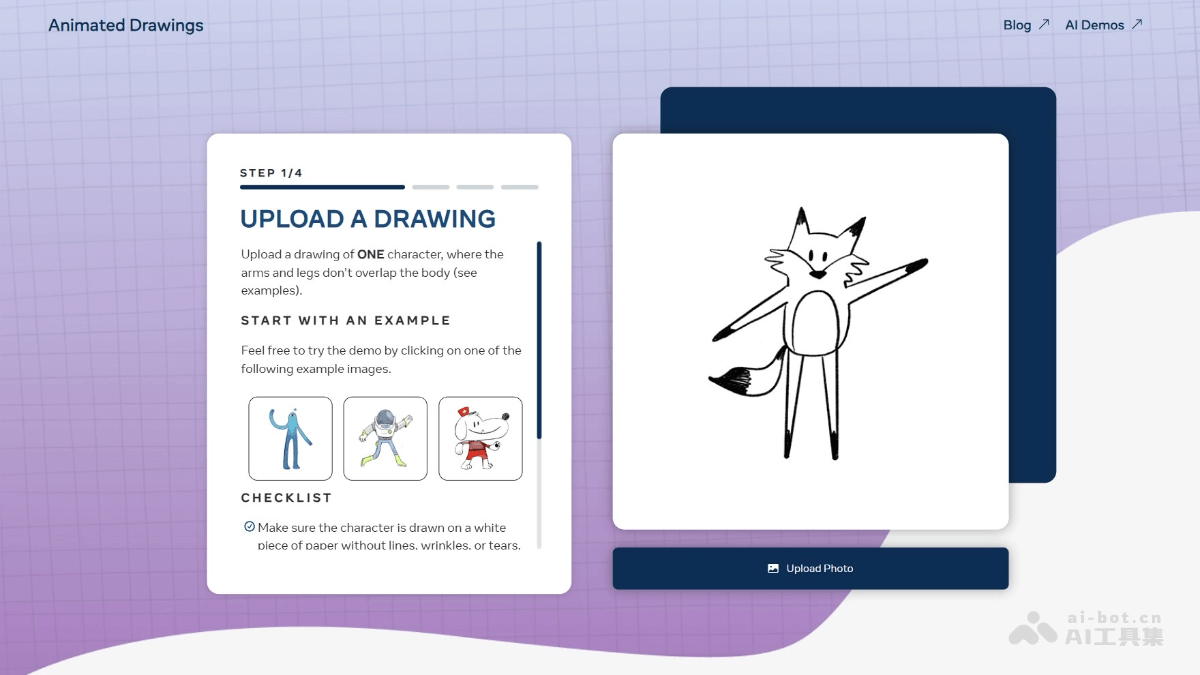
Main features of Animated Drawings
- Automatic animation of hand-drawn characters: Automatically transforms hand-drawn character drawings uploaded by users into animations, supporting multiple actions and scenes.
- Flexible configuration files: Controls animation details through configuration files (such as yaml format), including character actions, scene settings, and more.
- Automatic annotation generation: Uses AI models to automatically detect characters in drawings and generate annotation files (such as joint positions and segmentation masks), simplifying the animation production process.
- Multi-format output: Supports output in MP4 video, transparent GIF, and other formats to meet different usage needs.
- Multiple characters and background addition: Supports adding multiple characters and background images to animations, enriching the animation content.
- Custom BVH file support: Users can use their own BVH (skeletal animation) files to drive animations, adapting to different skeletal motions.
- Error correction tool: Provides an interface tool that supports users in manually correcting erroneous annotations generated by AI models, ensuring more accurate animation results.
Technical principles of Animated Drawings
- Image detection and segmentation: Detects and segments hand-drawn character drawings uploaded by users based on computer vision technology. Through pre-trained object detection models, the system can identify the character outlines in the drawings and their positions in the image. Segmentation algorithms are used to generate segmentation masks and separate the characters from the background.
- Pose estimation: After detecting the character outline, the system uses a pose estimation model (such as a deep learning-based OpenPose model) to detect the character's key points, such as the joint positions of the head, limbs, and more. The detection results of these key points are saved as annotation files, providing the necessary data support for animation generation. With precise joint position detection, the system can better understand the character's pose and structure, achieving more natural motion mapping.
- Animation generation: To apply motion data to hand-drawn characters, BVH (skeletal animation) files are used as the motion source. The files contain the skeletal data of the character's motions. Based on motion retargeting technology, the system maps the motion data in the BVH files to the joints of the drawn character, allowing the drawn character to perform the corresponding actions. The system uses the As-Rigid-As-Possible shape deformation algorithm to ensure that the shape of the drawn character remains natural and coherent during motion execution.
- Configuration and rendering: Users can flexibly define specific animation parameters through configuration files (such as yaml format), including characters, actions, scenes, and more. The configuration files provide detailed instructions for animation generation, enabling the system to generate animations according to users' personalized needs. Finally, the system renders the animation into video or GIF format according to the configuration files, supporting multiple output options such as transparent backgrounds to meet the needs of different users.
Project address of Animated Drawings
- Project Website:https://sketch.metademolab.com/canvas
- GitHub Repository:https://github.com/facebookresearch/AnimatedDrawings
Application Scenarios of Animated Drawings
- Creative and Art Education: Inspire the creativity of children and art enthusiasts, turn drawings into animations, and enhance the fun and interactivity of art education.
- Content Creation and Entertainment: Creators can quickly produce short hand-drawn animation videos or clips, share them on social media, attract viewers, and increase content appeal.
- Interactive Experiences and Exhibitions: In museums, exhibitions, and offline events, animate audience drawings in real time to increase interactivity and fun and enhance participation.
- Advertising and Marketing: Brands can create personalized hand-drawn animated advertisements to attract consumer attention and increase social media exposure.
- Game Development: Quickly generate character animation prototypes, develop interactive games, and let players use drawings to control character movements.