
Animate Anyone is an open-source framework launched by Alibaba's Institute for Intelligent Computing that animates characters or people in static images. It has garnered nearly 13,000 stars on GitHub and sparked lively discussions both in China and abroad. Built on diffusion models, the framework introduces technologies such as ReferenceNet, the Pose Guider pose guidance module, and temporal generation modules to achieve consistency, controllability, and stability when making photos move, outputting high-quality animated videos. The "Tongyi Dance King" feature in Alibaba's AI chat assistant Tongyi Qianwen is based on this technology, allowing people or characters in photos to dance the Subject 3, shoulder-shaking dance, shuffle dance, and more.
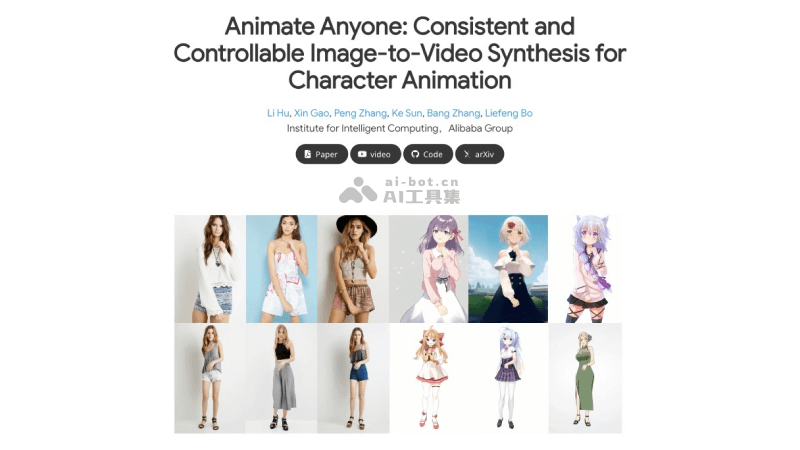
Application scenarios of Animate Anyone
- Character animation: Whether they are real people, anime characters, cartoon figures, or humanoid objects, Animate Anyone can bring them to life, adding fun to various creative projects.
- Fashion video synthesis: In the fashion field, Animate Anyone can transform static models into dynamic displays, enabling dynamic presentations from different angles and with different outfits, providing a new visual experience for clothing displays.
- Human dance generation: By combining reference images and pose skeleton animations, Animate Anyone can generate realistic dance videos, getting even the most serious-looking characters to dance.
How to use Animate Anyone
Animate Anyone's project homepage ishttps://humanaigc.github.io/animate-anyone/, and the GitHub code repository address ishttps://github.com/HumanAIGC/AnimateAnyone. You can quickly try it online via the Tongyi Qianwen APP or Hugging Face:
- Hugging Face community Demo: Visithttps://huggingface.co/spaces/xunsong/Moore-AnimateAnyone, upload or drag and drop an image, add a dynamic pose image and adjust the parameters, then click Animate to make the character in the image move
- Tongyi Qianwen: Install the Tongyi Qianwen APP on your phone, then select "One Photo to Dance" in the instruction center or directly enter Tongyi Dance King, choose a dance template you are interested in, upload a static photo, and then you can generate a dynamic video