
What is Amazon Q
Amazon Q is an AI assistant launched by Amazon, designed specifically for IT professionals and developers. Through natural language processing and machine learning technologies, it helps users quickly obtain information, solve problems, and improve work efficiency. It can connect to a variety of data sources, understand internal enterprise information, and provide personalized services. Whether in the console, IDE, or chat software, Amazon Q can provide real-time suggestions and solutions in a conversational format, helping enterprises with digital transformation.
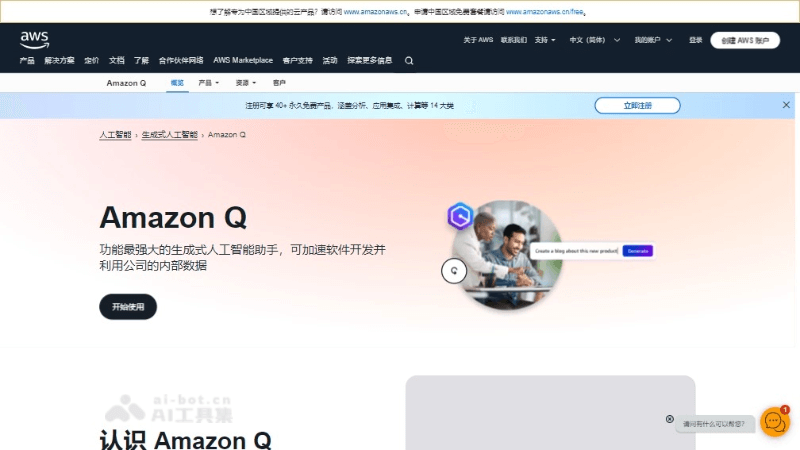
Main features of Amazon Q
- Intelligent Q&A: Through natural language processing technology, it understands users' questions and provides accurate answers.
- Code understanding and generation: Helps developers understand code logic, generate test code, and even implement features.
- Data source connection: Integrates with more than 40 business tools, including internal enterprise data sources and code repositories, to provide comprehensive data access.
- Personalized service: Provides customized information and answers based on the user's role and permissions to ensure information security.
- Content creation: Can generate reports, presentations, and more to assist users with document work.
- Business process automation: Through the Amazon Q application, users can quickly create AI-based automation tasks.
Technical principles of Amazon Q
- Natural language processing (NLP): Amazon Q uses advanced NLP technology to parse users' natural language queries and understand their intent and context.
- Machine learning: Through machine learning algorithms, Amazon Q can learn from large amounts of data and improve the relevance and accuracy of its answers and suggestions.
- Knowledge base integration: Connects to enterprise knowledge bases, documents, code repositories, and other data sources to provide personalized answers based on internal enterprise data.
- Context understanding: Amazon Q can understand the context of a conversation, thereby providing coherent and relevant answers and maintaining consistency even in multi-turn conversations.
- Identity and permission management: Integrates identity verification and permission control systems to ensure that users can only access the data and resources they are authorized to access.
- Generative artificial intelligence: Amazon Q uses generative AI technology to create new text content, such as social media post suggestions, reports, and customer service responses.
- Connectors and APIs: Uses built-in connectors and APIs to integrate with various business systems and applications, enabling seamless data flow and processing.
How to use Amazon Q
- Register and log in: Visit Amazon Web Services (AWS)'sofficial websiteto register an account and log in to the AWS Management Console.
- Search for the service: Enter "Amazon Q" in the search bar of the AWS Management Console to find and select the corresponding service.
- Configure data sources: Configure and connect your data sources according to your Amazon Q usage needs. This may include internal enterprise wikis, intranets, code repositories, Amazon S3, and more.
- Set permissions and roles: Ensure that Amazon Q's access permissions and role settings are correct in order to comply with data governance and security policies.
- Install and configure plugins: If you need to use Amazon Q in an IDE (such as Visual Studio Code), you need to install a specific plugin and configure it.
- Ask a question or make a request: Use natural language to ask Amazon Q questions or make requests, such as asking specific technical questions, requesting code generation, and so on.
Amazon Q use cases
- Software development: Help developers understand code logic, generate test code, fix errors, and even implement complete features.
- IT operations: Troubleshoot error messages in the AWS Management Console and provide information about the error and an overview of solutions.
- Customer service: Provide agents with real-time reply suggestions and operational guidance in Amazon Connect to improve customer satisfaction.
- Business intelligence: In Amazon QuickSight, use natural language queries to help users easily make decisions using existing data.
- Knowledge management: Connect to an enterprise knowledge base to provide users with personalized answers based on internal enterprise data.