
What is DingTalk YiDa
DingTalk YiDa is a low-code application development platform launched by Alibaba, helping enterprises quickly and efficiently build digital business applications. Through visual drag-and-drop and configuration, business personnel who do not understand code can also develop application systems that meet their own needs, lowering the development threshold and cost. Users can use a rich component library to quickly build various business forms, and achieve efficient business approval and circulation through custom process rules. YiDa has powerful data statistics and analysis capabilities, which can help enterprises better support decision-making.
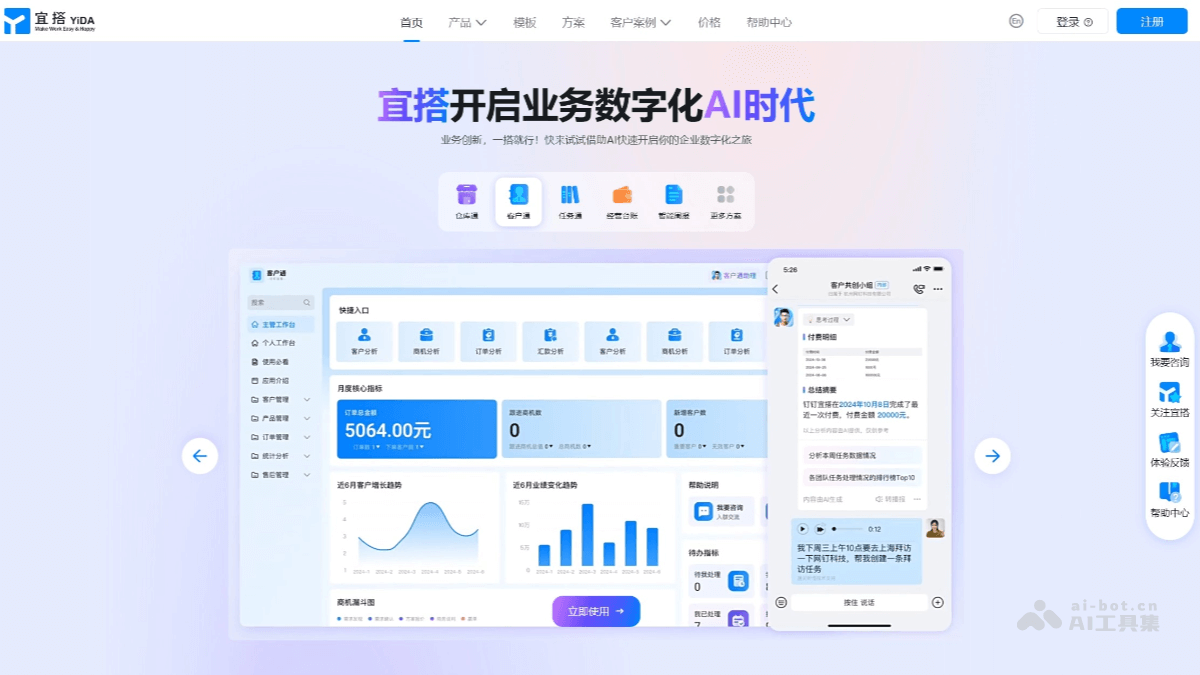
Main features of DingTalk YiDa
-
Visual application building: Provides a large number of graphical development components. Through drag-and-drop and configuration, users can quickly complete application building without code or with only a small amount of code. Business personnel who do not understand code can also become developers.
-
Tailored applications: Build applications that fit business needs through forms, processes, and data capabilities, realizing business digitalization.
-
Integration with cloud-native & DingTalk-native capabilities: Connect the underlying capabilities of Alibaba Cloud and DingTalk, connect enterprises' existing systems with DingTalk, and lower the digitalization threshold.
-
Form design: Provides rich form components. Users can drag components onto the canvas to complete form design for data collection and recording.
-
Process design: Combines forms and workflows, allowing customization of approval rules, process rules, etc., simplifying application system building and making business processing more efficient.
-
Report function: Can perform statistical analysis on data collected by forms and provide various display functions, making it convenient for decision-makers to conduct trend analysis and decision-making.
-
Data processing: Has powerful data processing capabilities and can efficiently process data collected by forms.
-
Internationalization capabilities: Supports Outlook and Gmail mailboxes, and approval records support multiple languages.
-
AI integration: Launches the "DingTalk Agent" plugin, supporting the integration of the DingTalk intelligent assistant into YiDa form applications.
How to use DingTalk YiDa
-
Register and log in: Visit DingTalk YiDa'sofficial website, and register or log in.
-
Create a new application: After entering the YiDa platform, click "Create New Application" to start building an application
-
Choose a template or blank application: YiDa provides a rich template library covering multiple fields such as personnel management, project management, and administrative office work. You can choose a suitable template for rapid building, or start custom design from scratch.
-
Drag-and-drop interface design: On the application editing page, the left side is the component library, containing multiple functional modules such as forms, lists, and charts. Drag the required components onto the design panel in the middle, and configure the corresponding properties to complete the layout of the application interface.
-
Data model and logic settings: According to business needs, set data fields, association relationships, and business process logic in the backend. For example, set data entry rules for forms, circulation conditions for approval flows, etc.
-
Publish the application: After the application is built, click Publish to generate a customized enterprise application that can be used by all employees.
-
Use the application: Employees can directly access and operate the application through DingTalk, enabling various business scenarios such as data entry, query, and approval.
Application scenarios of DingTalk YiDa
- Human resource management: Systems such as employee information management, attendance management, payroll management, and recruitment management can be built.
-
Procurement process management: From procurement requests, approvals, and order tracking to warehouse receipt management, it enables digitization and automation of the entire procurement process.
-
Sales data analysis: Display sales data through dashboards, such as sales revenue, sales trends, and customer distribution, to help the sales team formulate strategies.
-
Customer relationship management: Develop a CRM system to track customer needs, optimize the sales process, and improve customer satisfaction.
-
Knowledge management platform: Create a knowledge base to centrally store and share enterprise knowledge, promoting knowledge inheritance and team collaboration.