
What is 绘梦PPT
绘梦PPT is a simple and efficientAI online PPT design platformUsers only need to enter a title or upload a file, and AI can automatically generate a complete PPT, saving production time. The platform provides multiple creation methods, including title generation, document generation, and custom creation, meeting the needs of different users. AI can automatically recommend templates and supports one-click changes to themes, templates, and colors, allowing users to focus on content creation. 绘梦PPT supports online cloud editing, allowing modifications anytime and anywhere with automatic saving, and enables online presentations and sharing of works.
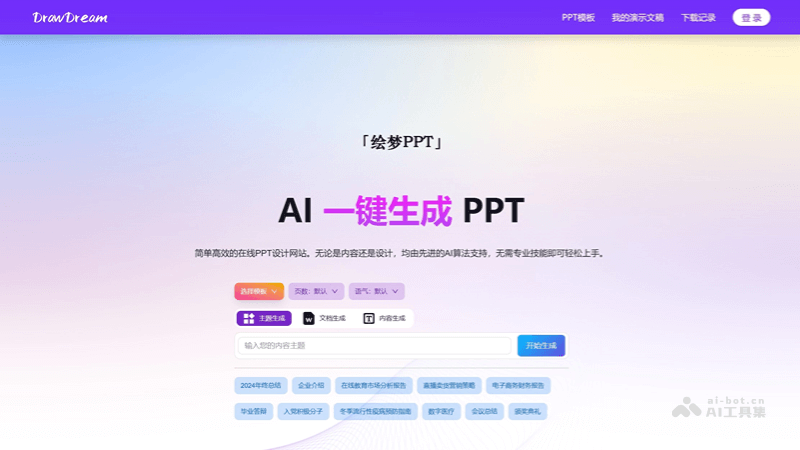
Main features of 绘梦PPT
-
AI one-click generation: Enter a title or upload a file, and AI automatically generates a complete PPT, saving production time.
-
Smart template recommendations: AI automatically recommends templates and supports one-click changes to themes, templates, and colors, with no professional design skills required.
-
Online cloud editing: Supports online editing and automatic saving, allowing modifications anytime and anywhere, and works can also be shared via link.
-
Multiple creation methods: Provides multiple methods such as title generation, document generation, and custom creation to meet different needs.
-
Multi-platform data interoperability: Supports the Web, mobile, Android and iOS apps, and WeChat Mini Program, making it convenient to use across multiple devices.
-
Massive templates and layouts: Provides a massive number of free templates and content layouts, allowing users to choose freely and focus on content creation.
How to use 绘梦PPT
- Visit the platform: Visit the official website of 绘梦PPT:https://www.aippt365.com/,注册或登录。
-
Enter a title or upload a file: Enter a title on the platform, or directly upload existing files and content, and AI will automatically generate a complete PPT for you.
-
Choose templates and themes: The platform intelligently recommends templates, and you can change themes, templates, and colors with one click as needed to suit different presentation scenarios.
-
Online editing and saving: Use the online cloud editing feature to modify your slides anytime and anywhere. All changes are automatically saved, so there is no need to worry about data loss.
-
Share the presentation: After completing the PPT, you can present and share the work online with others via a link, conveniently and quickly.
-
Customize content layout: The platform presets a massive number of content layouts for you to choose freely. You can focus on writing content without worrying about design details.
-
Multi-platform synchronized use: Supports the Web, mobile, Android and iOS apps, and WeChat Mini Program. You can choose according to your device environment, ensuring data interoperability and multi-environment operation.
Application scenarios of 绘梦PPT
-
Work summaries: Quickly generate annual, quarterly, or monthly work summary reports to clearly display work results and plans.
-
Graduation defenses: Provides PPT templates for students' graduation projects or thesis defenses, helping them better present their research results.
-
Product introductions: Creates presentations for product launches or product promotions, highlighting product features and advantages.
-
Business plans: Helps entrepreneurs and enterprises create business plans to attract investment or expand business.
-
Teaching Courseware: Teachers can quickly create teaching courseware, enrich classroom teaching content, and improve teaching effectiveness.
-
Meeting Reports: Used for preparing reports for various meetings, whether internal meetings or external presentations, to quickly generate professional documents.