
What is Aide
Aide is a free and open source AI programming plugin with features such as code comments, language conversion, smart paste, batch processing, variable naming, and custom commands, helping developers quickly understand, write, and refactor code. Aide supports multiple AI models and is easy to configure, making it a powerful assistant for improving development efficiency.
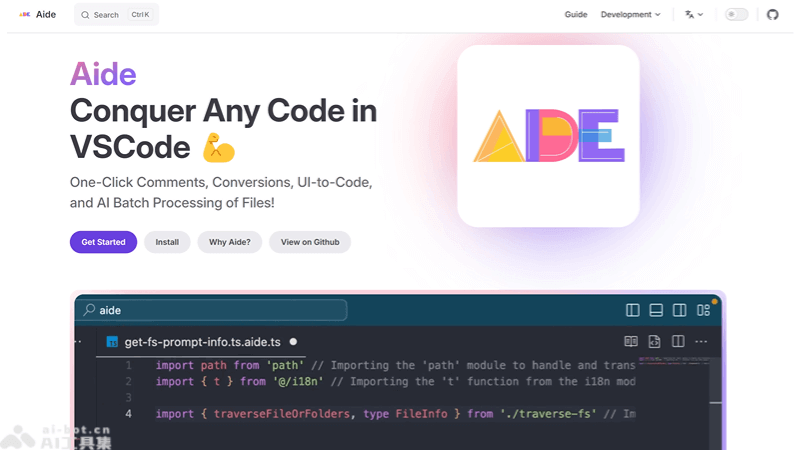
Aide's Main Features
- Code Comments: Automatically add comments to code, improving code readability and maintainability.
- Code Conversion: Supports converting code between different programming languages or frameworks, making it easier to understand and migrate projects.
- Smart Paste: Intelligently recognizes pasted content, such as design images or text, and attempts to convert it into the corresponding code.
- Batch Processing: Allows users to use AI to process multiple files or folders simultaneously, improving editing efficiency.
- Variable Renaming: Provides AI-driven variable name suggestions, helping developers choose more accurate and meaningful variable names.
How to Use Aide
- Install the Aide Extension:Open Visual Studio Code (VSCode).Go to the Extensions view, either by clicking the Extensions icon in the sidebar or using the shortcut
Ctrl+Shift+X(on macOS it isCmd+Shift+X)。Search for "Aide".Find the Aide extension and click the "Install" button to install it. - Configure Aide:After installation, perform some configuration, such as setting the API key and selecting the AI model to use.According to the web content provided earlier, you need to configure the following settings:
aide.openaiBaseUrl: Set tohttps://api.deepseek.com/v1aide.openaiKey: Set to your Deepseek API Key.aide.openaiModel: Set todeepseek-coder。
- Write or Edit Code:Open or create a new code file and start writing or editing your code.
- Use Aide Features:According to your needs, use the different features provided by Aide, such as code comments, code conversion, smart paste, etc.
- View Results:After using Aide features, review the generated code, comments, or conversion results to ensure they meet your expectations.
Aide's Project Address
- Project Official Website:https://aide.nicepkg.cn/
- GitHub Repository:https://github.com/nicepkg/aide
Aide's Application Scenarios
- Code Comments: During development, add comments to existing code to help other developers or your future self understand the code logic.
- Code Refactoring: During code refactoring, use Aide to quickly generate new variable names and function names, maintaining code consistency and clarity.
- Cross-Language Development: When developers need to work in an unfamiliar programming language, Aide can help understand and convert code.
- Design to Code: Quickly convert design images or UI layouts into front-end code, accelerating the development process.
- Code Review: During the code review stage, use Aide to check code quality and suggest improvements.