
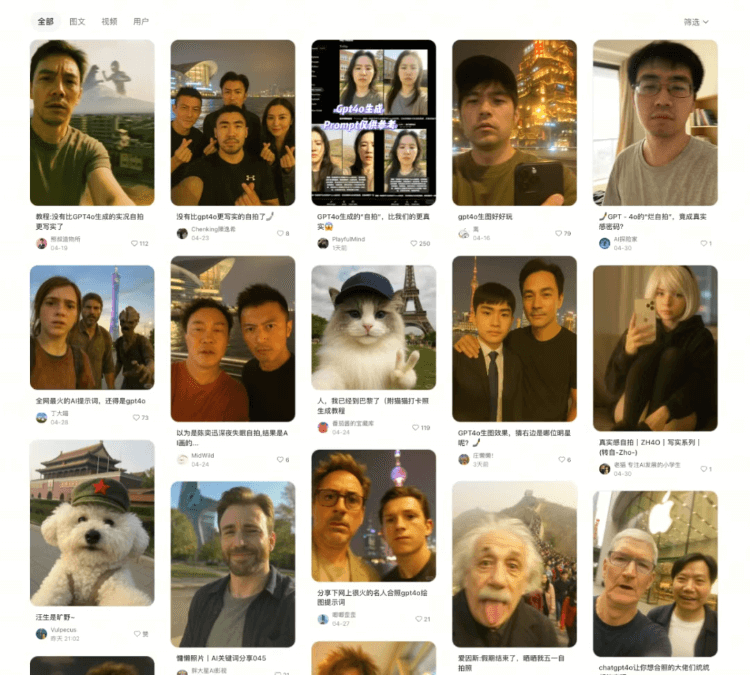
Lately, everyone online is playing with AI celebrity group photos!
Jay Chou quietly showing up in various places, Musk and Jensen Huang drinking milk tea by West Lake, Ultraman and Einstein taking a selfie together...
In fact, with GPT-4o, you can easily generate fun group photos with a 'casual snapshot' feel!
Below is a step-by-step tutorial
 Tool Selection
After comparing several tools, I think GPT-4o has the best grasp of this kind of 'casual snapshot' realism~
No complex prompts are needed; the results generated from natural language are already very good, and you can also keep adjusting through multi-turn conversation.
Open the ChatGPT website and select the GPT-4o model (free users can try it, and Plus has a higher quota).
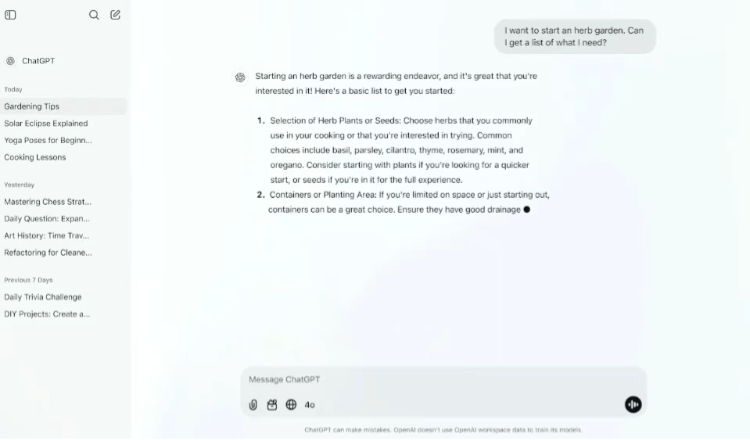
 Prompt Template
Directly copy the template below and modify the content inside the 【】:
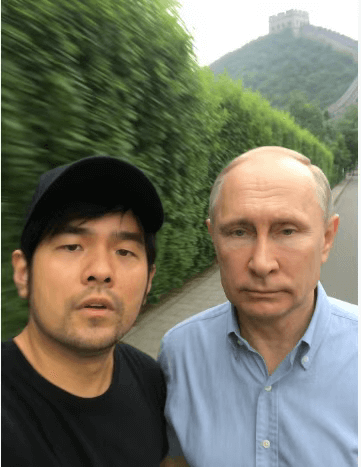
"Generate an extremely ordinary, featureless iPhone selfie with no clear subject or composition—like a casually taken snapshot. The image includes a sidewalk, a green hedge in the background, slight motion blur, overexposure, an awkward angle, and chaotic composition, making the whole thing deliberately mediocre. The characters are 【Jay Chou + Putin】, and the background is 【the Great Wall】, 9:16 ratio."
For example, a group photo of Jay Chou and Putin:
A group photo of Lei Jun and Steve Jobs:
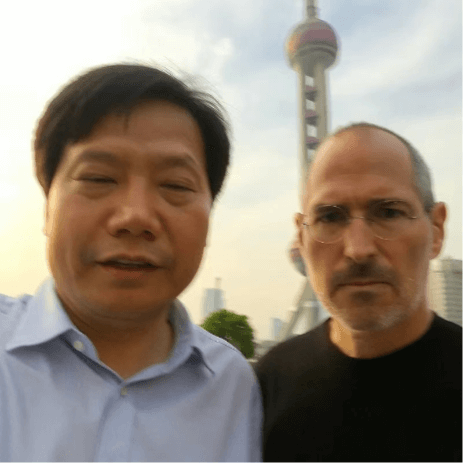
The sense of realism is completely nailed!
When generating these images, there are also sometips, such as:
If we want to generate Asian celebrities (such as Jay Chou), we can add prompts like "natural and realistic style”、“delicate skin tones”、“avoid cartoonization".
If you want to imitate a 'candid photo' feel, you can add prompts such as "blurred passersby”、“backlit silhouette".
We can also make the photo more vivid by changing the characters' expressions. For example, add "smile”、“sadness”、“awkwardness" and so on to the prompt.
 'Imperfection' Prompts Nail the Relaxed Feel
Many photos that look AI at a glance share these common problems:
professional composition, extreme lighting and shadow, skin so smooth you can't see pores...
Everything is very 'perfect,' but it always feels like it lacks a bit of 'human touch.'
At this point, 'imperfection' instead becomes the soul of a realistic photo.
We can add elements such asmotion blur (such as hand shake or movement trails), uneven exposure (overexposed/underexposed areas), awkward composition (unconventional angles)to the request, triggering the model's ability to capture life's randomness.
Based on the imagined scene the character is in and the character's selfie-taking habits, refine and add targeted 'awkward' prompts.
For example, add this prompt on top of the original:uneven nighttime lighting, using the front camera, focus on the face + relaxed travel feel。
and you can get a cat travel photo in the style of a straight man's selfie:
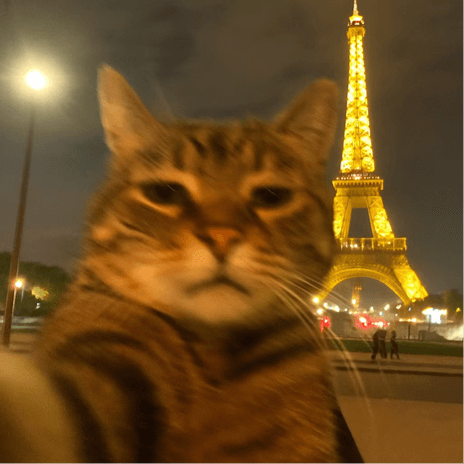
Please draw an extremely ordinary iPhone selfie with no clear subject or sense of composition, like a casually taken snapshot. The photo has slight motion blur,uneven nighttime lightingcausing slight overexposure. The angle is awkward and the composition is chaotic, overall presenting a deliberately mediocre feel, like a selfie accidentally taken when taking the phone out of a pocket. It usesFront camera, focused on the face, the subject is a tabby cat witha relaxed travel vibe, the background is the illuminated Eiffel Tower in Paris at night.
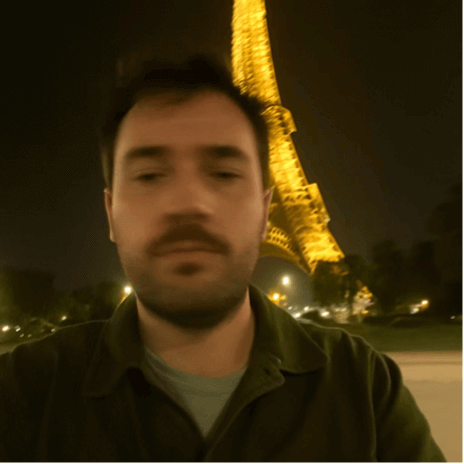
It should be noted that,the cat's breed needs to be specified in the prompt. If you just write that the subject is a cat, you might get a photo of a straight guy:
 Create a storytelling scene
A good image needs a sense of story, for example, the recent viral hit on Xiaohongshu:
A middle-aged Lu Xun taking a group photo with Peking University, paired with a caption expressing his feelings about resigning;
A durian dropped on the grass, with an angry Newton ranting about who put the durian on the apple tree.
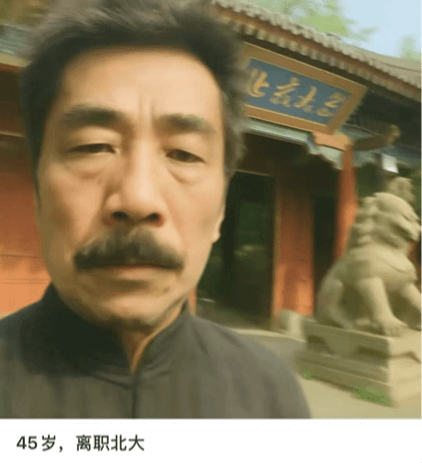
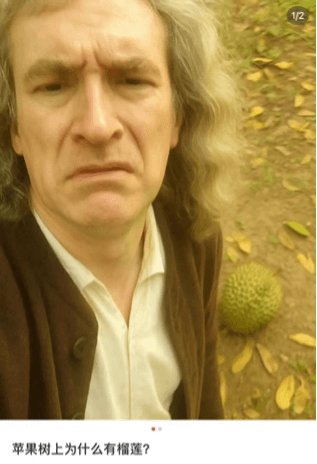
Xiaohongshu's viral copy may be brilliantly written, but unfortunately AI still finds it hard to understand the humorous scene humans get from associating durian + Newton together and sharing a knowing smile.
If you directly write in the original prompt, "the subject is Newton, the background is a durian falling on the ground, showing Newton looking angry after being hit by the durian.”
All you can get is an image with a somewhat absurd and funny atmosphere:
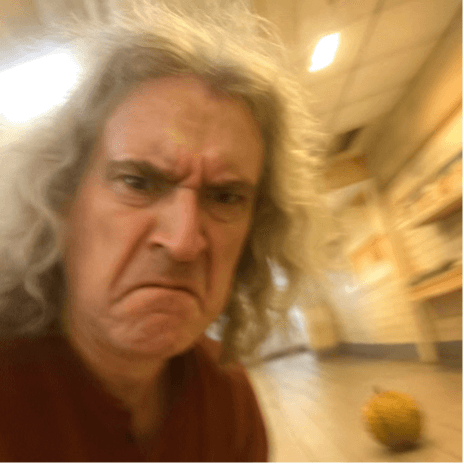
If you don't look at the prompt and only look at the image, it doesn't feel like a Newton joke at all.
But as long as you add a little restriction to the background on top of the original, the effect is completely different:
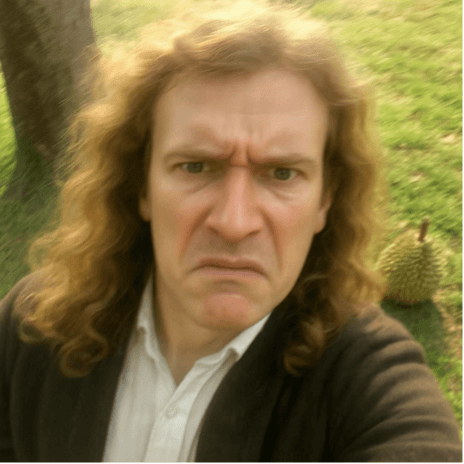
Please draw an extremely ordinary and unremarkable iPhone selfie, with no clear subject or sense of composition, like a snapshot taken casually. The photo has slight motion blur, and uneven sunlight or indoor lighting causes slight overexposure. The angle is awkward and the composition is chaotic, overall presenting a deliberately mediocre feel, like a selfie accidentally taken when taking a phone out of a pocket. The subject is Newton, the background is a durian falling on the grass under a tree, showing Newton looking angry after being hit by the durian.
The personality and identity of celebrity characters are generally fixed, so as long as the scene and interaction details are set well, a photo that matches our imagination can be generated.
So if you want to generate a photo of cats and dogs that fits your imagination without any sense of incongruity, you need to define the roles they play.
For example, this time, I originally wanted to generate a soaring cat with lofty aspirations, but I only got a timid cat passenger.
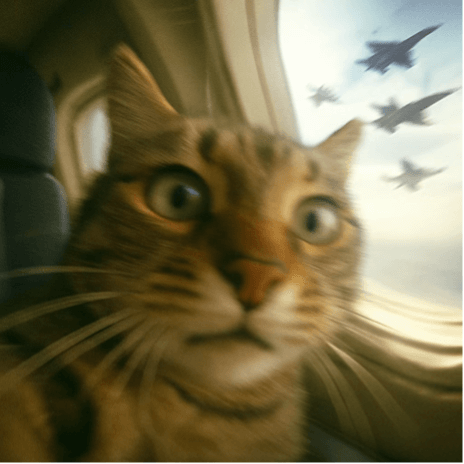
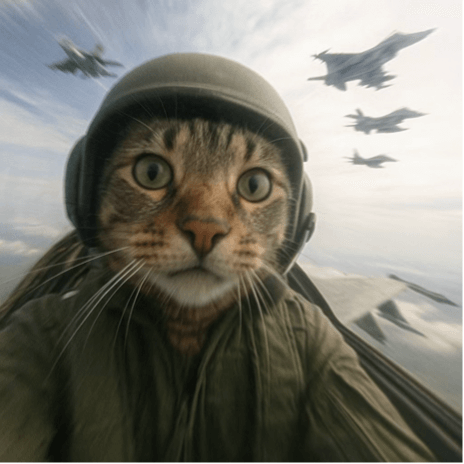
If we add some descriptions on top of the original prompt in the above image, such as: "The photo has slight vibration and motion blur from high-altitude flight”,“the subject is a pilot tabby cat with a sense of urgency in aerial combat, and the background is the scene of a group of fighter jets fighting as seen from outside the cockpit.”
The style immediately becomes different:
 Some sharing
Referring to the previous image generation ideas, we can also slightly modify and restrict the basic template prompt to generate fake "photo scams" that look real.
For example, use the recently popular Doubao to input similar prompts for creation, and chooseportrait photography style。
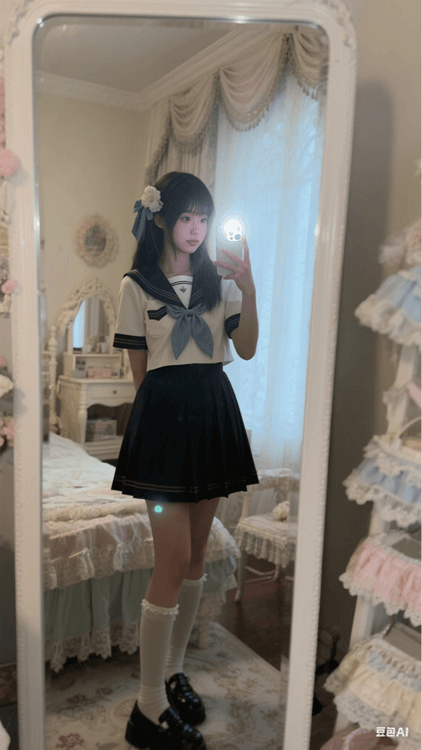
The image style is "portrait photography". Please draw an extremely ordinary and unremarkable iPhone mirror selfie. The subject is a cute girl wearing a JK-style cos costume, taking a quick snapshot with the rear camera in front of a floor mirror in a cute-style room she carefully decorated. The photo uses flash, with slight motion blur caused by insufficient shutter speed (if blurred, it should be overall blur, at a slight degree), chaotic composition, highlighting the room environment reflected in the mirror in the girl's mirror selfie (from a first-person perspective), highlighting the blurred light and shadow relationships, overall presenting a mediocre and everyday feel, ratio "9:16".
Isn't the final result pretty good?
It is also exquisite, yet still retains a sense of realism.
To some extent, it can meet the needs of users who want a substitute for their hobby of refined visuals.
Let us return to the initial template, finalize your protagonist and background, and let the colorful world in your heart bloom in "reality."
Original link:The wildly popular "ordinary and unremarkable" iPhone selfie image—I discovered a new way to play with it!