
Tonight is New Year's Eve, so how can you make your New Year wishes more distinctive?
A unique and meaningful red envelope cover,can be drawn in just a few seconds with AI tools~You can add personalized elements, and it's completely free!
Spend one minute reading this tutorial, and you won't have to pay someone else to customize it and waste money anymore.
01
Red Envelope Cover Customization Requirements
To customize a personalized red envelope cover, you need an account that has applied for an Official Account or Channels account and completed enterprise verification;
If you are an individual user, you can customize it once your Official Account or Channels account reaches 100 followers.
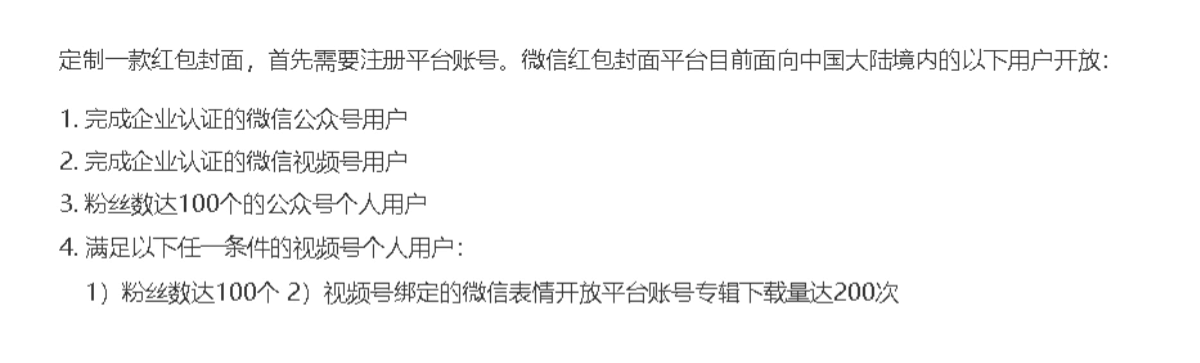
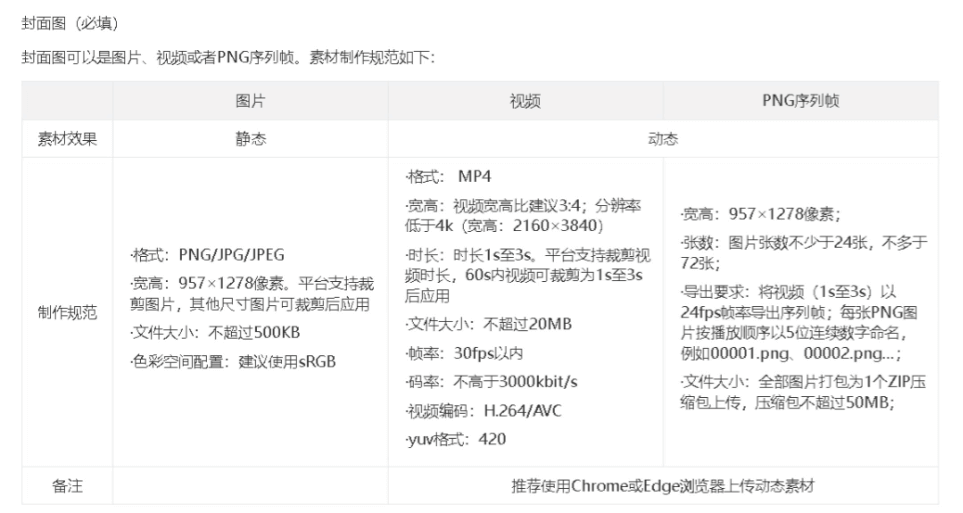
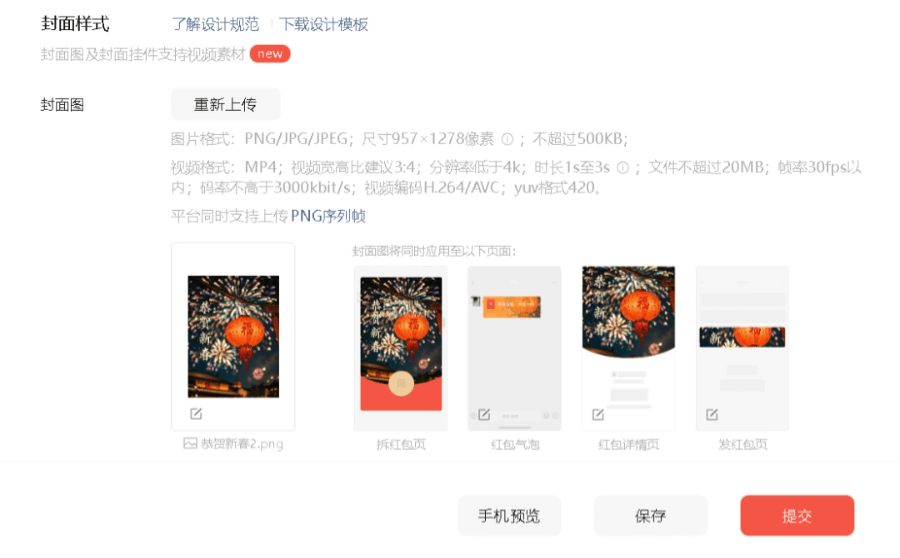
Red envelope covers can be static images, videos, or PNG sequence frames. They need to meet the following requirements:
02
Static Red Envelope Cover
Image Creation
A static red envelope cover is actually just like when we usually use AI to draw images. Add some New Year and zodiac elements, and it becomes a good-looking New Year-themed cover.
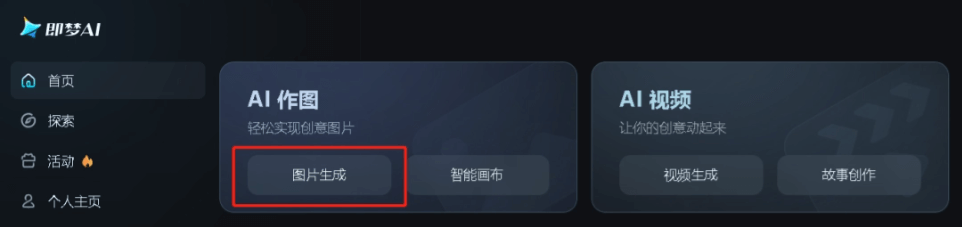
We open Jimeng's image generation feature.
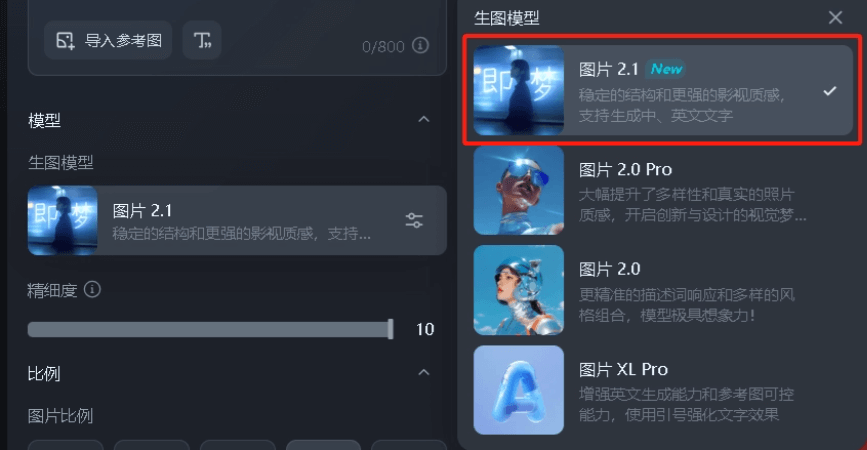
For the image generation model, choose 2.1, which can generate images with blessing words.
Click to unbind the image aspect ratio, and you can freely enter the image dimensions.
Here, enter the size required for a static red envelope: 957×1278.
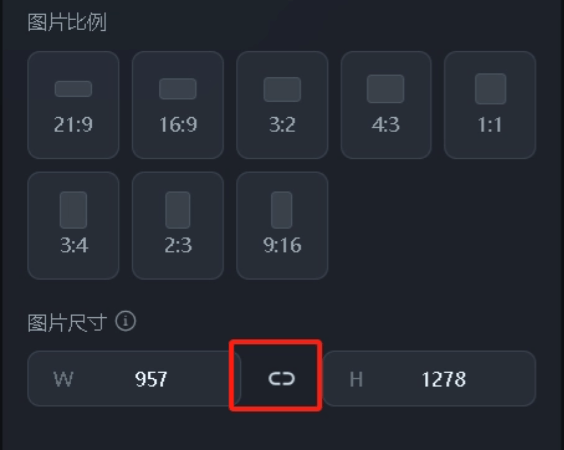
Enter the prompt, click generate, and you can get the cover image~ Here are some prompts in different styles for everyone as reference.
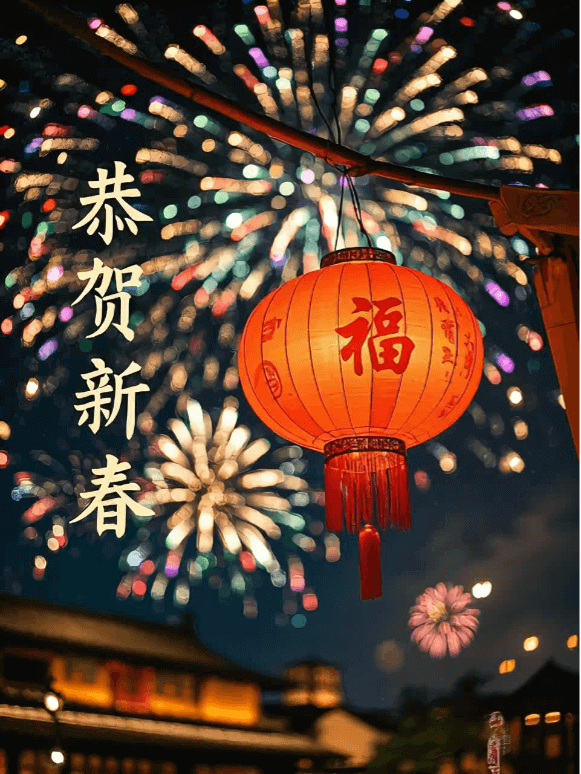
Prompt: Happy New Year, traditional Chinese Spring Festival elements, lanterns, fireworks, camera moves along the central axis in the background, the character "福" appears on the lantern, documentary, 32K
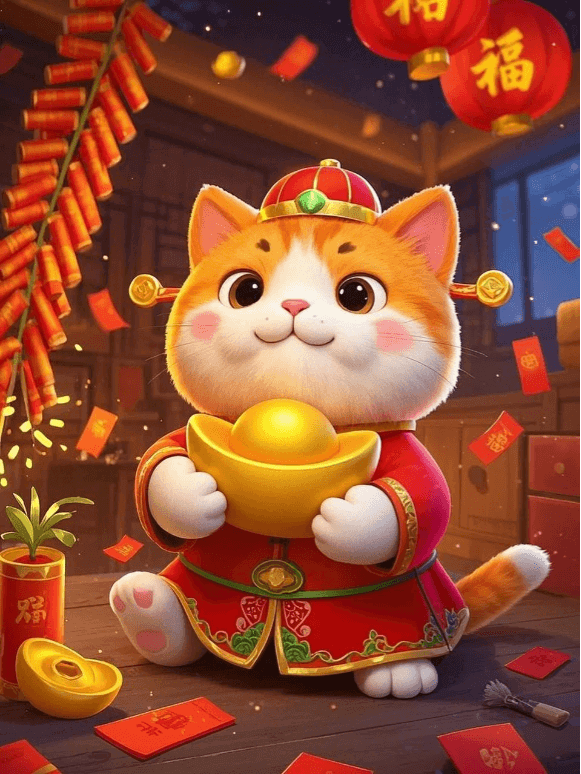
Prompt: Cute 3D cartoon, a little orange cat, fluffy, holding a big golden ingot, wearing a God of Wealth hat, wearing a red formal suit, wishing everyone a Happy New Year
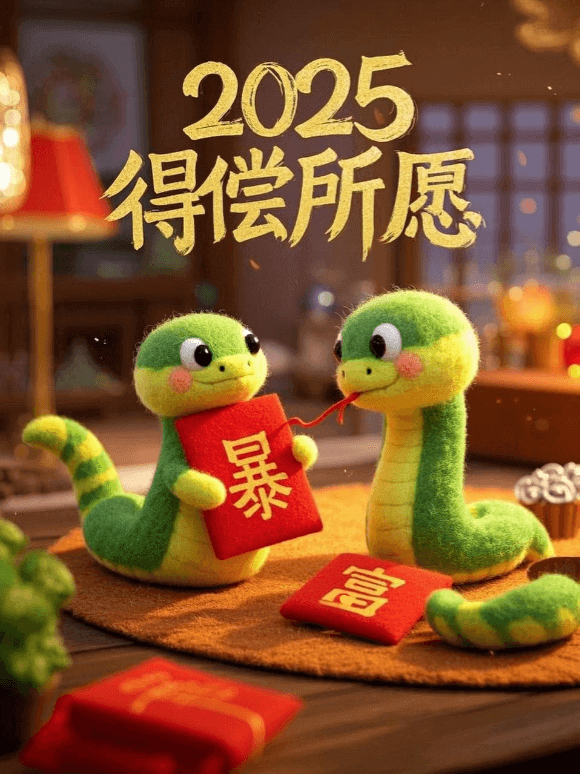
Prompt: Two anthropomorphic felt-style baby snakes, each holding a red envelope, with "暴" on the left and "富" on the right, and at the very top of the image it says: 2025, may your wishes come true
Use the watermark-free method for downloading images and videos that we shared before to download it.
The downloaded image can becompressed for free with TinyPNG, because the uploaded image size for a red envelope cover cannot exceed 500K.
How to Download Jimeng HD AI Images/Videos for Free
Directly drag the image into the box to upload it.

Click common tools, select compress image file, adjust the file size, and set an appropriate compression ratio~

03
Dynamic Red Envelope Cover
Video Creation
Move the mouse over the image we generated and click generate video.
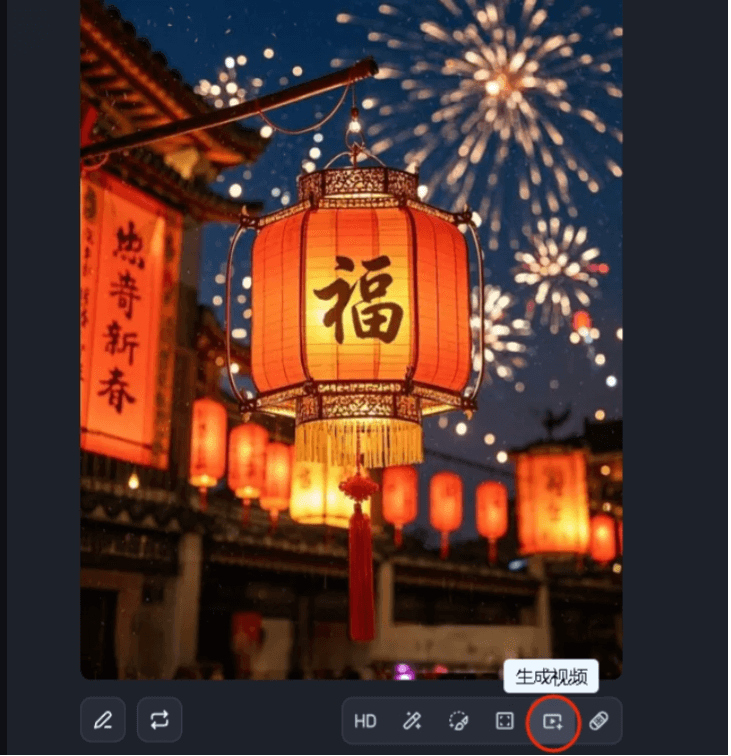
Choose the video model: Video S2.0 Pro.
Prompt: The camera slowly pushes in, fireworks bloom in the sky
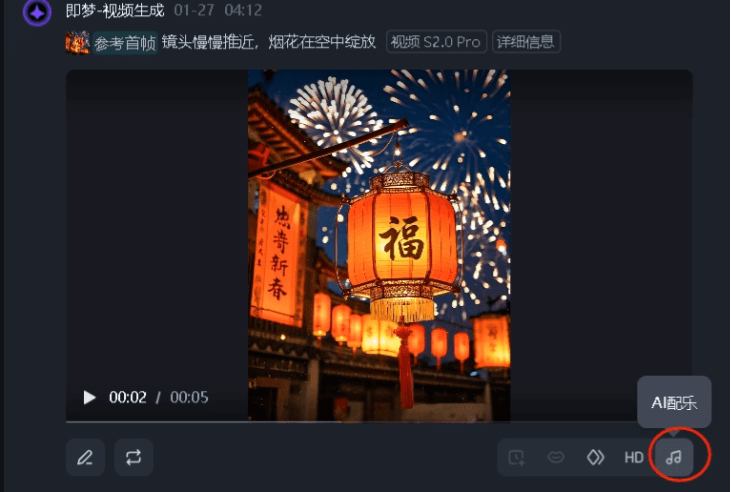
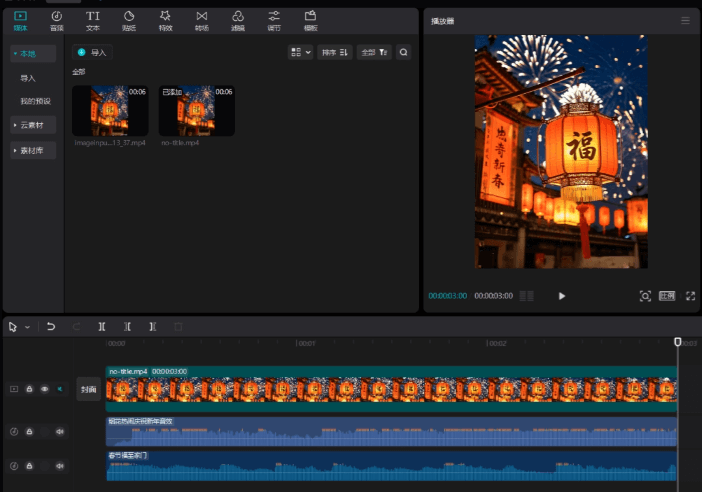
Download the video, import it into CapCut, add some festive music, and adjust the video duration to 1-3 seconds.
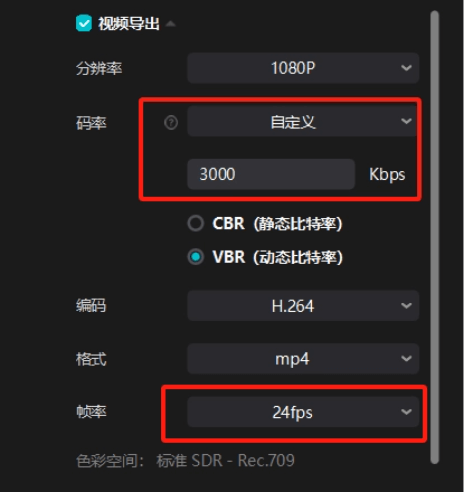
When exporting, choose custom bitrate, set it to 3000Kbps, frame rate 24fps, and keep the rest as default.
This way we get a cover video with sound effects.
04
Customize Cover
Open the WeChat Red Envelope Cover Open Platform and register and log in as prompted.
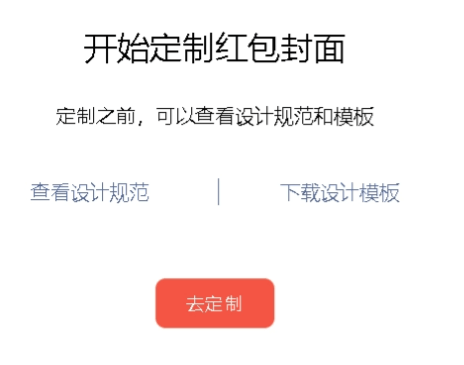
Upload the finished cover image.
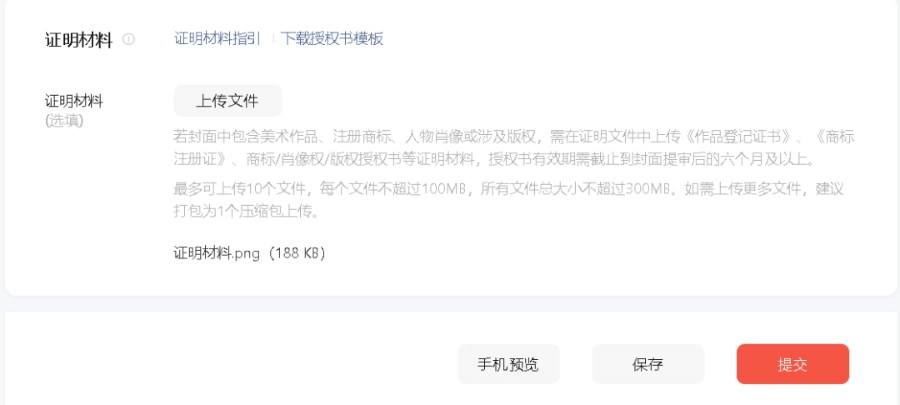
Submit supporting materials.
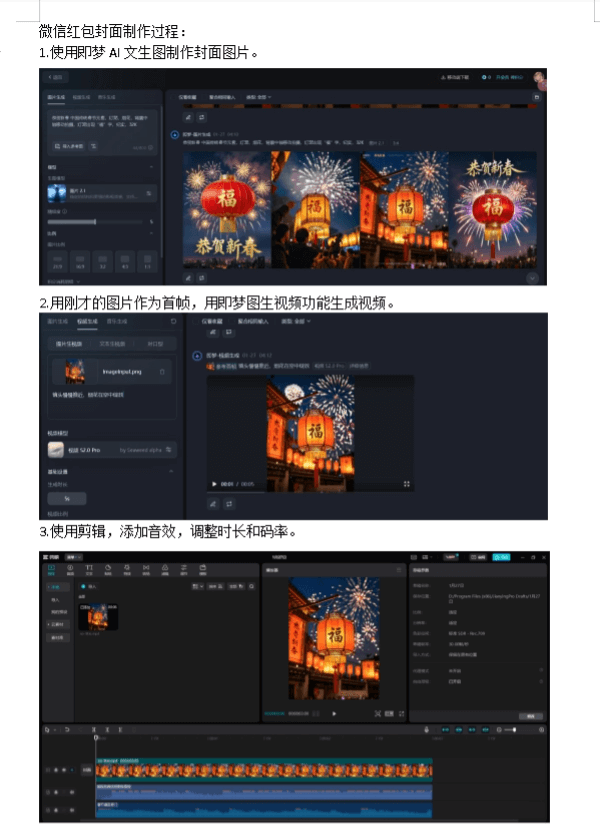
The supporting materials are the production process of our red envelope cover image/video. When making it, everyone can take a few screenshots and make a Word file. You can refer to my approach below:
In My Red Envelope Covers, check the review status.
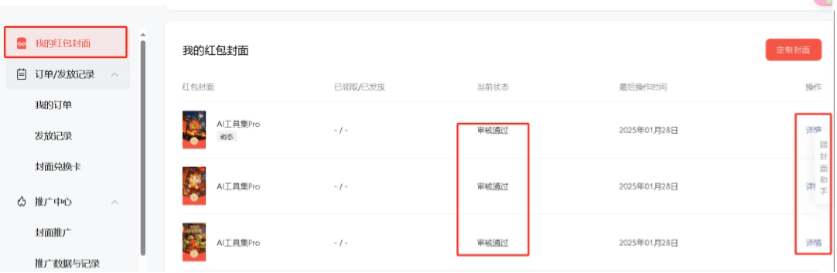
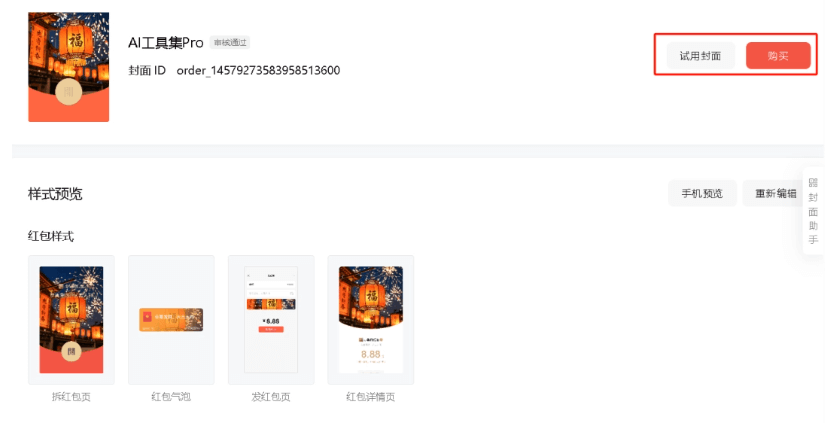
After the review is approved, enter the details page and click to purchase.
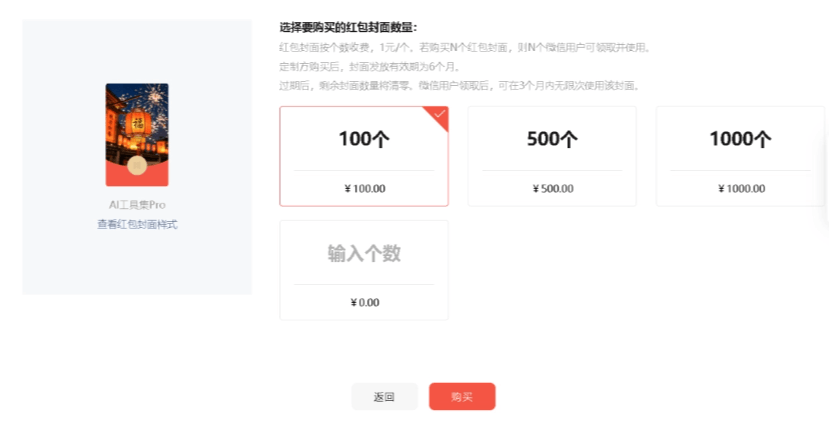
Enter the number of red envelopes and place the order directly.
This way you can share your exclusive red envelope cover~
I'm giving everyone my red envelope cover, limited to 100, hope you all like it.
Happy New Year to everyone!
Friends who have learned it, go try it out~
All tools involved in this article:
Jimeng:https://ai-bot.cn/sites/17772.html
TinyPNG:https://tinypng.com
Jianying:https://ai-bot.cn/ai-video-editing-tools
Original link:Learn to customize red envelope covers with AI in 1 minute, anyone can make them for free!Click to claim the red envelope cover.