
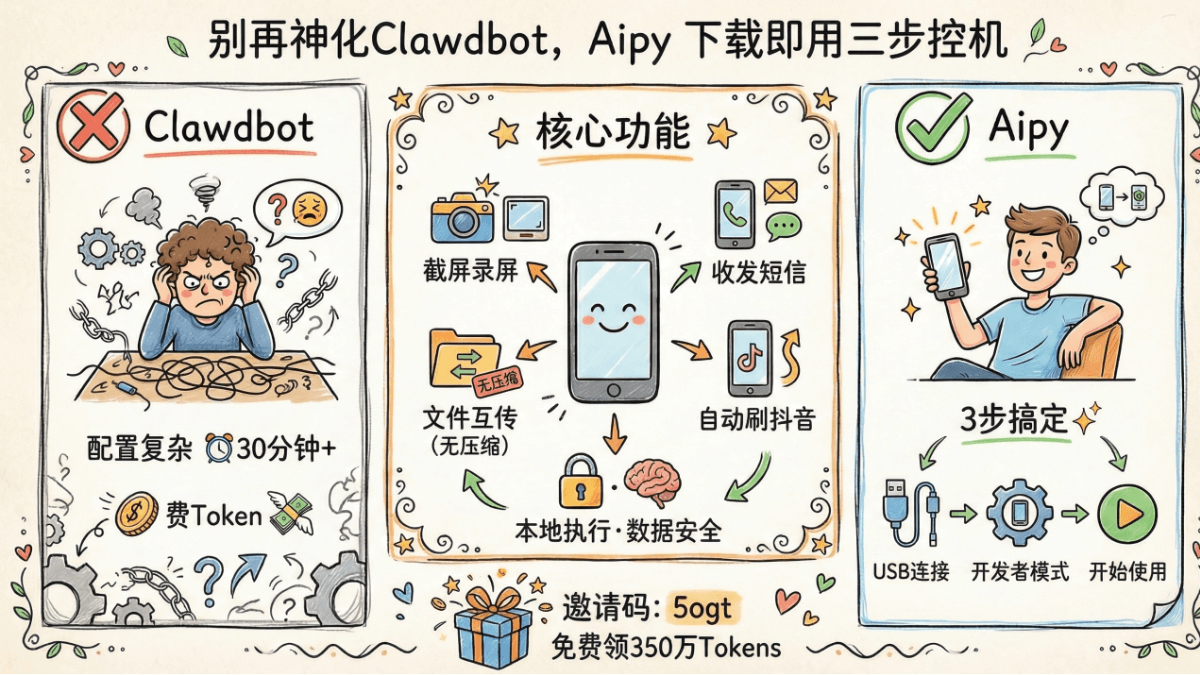
I have completely lost my illusions about Clawdbot.
I thought it was a productivity神器 that could do the work for me as soon as I installed it. Only when I actually used it did I realize this level of control capability is simply child's play. There are a bunch of pitfalls in configuration and debugging, and it also consumes a huge amount of tokens.
Recently I discovered Aipy launched an Android phone control agent that lets AI operate a phone like a human. You only need to say one sentence to it and it can complete many daily operations for you。
For example, making a call, receiving a verification code, installing/uninstalling apps...
I often need to transfer files and videos between my phone and computer. Relying on WeChat not only compresses image quality, but also has limits on file size per send. Sending them to Aipy allows batch two-way transfer with one sentence, which is extremely efficient.
It can even let AI automatically download software, and scroll through Douyin short videos like a real person.
01. How to use AI to control a phone
Compared with Clawdbot's learning cost of starting at half an hour for configuration, using Aipy to control a phone is much simpler.
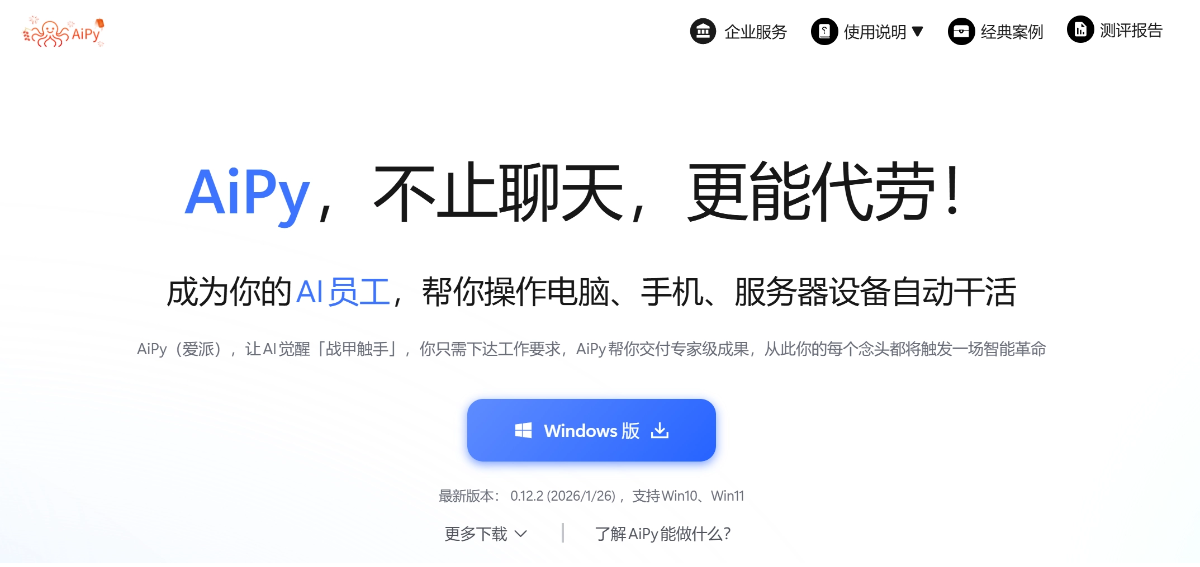
Official website:https://www.aipyaipy.com/
K姐 exclusive invitation code:5ogt, you can additionally get 3.5 million Tokens for free.
Only three steps are needed:
1. Connect the phone to the computer via USB, enter developer mode, and turn on USB debugging。
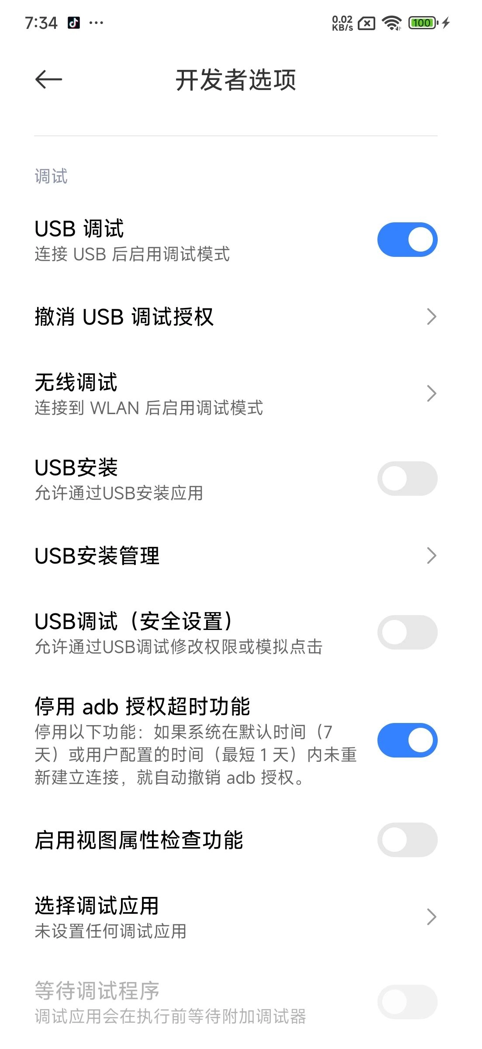
If you need to control the phone to install or uninstall apps, you need to turn on USB installation; if you need to simulate click operations, such as scrolling through Douyin, you need to turn on USB debugging (security settings)。
2. Install Aipy, and install the Android phone control agent in the marketplace;
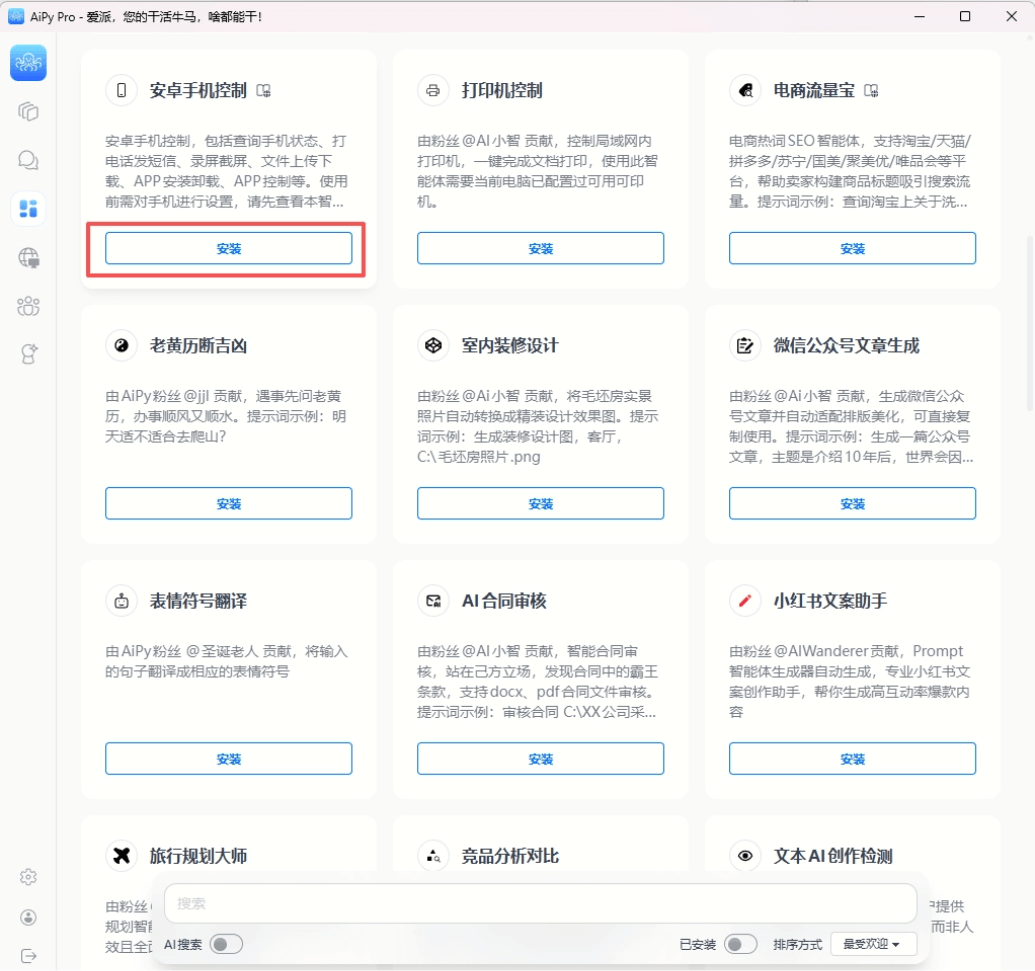
3. Create a new task and select the Android phone control agent.
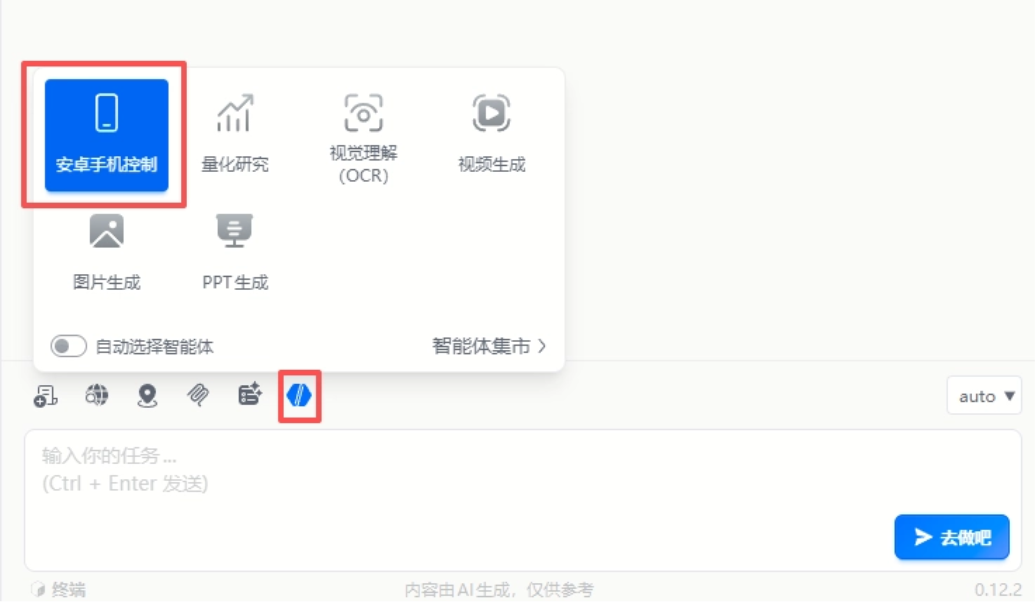
In this way, we can directly control the phone through conversation.
For example, screenshots and screen recording:
Control the Android phone to take a screenshot, and save the screenshot to the phone album and the following folder on the computer D:\浏览器下载\0.
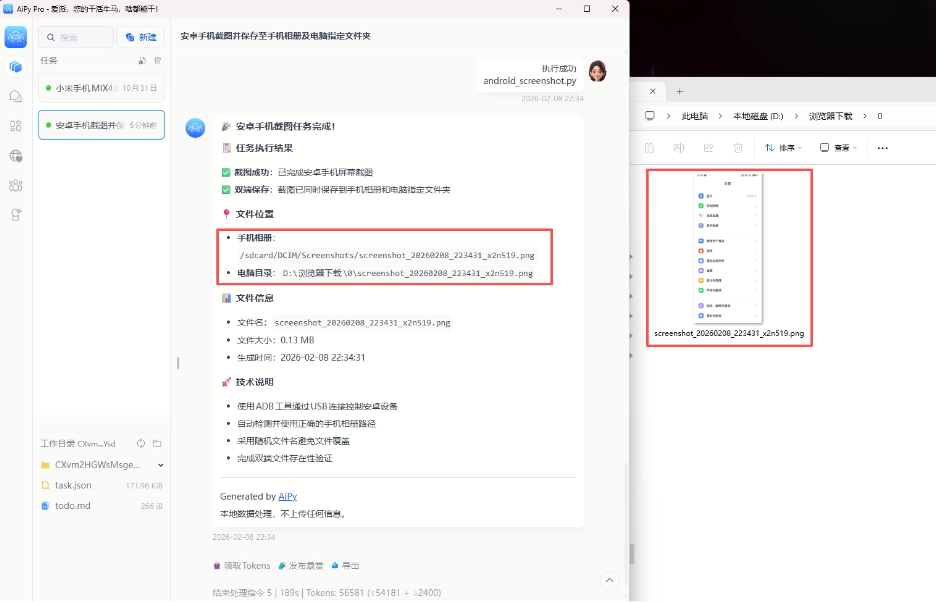
Control the Android phone to record the screen for 15 seconds, and save the screen recording result to the following folder D:\浏览器下载\0.
Read the latest received text message on the phone.
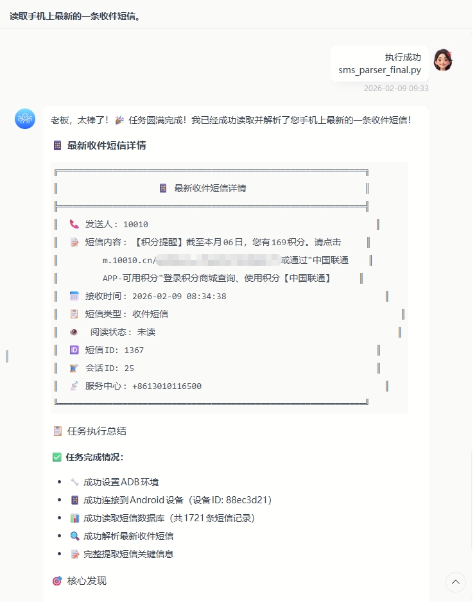
Screenshots, screen recording, and sending/receiving text messages are all basic operations. Aipy will recognize screen information in real time and operate the phone like a human, such as scrolling through videos.
Control the Android phone to open Douyin, browse videos, and switch to the next video every 5 seconds.
I think the most useful feature is still file transfer. We only need one sentence to let Aipy transfer files in batches. It is not only faster than WeChat, but also there is no need to worry about duplication, omission, or content being compressed.
Save all files in the computer folder D:\浏览器下载\图片 to the phone album.
02. Some sharing
Through the local ADB channel, Aipy can complete trivial operations on the phone for us with one sentence, letting AI do the work for us. It does not require ROOT permissions, and ordinary people can quickly start using it。
Unlike OpenClaw, we do not need to worry about security issues at all,code execution and data processing are all completed locally, and files will not be uploaded to any server. Moreover, the core code is fully open source on GitHub, with absolutely no backdoors。
When you do not need to use it, just turn off developer permissions directly.
Friends who are interested can experience it through K姐's invitation code:5ogt, you can additionally claim 3.5 million Tokens, which will last you a long time~ Below is the official Aipy community group. Friends who are interested can join the group to chat~ If you have feature requests or suggestions, you can give feedback directly to the official team.
Original link:Stop mythologizing Clawdbot, Aipy controls machines in 3 steps right after download